
- Title: NEO N002i
- Listed: July, 2013
- Last modified: 07/22/2013 3:08 am
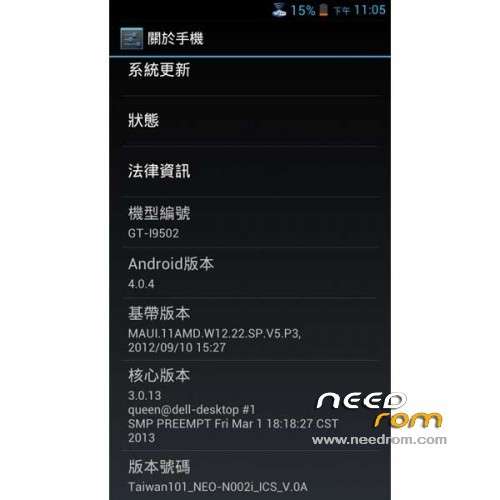
- Version: ROM Android 4.0.4
You must be logged for ROM download.
25705 total views, 2 today
1 Total favorites
 Member Info
DESCRIPTION
ROM NEO N002i – ROM Android 4.0.4
Features ROM:
- Firmware version based on the official F01
- root privileges built
- Update GAPPS
- Join Saumsung gapps
- EPO / APGS default startup
- TW carriers APN parameters
- CM10 Boot animation
Language suport : EN/CN/AR/BN/ES/HI/PT/RU/TH/VI
Thx taiwan for rom
Install rom:
CWM
Step 1: Download the custom ROM copied to an external SD card root directory
Step 2: the shutdown state. While holding down:
– Power button + volume button up, to enter the recovery mode.
– Wipe Data / Factory Reset -> delete all user data
– Wipe Cache Partition -> Wipe cache
Step 3: Return to recovery main interface Install zip from sdcard -> choose zip from sdcard -> Select your ROM
Step 4: Brush complete, restart the phone Patience required – first boot takes a while
OR
Use Flashtools
※Please make a backup of your device before installing or updating ROM
listen man get cwm and flash this rom coz this one is for n002 i tried on my mine and its basicly the stock rom!!
or get mtk tools and use that??
if you can help me find any custom roms or stock roms for this phone tell me yeh thanks
this is by far the fastest rom i
ever used on n002 and my
n002i i can play games like
amazin spiderman 2 fifa 14
gta 3 gta vc gta sa many more
amazzzingg!
Hi I already posted links to chinese website with loads of roms guys…
Sorry about not making back up the app you say to use does not exist on play store I do not have CWM on my phone and do not want to void the warranty yet as its new. How do I make back up?
i think that this phone already has cwm recovery you just have to close it and then press volume up and power button together.But if you haven't cwm and your phone is rooted download "MtkDroidTools_v248" to your pc unzip it enable the usb debugging to your phone and connect it to your pc
i can't collkid77 because my device doesn't boot at all (it's bricked) and mtkdroidtools can't read the bootloader from a rom only from a backup. if you can go to cwm recovery and check "backup and restore" check "backup" wait until the backup is done i can tell you then how to upload it with 4shared and help me.
if anyone can tell me how to put cwm on this phone I will consider doing this bro
collkid 77 ! You make me want to install this phone. You ever have hardware problems with this phone ? How long you owned it?
jdominicjackson is your phone rooted?
Yes it says it is rooted in antutu
download this file http://www.4shared.com/file/G-.....coveryn002.html? and "mobileuncle mtk tools" from google play. Put the file you downloaded at the root of your sd card (not in a folder) and launch mobileuncle grand root permitions and go and check "recovery update" it will scan your sd and find recoveryn002 check it and your ok. then it will ask you to reboot in recovery press ok and make the backup.
Domnic if ur phone is rooted tht means u got cwm turn off ur phone then hold power button and volume down together once the phone vibrates let go of power button but still hold volume down
If this works do tell me thanks