
- Title: NEO N002i
- Listed: July, 2013
- Last modified: 07/22/2013 3:08 am
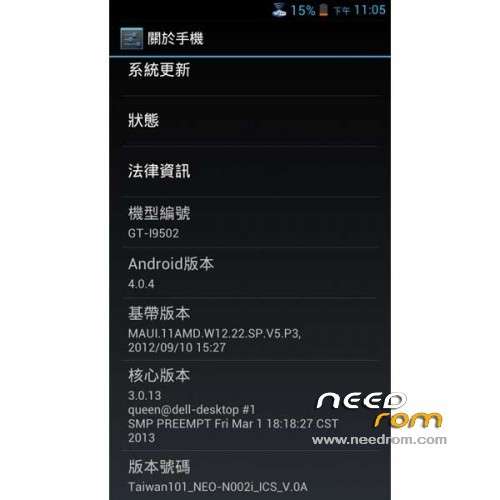
- Version: ROM Android 4.0.4
You must be logged for ROM download.
25163 total views, 6 today
1 Total favorites
 Member Info
DESCRIPTION
ROM NEO N002i – ROM Android 4.0.4
Features ROM:
- Firmware version based on the official F01
- root privileges built
- Update GAPPS
- Join Saumsung gapps
- EPO / APGS default startup
- TW carriers APN parameters
- CM10 Boot animation
Language suport : EN/CN/AR/BN/ES/HI/PT/RU/TH/VI
Thx taiwan for rom
Install rom:
CWM
Step 1: Download the custom ROM copied to an external SD card root directory
Step 2: the shutdown state. While holding down:
– Power button + volume button up, to enter the recovery mode.
– Wipe Data / Factory Reset -> delete all user data
– Wipe Cache Partition -> Wipe cache
Step 3: Return to recovery main interface Install zip from sdcard -> choose zip from sdcard -> Select your ROM
Step 4: Brush complete, restart the phone Patience required – first boot takes a while
OR
Use Flashtools
※Please make a backup of your device before installing or updating ROM
No man I have tried everything thank for trouble anyway. I wouldn’t use your backup the wrong way(if there is any but there isn’t ,just apks as I know ). Please when you get your PC back try the mtkdroidtools way which I know for sure that doesn’t backup personal data
I sure will btw is the neo n002 ur only phone?
My only smartphone I have another for talking and messages.
can you check the backup you made if there such files: "firmware.info" – "files.md5" – "preloader.bin" – "MT6577_Android_scatter_emmc"?
k ill check right now and reply k
ill show u a pic of the things my back up comes with
here
my ones a cwm backup so is that what you need for mtkdroidtools?
hope i helped
yes i think these are the files as soon as there is an md5 file.Could you please upload it ? in that form there isn't any personal data