
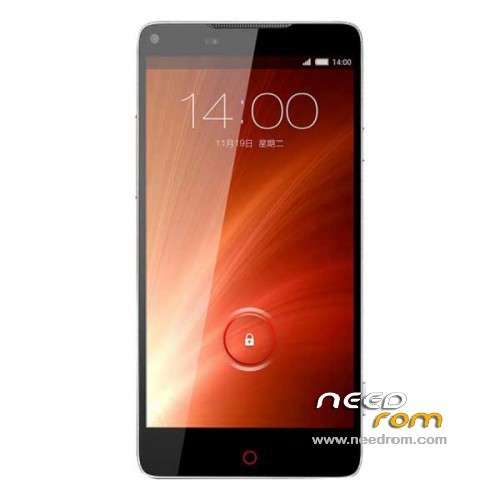
- Title: Nubia Z5S
- Listed: December, 2013
- Last modified: 03/09/2014 3:20 am
- Version: ROM Android 4.2.2
You must be logged for ROM download.
33182 total views, 5 today
1 Total favorites
 Member Info
DESCRIPTION
ROM ZTE Nubia Z5S – ROM Android 4.2.2
ROM Features:
Add old version but Gapps include and Multilang. NX503A_CNCOMMON_V1.22 ( No Rooted )
For install see File :ZTE Nubia Z5S Multi-language Firmware Upgrade Instruction.doc
—————————————————————————————————————————————–
Update ROM official version: NX503A_CNCOMMON_V1.30 ( No Rooted )
——————————————————————————————————————————————–
Update Based on ROM official version: NX503A_CNCommon_V1.25 ( just Rooted )
——————————————————————————————————————————————–
Based on ROM official version: NX503A_CNCommon_V1.13 ( just Rooted )
Gapps include -Rooted
Language support: CN/EN
Install ROM :
CWM ( If you use "this recovery" Run "z5s_Recovery.exe" (CN ) and just tap 1 and Enter your phone reboot in recovery )
Step 1: Download the custom ROM copied to an external SD card root directory
Step 2: the shutdown state. While holding down:
– Power button + volume button up, to enter the recovery mode.
– Wipe Data / Factory Reset -> delete all user data
Step 3: Return to recovery main interface Install zip from sdcard -> choose zip from sdcard -> Select your ROM
Step 4: Brush complete, restart the phone Patience required – first boot takes a while
※Please make a backup of your device before installing or updating ROM
hello the ROM official version: NX503A_CNCOMMON_V1.30 ( No Rooted ) is the official rom or custom?have gapps is rooted?
Hi guys it’s out a beta of Miui for Z5s And goes Very well (Not GPS for europe) ; You can download It using The Link in The official home Page (chinese) oh kingnubia
How to intall ROM official version: NX503A_CNCOMMON_V1.30 ( No Rooted )
thanks alot for the constant updates!
how do you install the 1.30 update?
Hi guys in Xda i've found the translation of CWM recovery for Z5S and if you need you'll find in this link
http://forum.xda-developers.co.....d.php?t=2622645
Ciaooo
Hello gentlemen,
I have one question. Is ROM for ZTE NUBIA Z5S compatible with ZTE NUBIA Z5S MINI and vise versa?
Thanks.
1.22 multi language CAN'T USE TOUCH SCREEN!!!!!!!!!!!!!!!!
hi, İ am install, CMW v6.0.3.7 and new miui but touch screen not work(language select screen) and I am can't back to other rom, please help me.
Hi Guys,
I have a Z5s, but something went something wrong during the installation for the cwm recovery. Now the phone is stuck on the logo and I have only access to the Android system recovery 3e. I tried factory wipe, but that didnt change anything.
Is there a way to get into fastboot?
Tried some button combinations, but didnt make it.
As it is now, I can’t get access from my computer USB not picked up and therefore can’t add files on the sd-card to move on.
Any help will be much appreciated.
Thank you
the solution is simple than you think. Before you proceed the battery level must be over 30%.
So, connect the phone to computer via USB, then you have to turn on the phone with both volume's buttons pushed, in order to access to the directory of the phone with the resourcs of the computer. Nearly 11 different volumes shold appear in computer's resources and the computer ask you to format them : DON'T do it. one of the them is the sd card directory (I think is the lasta and the biggest) and you should copy the rom download from nubia.cn site. after you have copied it, reboot the phone and install from recovery the update and telephone will return to work properly.