
- Title: Z7 MAX V3.89 ComboRom V28
- Listed: August, 2016
- Last modified: 11/06/2016 2:25 pm
- Version: 5.1.1 V3.89
You must be logged for ROM download.
31375 total views, 8 today
18 Total favorites
 Member Info
DESCRIPTION
12-11-2016 Updated V28.3 based on 3.89
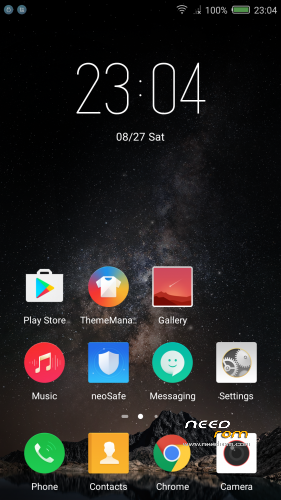
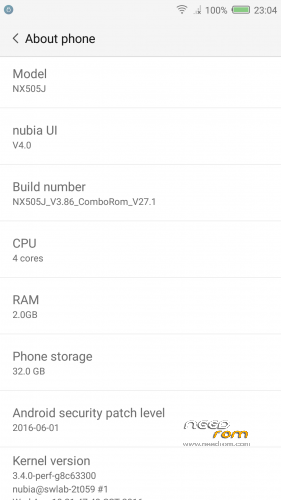
ComboRom 28 for Nubia Z7 Max NX505J based on stock 3.89 (Multilanguage)
+++ONLY FOR MERGED PARTITION+++
md5: fb1f29db880db95ebb5ea87416062325
Features:
- NubiaUI 4.0 - NeoVision 6.0
- Safety Update to June 2016
- Gapps installed (basic package)
- ROOT (Powered by SuperSU)
- Added some useful app (eg. Reboot – Change Font Style)
- Added Italian language (and multi-language support) in the framework
- Removed App and Chinese capabilities
- Miscellaneous amendments to facilitate the use of the ROM
- Translated ringtones
- MULTILANGUAGE***
Changelog 3.86 – 3.89
- NeoVision 6.0 ( clone camera, and other function…)
- Pocket mode
- support for FLAC format music
- Solved bug with Gapps
How to install:
- Make a TWRP backup first*
- Download the zip of the ROM in the internal memory
- Go into TWRP recovery
- Wipe cache, cache and Dalvick Wipe data. (ONLY WIPE CACHE AND DALVICK CACHE IF YOUR PREVIOUS ROM WAS A COMBOROM)
- Then install the ROM ZIP
* When you do the backup just Data - System – Cache – (Boot optional)
*** I'm available to add languages in the ROM if not available, or in case you want to modify your language, I pass to you strings.xml, you translate and I will do a patch ***
12/11/2016 Update 28.3 available ONLY FOR COMBOROM V28 (available via OTA)
Changelog:
28.3->28.2
- Solved bug on bluetooth
28.2->28.1
- Solved a bug on phone number location
- Added Ita translation of theme app
How to install the update of ComboRom:
A- Search the update on settings -> other settings -> OTA update (please remove clear cache when OTA update ask for it) or:
1- Download the update and put on your internal storage
2- Go to recovery
3- Install Zip and select the update
—NO WIPE—
____________________________________________________________________________________
Previous Rom V27 still available on the link
Update 27.1 available ONLY FOR COMBOROM V27
Changelog:
- Added the possibility to change font style (Settings -> Screen)
- Added OTA updates for ComboRom
How to install the update:
1- Download the update and put on your internal storage
2- Go to recovery
3- Install Zip and select the update
—NO WIPE—
※Please make a backup of your device before installing or updating ROM
Hi Pesa1234,
is there a way to enable the multi-user features, such as in CM ROM?
Thanks in advance.
No, sorry
HOLA! ALGUNA ROM PARA ARGENTINA? AYUDA! NUBIA NX505J
Hi, you can select spanish…
Is there anyway to remove the static tap to the left on the home screen ????
I’m facing following problems so far
1. Google Keep & Gmail can’t sync
2. CDMA Data on Google Maps can’t be used on high accuracy mode
3. CDMA/Telecom card can’t be used if data on Sim2 enabled.
Please follow video on my channel here: https://www.youtube.com/playli.....UlQ560itPxXH4L8
Home tap has never, so far, in any "stock like" rom, being removed..
Google and gmail, had sync problems, in me, in the first install, the basic. After 28.3 update, this bug solved. No problem with accuracy on maps. And no problem with sims. Maybe you need to upgrade your sim
Why do i get an error when trying to install this via TWRP?
How do i set home tap in the ui4 ???
Can somebody please tell me how to flash back to complete stock. I am currently running CM13. On XDA the instructions always involve starting with an earlier stock ROM installed.
How can i merge the partitions to install this rom?
Salve, voglo installare la tua rom, in questo momento nel mo telefono ci sta questa rom<
nubia ui v 396
numero build nx505j encommon v 202
versione android 5.1.1.
Posso installare la tua rom dal TWR oppure prima devo esegure altre procedure o altri aggiornamenti?
Cosa signifiica che la rom e' solo per merged partition?
Come faccio a capire se il mio telefonino e' predisposto per la tua rom?
Grazie e Buon 2017