
- Title: Nubia Z7 Max v3.09
- Listed: April, 2015
- Last modified: 04/28/2015 7:12 pm
- Version: Z7 Max v3.09
You must be logged for ROM download.
33982 total views, 1 today
8 Total favorites
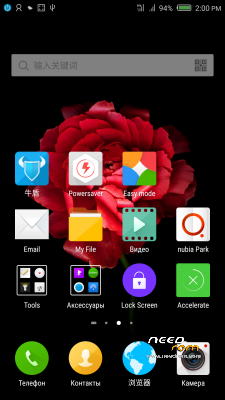
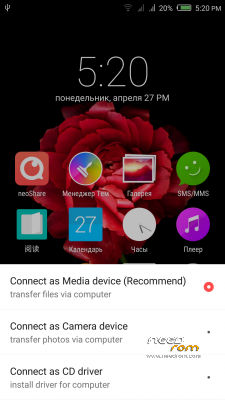
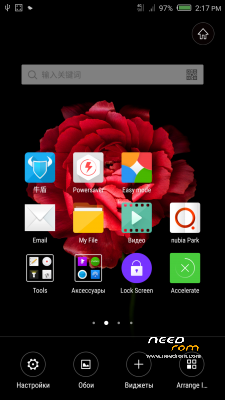
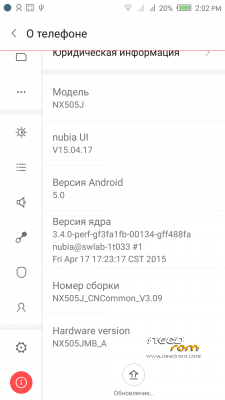
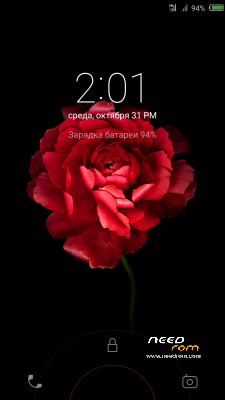
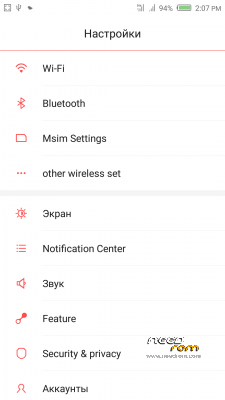
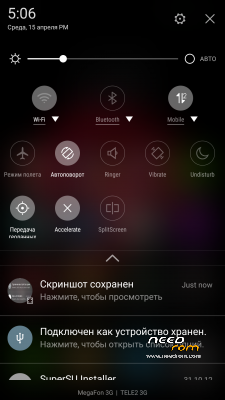
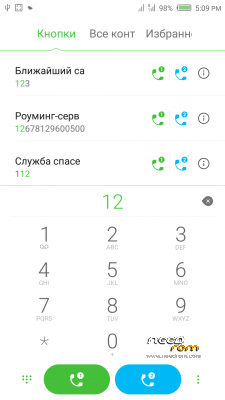

 Member Info
DESCRIPTION
Official ROM v3.09 (Android v5).
Very fast – smooth and stable Rom.
Preparation:
1. Backup personal data in the computer.Because Z7Max 4G dual SIM v3.09 will change the partition,
all user's data will be lost.(SMS,contacts,call history,music,videos,photos and so on.)
2. Make sure that the mobile has at least 50% battery.(Not flash when less than 40%.)
3. Disable or uninstall antivirus – firewall software on your computer before flash.
4. Be sure to use the official original data cable to connect your phone to the computer.
5. Open the phone factories ports.Go to the dial pad and enter * # 7678 # the "factory Port" and "ADB port"
will appear select both.
6. Remove both SIM cards and SD card.
Install:
1. Install mobile USB drivers.(Find Drivers All In One Tool By Tigreos)
2. Download and install Nubia Tool Updater V2.0.0 to your computer.
3. Download Rom NX505J_CNCommon_V3.09.rar file on your computer and unpack.
4. Run the Nubia Tool Updater V2.0.0 as administrator and select the path from NX505J_CNCommon_V3.09.rar file.(see photo).

5.If you have done everything right you will see the following photo.

6.Click to the "Start" button. ( 开始 )

Notes:
After click to "Start" button do not touch mobile or computer until Nubia Tool finish.
Μore informations:
- – - – - – - – - – - – - – - – - – - – - – - – - – - – - – - – - – - – - – - – - – - – - – - – - – - – - – - – - – - – - – -
Install Drivers & Recovery:
1)Download (Z7 Max All In One Tool By Tigreos) UnRAR and run it on your PC.
2)Press one to Install The USB Drivers
3)Turn On USB Debugging Mode To Your Phone.
4)Connect your mobile (mobile to be active) to the computer and select number.
5)DONE.

WARNING:This Tool Works Only For Android v5 Lollipop
Root:
1)Download SuperSU-v2.45.zip and put it to your internal storage.
2)Enter to TWRP recovery and install SuperSU-v2.45.zip.
3)DONE.
Install Google Apps:
1)Download Gapps For Android v5.zip and put it to your internal storage.
2)Enter to TWRP recovery and install Gapps For Android v5.zip.
3)DONE.
- – - – - – - – - – - – - – - – - – - – - – - – - – - – - – - – - – - – - – - – - – - – - – - – - – - – - – - – - – - – - – -
※Please make a backup of your device before installing or updating ROM
anyone know how to disable one of the sims?
I cant seem to figure it out, the changelog said that you should be able to disable either sim but i cant see how its supposed to be done?
Its not under "Msim Settings"
or is it something wrong with my update?
Can someone please check if its possible to disable sim?
Help me pls!
My ROM is now CM 12 5.0.2 . I installed the USB drivers, usb debugging is enable, factory and adb port selected, installed the updater tool and of course unpacked the rom, selected the unpacked rom directory and the mobile phone icon is always red. Anyone has any idea?
Thx!
I'm on this sofcie inagle stopped working three lower house keys back, etc.
nice rom
defently smoother from the 1.59
i followed the steps described in the OP and the phone works with a few problems
when ever i am trying to share a picture in whatsapp the app crashes
also a "Family Guy" game crashes after a few seconds
is it only happens to me?
any idea on how to fix this?
Installed it yesterday directly from 1.64 to 3.09. Installation although takes time, it is pretty smooth. Overall performance and looks is good.
- 4G works on both SIMS
- Icons and Text was initially looking big, changed it to 400DPI using a DPI update app and now looks perfect
- Dialer was taking more than 10 secs to load contextual numbers. Cleared the data from Nubia Contacts and issue resolved
- Yes, Youtube finally works
- UI is mostly like before and has only 4 columns of icons instead of 5, which is quite small for a 5.5 inch phone
- IR blaster works fine and camera app is improved as compared to 1.64
- Most of the important google apps work pretty well
- Lockscreen notification are very good
Issues:
- Dialer & Contacts uses YellowPages on the background. So, you get lot of unrelated number when you try to search for names. Anybody found a workarround for this ?
- Some of the apps still don't work like before. Viz Sygic, Weather Widgets etc
- Default browser is mostly chinese and acts little wierd
Hallo.
Im on Stock Firmware v1.38…
so i can follow this steps in this guide here?
or i must do anything before?
How can i add second google account?
From CM12
Install
https://www.needrom.com/downlo.....ock-recovery-2/
Install using Stock Recovery
https://www.needrom.com/wp-con.....5/04/update.zip
Then follow steps to install to 3.09
Use at your own Risk
i have NX505H version
please help me to root , recovery and update to android 5
Hey there!
I have issues making use of the GPS. It doesn’t dix at all.
Someone have the same probem? Any solution ?
Thanks
Well, finally it works outside. Looks like the A-GPS is broken, like another person said before.
There was something to do with a ROM before, to obtain 4G. I’m going to try stuff.
Cheers