
- Title: Nubia Z7 Max v3.09
- Listed: April, 2015
- Last modified: 04/28/2015 7:12 pm
- Version: Z7 Max v3.09
You must be logged for ROM download.
33574 total views, 7 today
8 Total favorites
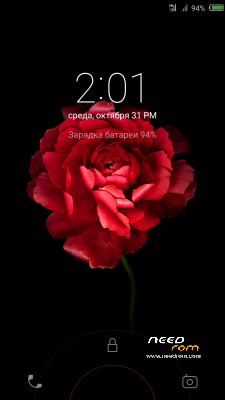
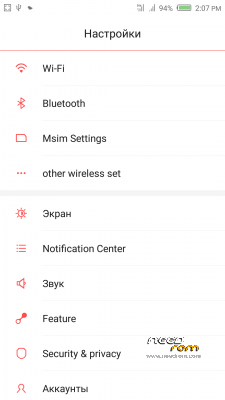
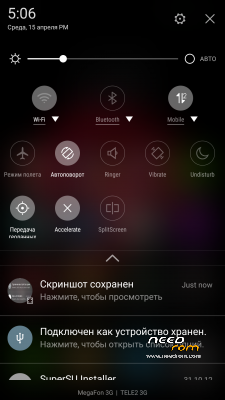
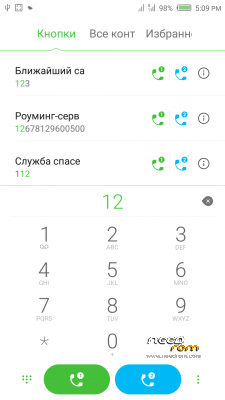
 Member Info
DESCRIPTION
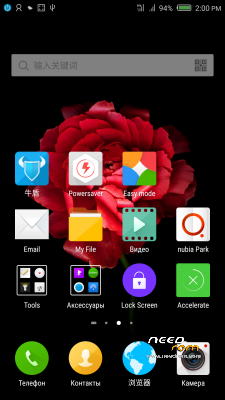
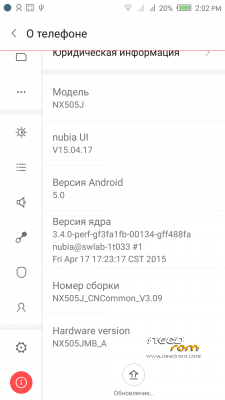
Official ROM v3.09 (Android v5).
Very fast – smooth and stable Rom.
Preparation:
1. Backup personal data in the computer.Because Z7Max 4G dual SIM v3.09 will change the partition,
all user's data will be lost.(SMS,contacts,call history,music,videos,photos and so on.)
2. Make sure that the mobile has at least 50% battery.(Not flash when less than 40%.)
3. Disable or uninstall antivirus – firewall software on your computer before flash.
4. Be sure to use the official original data cable to connect your phone to the computer.
5. Open the phone factories ports.Go to the dial pad and enter * # 7678 # the "factory Port" and "ADB port"
will appear select both.
6. Remove both SIM cards and SD card.
Install:
1. Install mobile USB drivers.(Find Drivers All In One Tool By Tigreos)
2. Download and install Nubia Tool Updater V2.0.0 to your computer.
3. Download Rom NX505J_CNCommon_V3.09.rar file on your computer and unpack.
4. Run the Nubia Tool Updater V2.0.0 as administrator and select the path from NX505J_CNCommon_V3.09.rar file.(see photo).

5.If you have done everything right you will see the following photo.

6.Click to the "Start" button. ( 开始 )

Notes:
After click to "Start" button do not touch mobile or computer until Nubia Tool finish.
Μore informations:
- – - – - – - – - – - – - – - – - – - – - – - – - – - – - – - – - – - – - – - – - – - – - – - – - – - – - – - – - – - – - – -
Install Drivers & Recovery:
1)Download (Z7 Max All In One Tool By Tigreos) UnRAR and run it on your PC.
2)Press one to Install The USB Drivers
3)Turn On USB Debugging Mode To Your Phone.
4)Connect your mobile (mobile to be active) to the computer and select number.
5)DONE.

WARNING:This Tool Works Only For Android v5 Lollipop
Root:
1)Download SuperSU-v2.45.zip and put it to your internal storage.
2)Enter to TWRP recovery and install SuperSU-v2.45.zip.
3)DONE.
Install Google Apps:
1)Download Gapps For Android v5.zip and put it to your internal storage.
2)Enter to TWRP recovery and install Gapps For Android v5.zip.
3)DONE.
- – - – - – - – - – - – - – - – - – - – - – - – - – - – - – - – - – - – - – - – - – - – - – - – - – - – - – - – - – - – - – -
※Please make a backup of your device before installing or updating ROM
Hello everybody. I have a problem: When i type *#7678# nothing happens in my phone. And when i try to connect the Nubia updater to my phone, the indicator turns green, but i get this error message: "can't find file [xml]. Can anybody help? Thanks.
flash this rom and everything work great …
just i can't install modded play store!
who installed modded play store?
Flashed this last night.. Took me a few goes to get it to install.. possibly due to using a custom 1.64 rom from our Italian friends which was using a different Modem base (signal strength was amazing), and that I had altered the User Data partition to be a lot bigger. Found myself flashing all the way back to 1.39 and installing the offical updates for 1.41-1.64.
Anyway, I've also had the GPS issue, which i have been able to a pos fix a lot quicker now, after using 'Faster GPS' to set my server up and reloaded the AGPS. Before I did that I noticed that the location tool does not switch off, even if you disable it in the drop down menu. This inturn drains the battery. Switch it off then reboot the phone goes back to being normal.
Signal strength seems to be pretty poor on this rom, and have had it completely bottom out on me.
Also a minor issue with setting the wallpaper.. after every reboot the wallpaper changes its size and gets larger.
My question to all, and if anyone has found it as yet… does anyone know where the bootanimation for the phone is kept? I really hate the thing and want to replace it with a custom one, I just cant find it.. and does not seem to be named bootanimation.zip. Have disabled the bootup sound with ease.
Great rom, very smooth and reliable.. just a couple of minor issues.
Looks like it's not "bootanimation.zip".
Take a look here:
\system\media\theme\bootup
Cheers
Bet if I removed the theme from the phone I'll get a bootloop..
Just a quick update ::
I have changed the boot animation. After finding the right source of information, over @ androidiana.com, I deleted the contents of system/media/theme/bootup (do not delete the folder itself just its contents), and placed my bootanimation.zip in the 'bootup' folder. On reboot everything worked perfectly, now with the very nice 60fps Android L boot anim.
Android L bootanimation.zip
Original post over on Androidiano (in Italian)
Bravo file Tigreo Eisai Arxigos!
Hi, the home button does not seem to work. Also I dont get any notifications for any apps (Facebook, Whatsapp, Gmail etc). I have enabled all settings. Any solutions for home button & notifications?
Fixed it, reinstalled the rom again. Thanks for the wonderful rom!!
it places question mark on the gsm signal. please help
Hello
Can you add advacned power menu in the next version to include Recovery, Bootloader, Screenshot & Screen Record options
Hello,
Can anyone help me please? i lost all imei numbers.
IMEI1: null
IMEI2: null
MEID: null
Tried many things but can not restore my imei numbers,
Is there anybody that can help me?
Thank you
Did you backup your IMEI NUMBERS?