
- Title: Nubia Z7 Max v3.15
- Listed: June, 2015
- Last modified: 06/08/2015 6:49 pm
- Version: Z7 Max v3.15
You must be logged for ROM download.
26252 total views, 2 today
4 Total favorites
 Member Info
DESCRIPTION
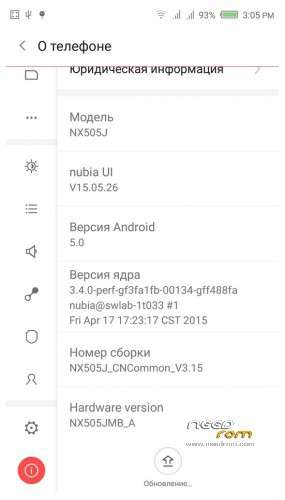
Official ROM v3.15 (Android v5).
Very fast – smooth and stable Rom.
Preparation:
1. Backup personal data in the computer.All user's data will be lost.(SMS,contacts,call history,music,videos,photos and so on.)
2. Make sure that the mobile has at least 50% battery.(Not flash when less than 40%.)
3. Disable or uninstall antivirus – firewall software on your computer before flash.
4. Be sure to use the official original data cable to connect your phone to the computer.
5. Open the phone factories ports.Go to the dial pad and enter * # 7678 # the "factory Port" and "ADB port"
will appear select both.
6. Remove both SIM cards and SD card.
Install:
1. Install mobile USB drivers.(Find Drivers All In One Tool By Tigreos)
2. Download and install Nubia Tool Updater V2.0.0 to your computer.
3. Download Rom NX505J_CNCommon_V3.15.rar is two RAR parts files on your computer and extract.
(For extract this two rar files use WinRAR Download: http://www.rarlab.com/download.htm )
4. Run the Nubia Tool Updater V2.0.0 as administrator and select the path from NX505J_CNCommon_V3.15.rar files.(see photo).

5.If you have done everything right you will see the following photo.

6.Click to the "Start" button. ( 开始 )

Notes:
After click to "Start" button do not touch mobile or computer until Nubia Tool finish.
Μore informations:
- – - – - – - – - – - – - – - – - – - – - – - – - – - – - – - – - – - – - – - – - – - – - – - – - – - – - – - – - – - – - – -
Install Drivers & Recovery:
1)Download (Z7 Max All In One Tool By Tigreos) UnRAR and run it on your PC.
2)Press one to Install The USB Drivers
3)Turn On USB Debugging Mode To Your Phone.(How to: https://www.youtube.com/watch?v=ze7y8rPzH9w )
4)Connect your mobile (mobile to be active) to the computer and select number.
5)DONE.

WARNING:This Tool Works Only For Android v5 Lollipop
Root:
1)Download SuperSU-v2.45.zip and put it to your internal storage.
2)Enter to TWRP recovery and install SuperSU-v2.45.zip.
3)DONE.
Install Google Apps:
1)Download Gapps For Android v5.zip and put it to your internal storage.
2)Enter to TWRP recovery and install Gapps For Android v5.zip.
3)DONE.
- – - – - – - – - – - – - – - – - – - – - – - – - – - – - – - – - – - – - – - – - – - – - – - – - – - – - – - – - – - – - – -
※Please make a backup of your device before installing or updating ROM
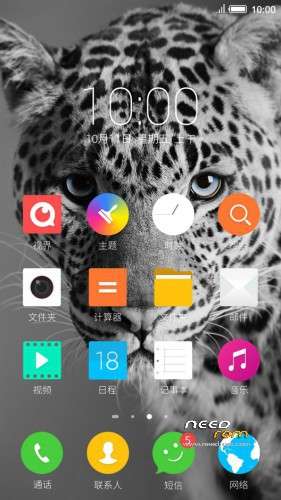
The notification bar drop down is very smoother than 3.09
icons are flat and its look great
applications pages sliding very smooth and great
thank u so much
Anyone call tell me how do I place the 2 parts- both have the same files. I bricked my phone when I was installing this. It went to 92% for 1 hour and nothing happened. I had to unbrick it through XDA help. I assume it has happened as I pointed to the Part-1 path only in the nubia tool. Can anyone tell me where and how to place part-2 as it has the same files?
Finally, managed to get it working, but SIM card not identified, I have reflashed without any success, reverting to 3.09 for now. Any solutions?
Your phone lost IMEI read and try this:
http://bbs.nubia.cn/thread-427.....360-1-2.html
my apps are not working over wifi it takes forever to load pictures in apps, does any one know a solution?
can anyone tell how to extract two rar files to same folder bcz it says files already exists
Use win rar for unrar http://www.rarlab.com/download......htm
extract with winzip
Tôi có thể không phải o các cảng nhà máy điện thoại bút. Bấm * # 7678 # không ra "nhà máy Port" và "cổng ADB". Làm thế nào để làm điều đó? Rất cám ơn!
Hi Tigrreos,
Can you please confirm how to make GPS working in Indoor, my phone GPS not detecting if i am in indoor that means its only work with High Accuracy and Low Accuracy…But not work with Battery Saving…Even in High Accuracy if i go outside then immedietly phone lock the GPS…But inside nothing got message Locate Failed..
But my Goolgle Maps are working with Indoor GPS, only problem on Android Weather application….I tried many weather application all have same problem..Please help me what can i do… Thanks in Advance…
Anybody facing the indoor GPS problem….?
GPS worked after restarting.. overall very good device now.
Plaese Heip me after flash emie null
Open Nubai Tool and connect the phone:
1. *#7678# select Adb Port and Factory Port
2. In Nubia Tool on the Top left corner click Right Click on the mouse…U will find the third option restore IME and click Restore…