
- Title: Nubia Z7 Max v3.15
- Listed: June, 2015
- Last modified: 06/08/2015 6:49 pm
- Version: Z7 Max v3.15
You must be logged for ROM download.
25890 total views, 6 today
4 Total favorites
 Member Info
DESCRIPTION
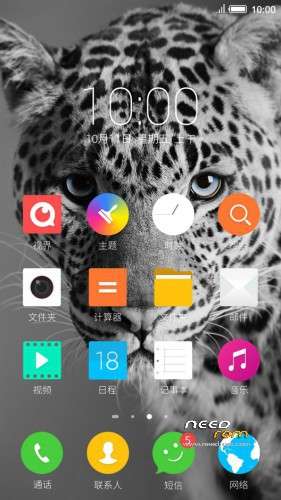
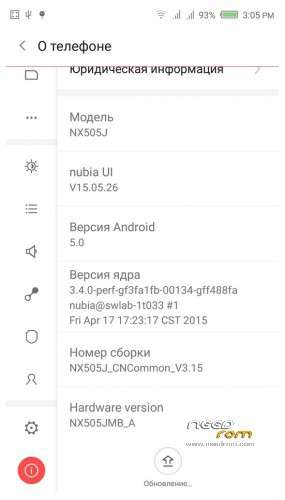
Official ROM v3.15 (Android v5).
Very fast – smooth and stable Rom.
Preparation:
1. Backup personal data in the computer.All user's data will be lost.(SMS,contacts,call history,music,videos,photos and so on.)
2. Make sure that the mobile has at least 50% battery.(Not flash when less than 40%.)
3. Disable or uninstall antivirus – firewall software on your computer before flash.
4. Be sure to use the official original data cable to connect your phone to the computer.
5. Open the phone factories ports.Go to the dial pad and enter * # 7678 # the "factory Port" and "ADB port"
will appear select both.
6. Remove both SIM cards and SD card.
Install:
1. Install mobile USB drivers.(Find Drivers All In One Tool By Tigreos)
2. Download and install Nubia Tool Updater V2.0.0 to your computer.
3. Download Rom NX505J_CNCommon_V3.15.rar is two RAR parts files on your computer and extract.
(For extract this two rar files use WinRAR Download: http://www.rarlab.com/download.htm )
4. Run the Nubia Tool Updater V2.0.0 as administrator and select the path from NX505J_CNCommon_V3.15.rar files.(see photo).

5.If you have done everything right you will see the following photo.

6.Click to the "Start" button. ( 开始 )

Notes:
After click to "Start" button do not touch mobile or computer until Nubia Tool finish.
Μore informations:
- – - – - – - – - – - – - – - – - – - – - – - – - – - – - – - – - – - – - – - – - – - – - – - – - – - – - – - – - – - – - – -
Install Drivers & Recovery:
1)Download (Z7 Max All In One Tool By Tigreos) UnRAR and run it on your PC.
2)Press one to Install The USB Drivers
3)Turn On USB Debugging Mode To Your Phone.(How to: https://www.youtube.com/watch?v=ze7y8rPzH9w )
4)Connect your mobile (mobile to be active) to the computer and select number.
5)DONE.

WARNING:This Tool Works Only For Android v5 Lollipop
Root:
1)Download SuperSU-v2.45.zip and put it to your internal storage.
2)Enter to TWRP recovery and install SuperSU-v2.45.zip.
3)DONE.
Install Google Apps:
1)Download Gapps For Android v5.zip and put it to your internal storage.
2)Enter to TWRP recovery and install Gapps For Android v5.zip.
3)DONE.
- – - – - – - – - – - – - – - – - – - – - – - – - – - – - – - – - – - – - – - – - – - – - – - – - – - – - – - – - – - – - – -
※Please make a backup of your device before installing or updating ROM
Thank you niza2000in my emie working
Should I upgrade directly from 1.3x?
NO BRICK YOUR PHONE.
The correct sequence is:
1)First step from v1.3.x go to v1.64. https://www.needrom.com/downlo.....cial-rom-v1-64/
2)Next from v1.64 to v2.13. https://www.needrom.com/downlo.....5-beta_eng_chi/
3)From v2.13 to v3.09. https://www.needrom.com/downlo.....a-z7-max-v3-09/
4)From v3.09 to v3.15. https://www.needrom.com/downlo.....a-z7-max-v3-09/
Backup before you try. I think it's possible.
As Tigreos says, with one exception, I went from 1.64 straight to 3.09 and it works.
Cheers!
Hello buddies
I am still using Nubia V1.59 and I want to move to V3.15. My question is the following, Can I go straight from V1.59 to V3.15 or forcedly I need to go from V1.59 to 1.64, from V1.64 to 2.13 until v3.15
Best Regards
I can't open phone home ports . Press * # 7678 # is not a "factory Port" and "ADB port". How to do it? Please help me. Many thanks!
3.16 released?
Personally thinking that this release is the best so far
Hi Tigreos.
I have version 3. 08 V _BB72_C92_BETA0.How to upgrade to 3. 15. An error pops up:
Use Tool Updater on this link (Picture you use not support 3.15)
Could we request that the contacts in the ROM be corrected or improved. There should be an option if we want to sort by Last name or First Name. Its very confusing because now the sorting is by Last name but the display in the contacts is shown by First Name before Last Name. Thanks
Great Rom Super smooth
Hi, Can some pls tell how to make carrier video call,i mean celluar network video call not over internet, because i have not been able to see that feature in this phone.
hi tigreos
I flash v3.15 and install TWRP recovery and root and now download nx505j_3.15-3.16_update.zip from https://yadi.sk/d/TbXsOKpLcu3m.....9%20-%3E%203.16
but i cant flash
please help
Tigreos,
Using this rom for one day and found that this one very good and very smooth.
The phonetic search or T9 for searching name in dial very much faster than 3.09.
Thank you very much for your sharing.