
- Title: Nubia Z7 Max v3.15
- Listed: June, 2015
- Last modified: 06/08/2015 6:49 pm
- Version: Z7 Max v3.15
You must be logged for ROM download.
25890 total views, 6 today
4 Total favorites
 Member Info
DESCRIPTION
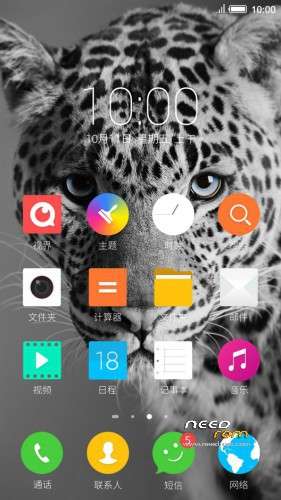
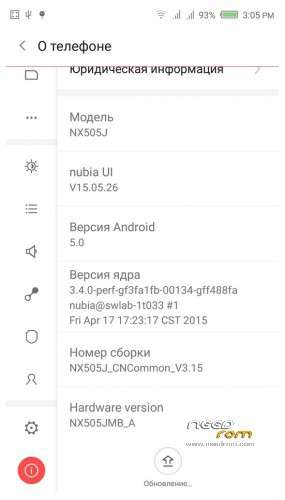
Official ROM v3.15 (Android v5).
Very fast – smooth and stable Rom.
Preparation:
1. Backup personal data in the computer.All user's data will be lost.(SMS,contacts,call history,music,videos,photos and so on.)
2. Make sure that the mobile has at least 50% battery.(Not flash when less than 40%.)
3. Disable or uninstall antivirus – firewall software on your computer before flash.
4. Be sure to use the official original data cable to connect your phone to the computer.
5. Open the phone factories ports.Go to the dial pad and enter * # 7678 # the "factory Port" and "ADB port"
will appear select both.
6. Remove both SIM cards and SD card.
Install:
1. Install mobile USB drivers.(Find Drivers All In One Tool By Tigreos)
2. Download and install Nubia Tool Updater V2.0.0 to your computer.
3. Download Rom NX505J_CNCommon_V3.15.rar is two RAR parts files on your computer and extract.
(For extract this two rar files use WinRAR Download: http://www.rarlab.com/download.htm )
4. Run the Nubia Tool Updater V2.0.0 as administrator and select the path from NX505J_CNCommon_V3.15.rar files.(see photo).

5.If you have done everything right you will see the following photo.

6.Click to the "Start" button. ( 开始 )

Notes:
After click to "Start" button do not touch mobile or computer until Nubia Tool finish.
Μore informations:
- – - – - – - – - – - – - – - – - – - – - – - – - – - – - – - – - – - – - – - – - – - – - – - – - – - – - – - – - – - – - – -
Install Drivers & Recovery:
1)Download (Z7 Max All In One Tool By Tigreos) UnRAR and run it on your PC.
2)Press one to Install The USB Drivers
3)Turn On USB Debugging Mode To Your Phone.(How to: https://www.youtube.com/watch?v=ze7y8rPzH9w )
4)Connect your mobile (mobile to be active) to the computer and select number.
5)DONE.

WARNING:This Tool Works Only For Android v5 Lollipop
Root:
1)Download SuperSU-v2.45.zip and put it to your internal storage.
2)Enter to TWRP recovery and install SuperSU-v2.45.zip.
3)DONE.
Install Google Apps:
1)Download Gapps For Android v5.zip and put it to your internal storage.
2)Enter to TWRP recovery and install Gapps For Android v5.zip.
3)DONE.
- – - – - – - – - – - – - – - – - – - – - – - – - – - – - – - – - – - – - – - – - – - – - – - – - – - – - – - – - – - – - – -
※Please make a backup of your device before installing or updating ROM
i did flash 3.15 without problrm but sim does not detects after flashing.i dont undestand why imei is gone??Could not restore via updater so i am syack with a phone without phone fuction!!.is there a easy way to restore it?All other methods seems not working plus most of them is i chinese.is there any good tutorial?
regards
You can restore to the original/earlier version if you have a working TWRP recovery. Btw, I also did not have a workign sim, but I reflashed the rom and then it worked correctly.
thanks for your answer but i do not a working TWRP Recovery
Does you phone start or is it bricked? If its bricked, use the following method to unbrick it:
http://forum.xda-developers.co.....7-mini-t3006268
No its not bricked. It deas not detects any sim card.Imei is gone!!
i did manage to restore one of the imei with hex editor but i can not do it for second imei or Meid.Is there any one who knows on what string is imei2 and meid in hex editor.Imei 1 is at 0002d5e0.
thanks in advanced
it does detect the sim card but connot connect to any mobile network??its very strange
thanks tigreos finally flashed 3.15..smooth and stable rom..
Flashed smoothly. But problem occurred, back camera seems to LAG bigtime, it takes time to load (sometimes not loading at all).
@tigeros, thanks for instructions and uploading all files. Updated my phone starting at 1_59_modByBB72 to 1.64 (using CWM) than to 2.13 (Nubia Updater 2.00), than 3.09 and finally 3.15 (Nubia Updater 2.00), ran perfect without issues.
… ok except one issue … the nubia Updater failed to start on my Windows 7 32bit PC with some bad internal messages (Windows Eventviewer pointed to "kernelbase.dll" blabla error), but worked properly on my older Laptop (same OS). Strange but not that big deal.
hi m8s
follow the instractions on this link to restore your imei and meid ,you can restore both imei. http://www.muzisoft.com/news/9.....9700.html
regards
Thx, This is a great rom. Weather and Calendar gadges works now. Also, the icons look more cleaner.
however, Dialer still gets numbers from YELLOW PAGES. Anyway to disable YELLOW PAGES Search ?
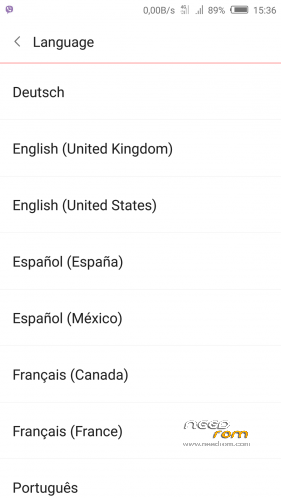
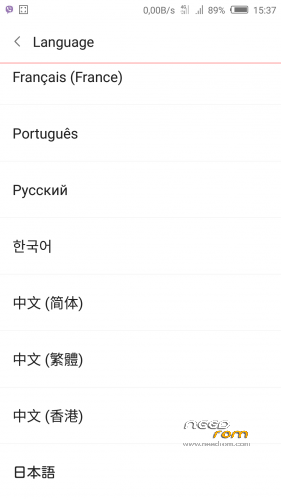
Dutch language?