
- Title: Nubia Z7 Max v3.60
- Listed: October, 2015
- Last modified: 10/07/2015 1:36 pm
- Version: Z7 Max v3.60
You must be logged for ROM download.
19710 total views, 3 today
1 Total favorites
 Member Info
DESCRIPTION
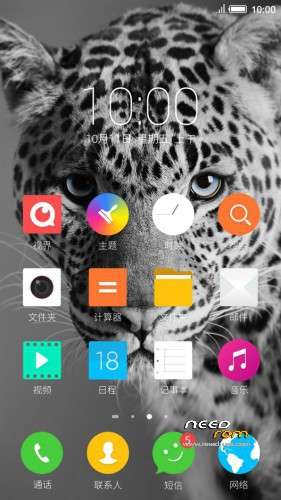
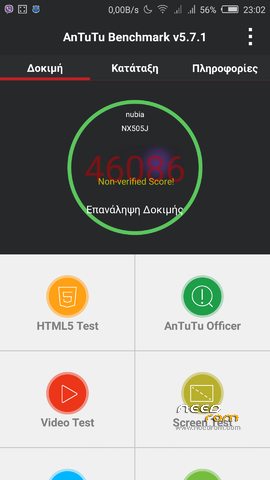
Official ROM v3.60 (Android v5.1.1).
Very fast – smooth and stable Rom.
Update log:
[ Time management function optimization]
[optimization] OTG functional experience
[Optimization System memory for
system power consumption [optimization]
[Optimization System Caton problem
[optimization] Gallery drag delete picture functions
[repair] desktop icons rearranged after the restart problem
[fix] problem can not add a new phone when editing a contact entry
[repair] Desktop folder transparency problem
[fix] In some cases the problem of camera FC
[repair] background call, the status bar green bar can not click
[ Repair Click to notification bar audio file, you can not go directly to the issue of recording catalog
Caton phenomenon [repair] split-screen mode, enter part of the application after the question
[repair] insufficient storage space to back up the case, still displays the backup is completed Problems
firmware optimize content include, but are not limited to the above items listed.
Install:
1)Enter to Stock Recovery OR to TWRP Recovery v2.8.7.0.
2)Make full wipes.
3)Install Stock v3.60 update.zip.
*Before installing this rom you should have preinstalled v3.22 with nubia tool.
*If have preinstalled cm12 need to flash official 3.22 with nubia tool and after install this rom v3.60.
- – - – - – - – - – - – - – - – - – - – - – - – - – - – - – - – - – - – - – - – - – - – - – - – - – - – - – - – - – - – - – -
Install Drivers & Recovery:
1)Download (My Tool https://www.needrom.com/download/z7-max-all-in-one-tool-v1-1-0/ ) UnRAR and run it on your PC.
2)Press one to Install The USB Drivers
3)Turn On USB Debugging Mode To Your Phone.(How to: https://www.youtube.com/watch?v=ze7y8rPzH9w )
4)Connect your mobile (mobile to be active) to the computer and select number.
5)DONE.

WARNING:This Tool Works Only For Android v5 Lollipop
Root:
1)Download SuperSU-v2.49.zip and put it to your internal storage.
2)Enter to TWRP recovery and install SuperSU-v2.49.zip.
3)DONE.
Install Google Apps:
1)Download Gapps For Android v5.1.1 Nano 1-10-2015.zip. and put it to your internal storage.
2)Enter to TWRP recovery and install Gapps For Android v5.1.1 Nano 1-10-2015.zip.
3)DONE.
- – - – - – - – - – - – - – - – - – - – - – - – - – - – - – - – - – - – - – - – - – - – - – - – - – - – - – - – - – - – - – -
How to Backup and Restore IMEI and MEID:
Try this Nubia Nubia emergency tool:https://www.needrom.com/download/nubian-emergency-tool-v1-0-6/

- – - – - – - – - – - – - – - – - – - – - – - – - – - – - – - – - – - – - – - – - – - – - – - – - – - – - – - – - – - – - – -
Official source:
http://bbs.nubia.cn/thread-542722-1-1.html
※Please make a backup of your device before installing or updating ROM
Google Play Service crashs, because he cannot find "com.google.android.webview". I have tried to install webview.apk, but i cant. I activate that i can install from unknown and then i always get the message, that the administrator not allowed to install.
Since 5.1.1 rom, I can't use Gapps as it crashed everytime.
Had tried with other said 'working' Gapps, openGapps … no success there.
use this version :gapps-511-base-20150617-1-signed. for correct installatiion
1)full wipe
2)install rom
3)reboot to system
4)Install gapps
5)reboot to system – working 100%
Thank you now it works.
GPS doesnt work.
for the simcard option, is it still the same with 3.55 that we cannot on/off only 1 sim?
Did you fix your problem, my cellphone doesn't find my sim cards
Hi Tigreos,
I am now on v3.60 everything is ok, using your mentioned gapps.
Thank you very much for your kind hospitality.
I dont know why, but gps now works.
One Question, where is smart lock?
There is none in Nubia ROMs, as far as I managed to dig up.
Has new problem with this ROM.
Every time when I boot it happen on Lockscreen this warning 'Unfortunately, the process com.android.phone has stopped'.
After I press OK , then it is disappeared, but everthing works normal.
Anyone know how to solve this problem, pls help. I don't want to brush again.
Thank you guys,
Hello everybody,
Right now, I am using nubia 1.59 ( Android 4.4.2); however, I would like to jump to 3.60 because of stable.What do I need to do in order to achieve it? Or what documents do I need to read and download?
Best regards!
I extract this from Nubia forum
However, I don't know which version of Nubia Tool Updater to use V2.1.0 or V2.0.0, Could help me, please?
Best Regards
Work with both vertions!
Hello tigreos , I need you help, I tried to update to V3.60: however, I did a mistake at the moment of reading thel tutorial, I installed the V3.60 from the SD card, and it showed me a msg of non OS, Could you help me how to solve this problem please, HEEELLLPPPPP! my cellphone doesn't work
Best Rerds