
- Title: Nubia Z7 Max v3.60
- Listed: October, 2015
- Last modified: 10/07/2015 1:36 pm
- Version: Z7 Max v3.60
You must be logged for ROM download.
19710 total views, 3 today
1 Total favorites
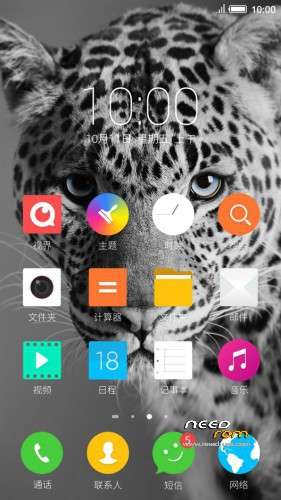
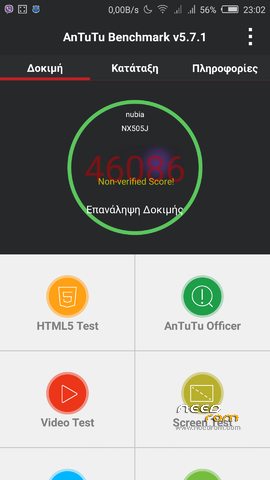
 Member Info
DESCRIPTION
Official ROM v3.60 (Android v5.1.1).
Very fast – smooth and stable Rom.
Update log:
[ Time management function optimization]
[optimization] OTG functional experience
[Optimization System memory for
system power consumption [optimization]
[Optimization System Caton problem
[optimization] Gallery drag delete picture functions
[repair] desktop icons rearranged after the restart problem
[fix] problem can not add a new phone when editing a contact entry
[repair] Desktop folder transparency problem
[fix] In some cases the problem of camera FC
[repair] background call, the status bar green bar can not click
[ Repair Click to notification bar audio file, you can not go directly to the issue of recording catalog
Caton phenomenon [repair] split-screen mode, enter part of the application after the question
[repair] insufficient storage space to back up the case, still displays the backup is completed Problems
firmware optimize content include, but are not limited to the above items listed.
Install:
1)Enter to Stock Recovery OR to TWRP Recovery v2.8.7.0.
2)Make full wipes.
3)Install Stock v3.60 update.zip.
*Before installing this rom you should have preinstalled v3.22 with nubia tool.
*If have preinstalled cm12 need to flash official 3.22 with nubia tool and after install this rom v3.60.
- – - – - – - – - – - – - – - – - – - – - – - – - – - – - – - – - – - – - – - – - – - – - – - – - – - – - – - – - – - – - – -
Install Drivers & Recovery:
1)Download (My Tool https://www.needrom.com/download/z7-max-all-in-one-tool-v1-1-0/ ) UnRAR and run it on your PC.
2)Press one to Install The USB Drivers
3)Turn On USB Debugging Mode To Your Phone.(How to: https://www.youtube.com/watch?v=ze7y8rPzH9w )
4)Connect your mobile (mobile to be active) to the computer and select number.
5)DONE.

WARNING:This Tool Works Only For Android v5 Lollipop
Root:
1)Download SuperSU-v2.49.zip and put it to your internal storage.
2)Enter to TWRP recovery and install SuperSU-v2.49.zip.
3)DONE.
Install Google Apps:
1)Download Gapps For Android v5.1.1 Nano 1-10-2015.zip. and put it to your internal storage.
2)Enter to TWRP recovery and install Gapps For Android v5.1.1 Nano 1-10-2015.zip.
3)DONE.
- – - – - – - – - – - – - – - – - – - – - – - – - – - – - – - – - – - – - – - – - – - – - – - – - – - – - – - – - – - – - – -
How to Backup and Restore IMEI and MEID:
Try this Nubia Nubia emergency tool:https://www.needrom.com/download/nubian-emergency-tool-v1-0-6/

- – - – - – - – - – - – - – - – - – - – - – - – - – - – - – - – - – - – - – - – - – - – - – - – - – - – - – - – - – - – - – -
Official source:
http://bbs.nubia.cn/thread-542722-1-1.html
※Please make a backup of your device before installing or updating ROM
HEEELPPPP!!!
Problem solved
Thanks you to tigreos, my phone is alive one more time, here are the steps to install the drivers again without operation system
1.-Nubia tool and then
Close your phone power off.
install driver’s to your pc.
Connect the phone to your pc via usb cable.
Long Press volume+ volume- and the power button at the sane time.
NUBIA tool recognize the phone,proceed to install.
You are awesome tigreos, it worked well, you are the best!
Thanks you so much
hi!
gapps doesn't work anyway…….
Hello, I need help
I have installed Z7 MAX v3.60, but the infrared does not work in my Deco Directv, How can I go back to version 3.09?
GUYS NEED HELP LOST IMEI AND MEID PLUS SN AFTER UPDATE ANY SOLUTIONS TO THIS
Hi guys, I need some help. My gapps didnt work even after deleting catch and data, and also tried to reinstall it but didnt help. So i tried the other option that was mentioned here before and that was to wipe data, reinstall rom, reboot, then install gapps again. I wiped the data and i guess im back on 3.22 but i get stuck in the phone setup, it says "Unfortunately, settings has stopped". This happens where the setup tells me to insert sim card and i press skip. What to do now?
Hi everyone!
For some time now the IMEI in my z7 max is gone and i have tried everything, i can't get it back.
The problem is that the nv.qcn that is backed up from nubia tool updater is corrupted. I opened it with the qpst tools and the IMEI isn't there.
The only solution is if someone gives me his nv.qcn file from his z7 max, so that i can change the imei to mine and finally have a working phone.
If you have conserns about me seeing your IMEI send me a pm, or edit the file and in the place of your IMEI write some random numbers(of the same length).
Please i really need this. Nothing else works.
Thanks in advance.