
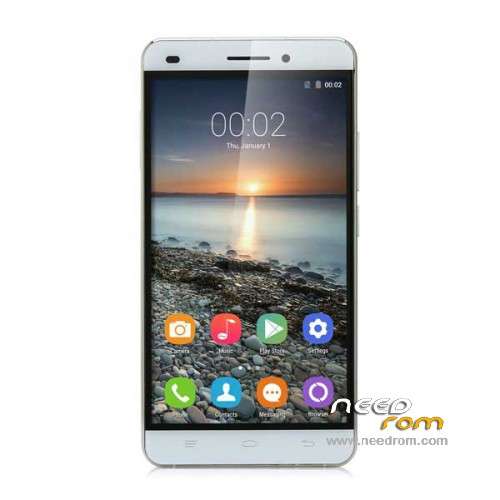
- Title: OUKITEL U8 Universe Tap
- Listed: June, 2015
- Last modified: 01/20/2016 1:03 am
- Version: ROM Android 5.1
You must be logged for ROM download.
25787 total views, 2 today
16 Total favorites
 Member Info
DESCRIPTION
ROM Mobile OUKITEL U8 Universe Tap – ROM Android 5.1
ONLY MT6735M
ROM 3 – Official ROM OUKITEL U8 Universe Tap version: OUKITEL_UniverseTap_KR_V7.0_20151227 – LMY47D – t99c-jq-t80-35pgu-hd-128g16g-kr
ATTENTION i don't know if this ROM is compatible with ROM 1 or ROM 2
————————————————————————————————————————————————————————————————-
ROM 2 – Update Official ROM OUKITEL U8 Universe Tap version: OUKITEL_UniverseTap_FZ_V17.0_20151227 – LMY47D – t99c-jq-t80-35pgu-hd-128g16g-fz
ATTENTION i don't know if this ROM is compatible with ROM 1 or ROM 3
————————————————————————————————————————————————————————————————-
ROM 2 – Official ROM OUKITEL U8 Universe Tap version: OUKITEL_UniverseTap_FZ_V13.0_20151009 – LMY47D – t99c-jq-t80-35pgu-hd-128g16g-fz
ATTENTION i don't know if this ROM is compatible with ROM 1 or ROM 3
————————————————————————————————————————————————————————————————-
ROM 1 – Official ROM OUKITEL U8 Universe Tap version: OUKITEL_UniverseTap_V9.0_20150606 – LMY47D – t99c-jq-t80-35pgu-hd-128g16g
Gapps include – No Rooted
Language support: Multilang
Install ROM :
Install with SP MDT:
1). Turn off the smartphone. Cable is not connected to the computer.
2). Remove the battery and insert it again
3). Connect your phone to a computer cable. The operating system detects a new device
4). Disconnect the cable from the computer.
5). Run SPMultiPortFlashDownloadProject.exe
6). Choose Database Factory menu> Configuration File data source and specify the file MTK_DATABASE.mdb (it is in the folder SP_MDT).
7). Choose File> Open File Agent download and specify the file MTK_AllInOneDA.bin (it is in the folder SP_MDT).
8). Click File and select the MT6735M_Android_scatter.txt file (it's in the folder with the rom).
9). Click "Start all".
10). Connect your phone to a computer cable. The program should see and blink. If the phone is not detected, then unplug it from the computer, remove and insert the battery and reconnect it to the computer.
11). After (OK) click Stop and disable any phone.
12). Completed.
※Please make a backup of your device before installing or updating ROM
battery?????
pudieron hacerlo??
Phone can be flashed with FlashTool as usual phones! Please add information!
I`ve did it right now
Also, in this firmware upgraded front camera (now all ok with colors, not red photo), fixed battery drain, working GPS and working 4G for 2 SIM slots (worked only 1 SIM 4G)
Which ROM have you downloaded? Thanks!
ola alguien a intentado flasear eta room gracias si puedes poner mas informacion
problem solved, the most important to connect the mobile with the program is to press
more on low volume button
It is comom enter flash mode
all perfect
Complety lost.
2). Remove the battery and insert it again
This is not possible i thought. if not so please tell me howto do this
3). Connect your phone to a computer cable. The operating system detects a new device
Dont know if this is so.
6). Choose Database Factory menu> Configuration File data source and specify the file MTK_DATABASE.mdb (it is in the folder SP_MDT).
where is this entry Database Factory menu Of course the screen of SPMultiPortFlashDownloadProject.exe is open
the battery is a mistake, but if the mobile is connected to the pc is that bad
when I make all no signal
After formatting Mobile and the whole process I have no signal
thanks for the stock rom.
is there a way to increase primary partiton size?
How can I root it?