
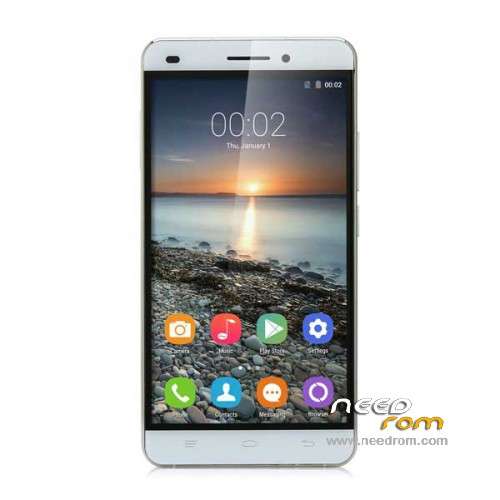
- Title: OUKITEL U8 Universe Tap
- Listed: June, 2015
- Last modified: 01/20/2016 1:03 am
- Version: ROM Android 5.1
You must be logged for ROM download.
25788 total views, 3 today
16 Total favorites
 Member Info
DESCRIPTION
ROM Mobile OUKITEL U8 Universe Tap – ROM Android 5.1
ONLY MT6735M
ROM 3 – Official ROM OUKITEL U8 Universe Tap version: OUKITEL_UniverseTap_KR_V7.0_20151227 – LMY47D – t99c-jq-t80-35pgu-hd-128g16g-kr
ATTENTION i don't know if this ROM is compatible with ROM 1 or ROM 2
————————————————————————————————————————————————————————————————-
ROM 2 – Update Official ROM OUKITEL U8 Universe Tap version: OUKITEL_UniverseTap_FZ_V17.0_20151227 – LMY47D – t99c-jq-t80-35pgu-hd-128g16g-fz
ATTENTION i don't know if this ROM is compatible with ROM 1 or ROM 3
————————————————————————————————————————————————————————————————-
ROM 2 – Official ROM OUKITEL U8 Universe Tap version: OUKITEL_UniverseTap_FZ_V13.0_20151009 – LMY47D – t99c-jq-t80-35pgu-hd-128g16g-fz
ATTENTION i don't know if this ROM is compatible with ROM 1 or ROM 3
————————————————————————————————————————————————————————————————-
ROM 1 – Official ROM OUKITEL U8 Universe Tap version: OUKITEL_UniverseTap_V9.0_20150606 – LMY47D – t99c-jq-t80-35pgu-hd-128g16g
Gapps include – No Rooted
Language support: Multilang
Install ROM :
Install with SP MDT:
1). Turn off the smartphone. Cable is not connected to the computer.
2). Remove the battery and insert it again
3). Connect your phone to a computer cable. The operating system detects a new device
4). Disconnect the cable from the computer.
5). Run SPMultiPortFlashDownloadProject.exe
6). Choose Database Factory menu> Configuration File data source and specify the file MTK_DATABASE.mdb (it is in the folder SP_MDT).
7). Choose File> Open File Agent download and specify the file MTK_AllInOneDA.bin (it is in the folder SP_MDT).
8). Click File and select the MT6735M_Android_scatter.txt file (it's in the folder with the rom).
9). Click "Start all".
10). Connect your phone to a computer cable. The program should see and blink. If the phone is not detected, then unplug it from the computer, remove and insert the battery and reconnect it to the computer.
11). After (OK) click Stop and disable any phone.
12). Completed.
※Please make a backup of your device before installing or updating ROM
"ROM 2 – Official ROM OUKITEL U8 Universe Tap version: OUKITEL_UniverseTap_FZ_V13.0_20151009 – LMY47D – t99c-jq-t80-35pgu-hd-128g16g-fz
ATTENTION i don't know if this ROM is compatible with ROM 1"
It cannot be installed…scatter file gives error.
@all..does anyone have a recovery image for this phone…the one found on a rusian forum i cannot flash it…error in fastboot : FAILED (remote: unknown command)
Completely ruined the phone
1) SP MDT Not even working! If you start all, error: Com ports repetitive or invalid / Brom and preloader has same comport number
2) Flashing with normal flash tool results in Phone display problem, probably wrong driver, and couldn't find hw to change it in new models
Also… THERE'S NO Database Factory menu IN YOUR SOFTWARE1
I have no OTA update on my phone?
Why?
My current version is : OUKITEL_UniverseTap_V15.0_20151010
Thanks in advance
Stefano
What is difference between Rom 2 and 3?
Thanks.
i test 3 roms wiht one and give me a blanck scxreen and 4 fix i use the spflash—SP_Flash_Tool_v5.1524.00.000—-whith