
- Title: STAR N9589
- Listed: June, 2013
- Last modified: 06/06/2013 2:47 am
- Version: ROM Android 4.2.1
You must be logged for ROM download.
25072 total views, 2 today
1 Total favorites
 Member Info
DESCRIPTION
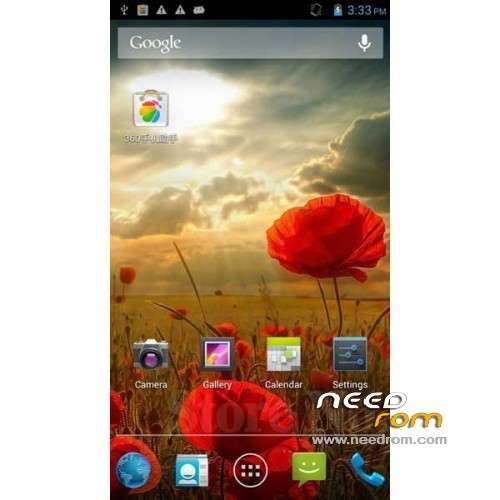
ROM Phone STAR N9589 – ROM Android 4.2.1
Official ROM Star N9589 Version : e2001v21_v89_gq2008s_20130511
ROM Install :
CWM
Step 1: Download the custom ROM and copy to the root directory on an external SD card.
Step 2: Whilst power is off, hold down:
– Power button + volume button up, to enter the recovery mode.
– Wipe Data / Factory Reset -> delete all user data
Step 3: Return to recovery main interface Install zip from sdcard -> choose zip from sdcard -> Select your ROM
Step 4: Update complete, restart the phone Patience required – first boot takes a while.
※Please make a backup of your device before installing or updating ROM
Please SoCr@Te, can you help me? I am afraid to brik my phone. Thanks
contact me on "contact us"
as long as your computer can reconize yr phone once u connect yr phone to the computer, that mean you are ok. you have 99.9% to recover back your phone.
i format my phone (s7589), and it became brick, and i recover it back.
For most of the MTK65xx phone, the mehod are the same, except u have to choose the right rom (cable flash type, not the card flash type) sometimes even the rom supplied tohether with the box provided by factory is not the correct type, don't think that u are geeting the right rom for the phone. As i can see from the web, there are two cases, one for Star S7589, and the other is N9589 (not the Star brand)
Ringtone after every reboot is reset. Help with sugestion?
Hi, I've got my ringtone in internal memory and it's OK after reboot.
ROM is very good. In camera settings now I can choose mp4 instead of 3gp
I do not have Windows. Is there any way to flash recovery in linux.
Thanks a lot
Very fast , clean and have not problem 5/5 =)
Is there a version of this ROM that can be flashed directly mith SP MDT?
any chance of this rom to be used with flash tool?
cant seem to install CWM…
got it…
1. Root it " http://www.hdcgalaxy.com/2013/.....oid-mt6589.html "
2. Install ROM manger (from Play Store)
3. Place zip onto SD
Using ROM manager to apply the ROm…
This rom looks great (v touchWiz)
hi there!! i am dealing with a problem….since i got the n9589 when i make a call with data on the call drops….will this fix that issue??? thanks!
Hi
Having a problem here, after installing successfully the ROM, menu and back buttons stopped working….any guess? should I install a previous ROM ?
Thanks
I have two problems with this ROM.
First Bluetooth audio is connected to the headset works very badly. The party can not hear almost nothing but static and noise.
2nd Ringtones are reset each time the unfortunate result quickly resart or removing the battery.
3rd 3G fix had to be done because not doing well 3G signal after installing rom.
So far this ROM is great for me
Got no problem with my Jabra headset,
Didnt mess around with ringtones
and i used this guide to fix 3g signal problem
http://chinaphonearena.com/for.....thread-104.html
hope this will help ya
best
I've some problem with incoming SMS … the SMS screen show me the older SMS in the top and the new one below. This is not confortable and require to scoll everytime all the SMS list. There is a way to fix it? tnx