
- Title: STAR S7180
- Listed: January, 2013
- Last modified: 01/17/2013 1:58 pm
- Version: ROM Android 4.1.1
You must be logged for ROM download.
24629 total views, N/A today
 Member Info
DESCRIPTION
ROM Mobile STAR S7180 – ROM Android 4.1.1
ROM Features :
V0.22
1, fix v3 USB debugging problems
2, fix browser and the the nine tour of FC
Built-in Samsung desktop launcher streamlined optimization
4, install the optional fuselage and SD
5, card brush script optimization and landscaping
6, the system defaults optimization
V0.16
The amount seems a long time not fat ROM, The moon brings the latest modified custom ROM, I hope you like. Partially modify the project and, like the previous version.
◎ the HOLO desktop HD Lite, remove the the original Samsung Desktop related
◎ correct model information, high imitation Samsung NOTE2 brush microblogging must!
◎ presets the super permissions optimization
◎ optimize system set
◎ streamline the system useless files and software, and retain only Google service components, update the previous version of the built-in version of the software to a significant reduction in the ROM volume
◎ integrated Baidu input method optimized version, Do not update
◎ integrated your SMS software, extremely convenient SMS the bombs automatically the windows
◎ the install software Optional path body memory / memory cards
◎ integrated software not to repeat them, anyway, is to force the software must
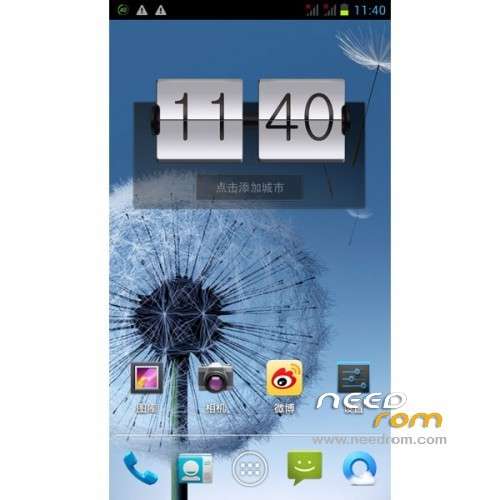
◎ the modify system settings, default Dandelion wallpaper, the default the Samsung boot static first screen, Samsung boot Static second screen and Samsung boot animation
◎ the optimization system to optimize optimize font rendering
◎ optimize display driver (Sony screen drive)
◎ the amend the original ROM to set the default value, adjust the default value
Install ROM :
1, the wire brush tool:
Step 2: Download custom card brush ROM copied to the third step of the external SD card root directory: turned off one end of the phone, data cable, one end of the computer’s port. While holding down:
Power button + volume button to enter the recovery Brush mode, clear user data and cache, and then enter the card brush options Brush can.
Step 4: Brush complete, restart the phone
Recovery in english

※Please make a backup of your device before installing or updating ROM
Could you say me if it's compatible with FWVGA version? and if is it possible port?
version QHD
Sorry i don,t get it
whats is wire brush tool??
i can,t flash the custom recovery and neither the custom rom
is the a simple way it to explain how to do its
thanks
whats is wire brush tool?? = https://www.needrom.com/wp-con.....l_v3.1222.00.7z
you have already try to flash with sp_flash?
yes i have flashtool and the good drivers
but the proces comes to the purple bar and then get error Brom…….
i only want flash recovery and root
thank you
try with Other RECOVERY
crc in rar S7180_QHD_v3.0_by_YueLiang_0116
Fix please
fix what
explains
There is a crc error vecause of wrong packed or wrong upload in file S7180_QHD_v3.0_by_YueLiang_0116
ok I'll put latest version YueLiang_0122
I delete link download
wait for the new update
ok cool. is german language integrated?
OK update ready
ok cool, now i have boot.img,logo.bin and 4 folders… so…. how to install lol
install with sp flash tool
there is no scatter file… anyway, i have one from somewhere else. so when i copy the scatter to the unzipped folder and load it, i get boot.img and logo.bin loaded. but what about the folders…?
Greets