
- Title: STAR S7180
- Listed: January, 2013
- Last modified: 01/17/2013 1:58 pm
- Version: ROM Android 4.1.1
You must be logged for ROM download.
24639 total views, N/A today
 Member Info
DESCRIPTION
ROM Mobile STAR S7180 – ROM Android 4.1.1
ROM Features :
V0.22
1, fix v3 USB debugging problems
2, fix browser and the the nine tour of FC
Built-in Samsung desktop launcher streamlined optimization
4, install the optional fuselage and SD
5, card brush script optimization and landscaping
6, the system defaults optimization
V0.16
The amount seems a long time not fat ROM, The moon brings the latest modified custom ROM, I hope you like. Partially modify the project and, like the previous version.
◎ the HOLO desktop HD Lite, remove the the original Samsung Desktop related
◎ correct model information, high imitation Samsung NOTE2 brush microblogging must!
◎ presets the super permissions optimization
◎ optimize system set
◎ streamline the system useless files and software, and retain only Google service components, update the previous version of the built-in version of the software to a significant reduction in the ROM volume
◎ integrated Baidu input method optimized version, Do not update
◎ integrated your SMS software, extremely convenient SMS the bombs automatically the windows
◎ the install software Optional path body memory / memory cards
◎ integrated software not to repeat them, anyway, is to force the software must
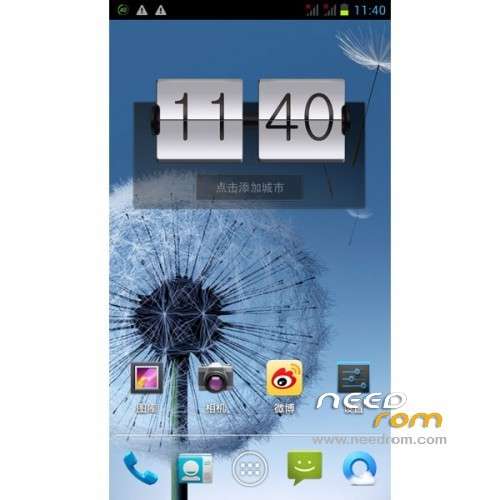
◎ the modify system settings, default Dandelion wallpaper, the default the Samsung boot static first screen, Samsung boot Static second screen and Samsung boot animation
◎ the optimization system to optimize optimize font rendering
◎ optimize display driver (Sony screen drive)
◎ the amend the original ROM to set the default value, adjust the default value
Install ROM :
1, the wire brush tool:
Step 2: Download custom card brush ROM copied to the third step of the external SD card root directory: turned off one end of the phone, data cable, one end of the computer’s port. While holding down:
Power button + volume button to enter the recovery Brush mode, clear user data and cache, and then enter the card brush options Brush can.
Step 4: Brush complete, restart the phone
Recovery in english

※Please make a backup of your device before installing or updating ROM
and in the folder recovery
MT6577_Android_scatter_emmc.txt
i already have CWM installed, i dont need the recovery, do i? so i just put the scatter in the unzippe YueLiang folder, then load it from flash tool, and go? because i wonder about the folders….
Huum? xD sorry but the instruction is not really good
can someone supply CWM image? this method sux
finally got it working. its not bad to backup boot and recovery image anyway…
works great…. but still can't install apps to extern SD
i keep trying to use sp flash tool but i am getting error 6050
someone please help
You cant install it from SP flash tool, you must copy *.zip into the root folder on sd card and install it from recovery, best CWM.
can you do a backup of your firmware a send me on email marcin_dziekan@wp.pl, because i have the same phone and I can’t find drivers or rom (qhd) flashed by sp tool to him.
PLEASE
感謝
Can this firmware fix the GPS problem?