
- Title: STAR S7589
- Listed: March, 2013
- Last modified: 03/20/2013 2:30 am
- Version: ROM Android 4.1.2
You must be logged for ROM download.
25737 total views, N/A today
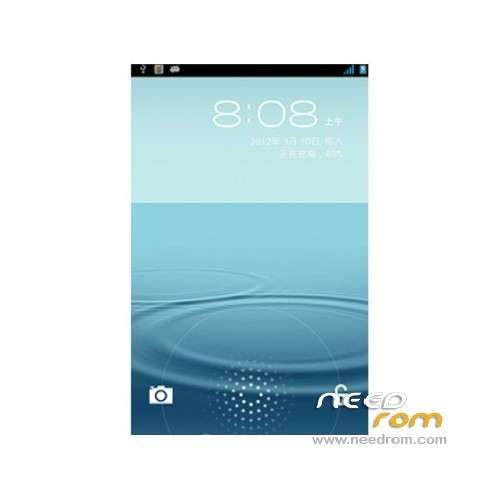
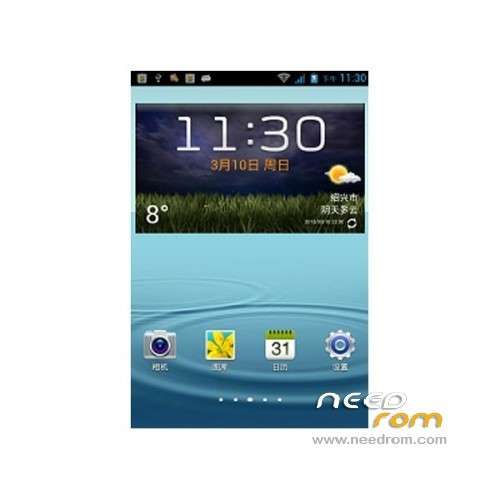
 Member Info
DESCRIPTION
ROM Mobile STAR S7589 – ROM Android 4.1.2
Model name: Star S7589 8G version
Andrews version: 4.1
ROM Author: jack44
ROM version number: S7589_V2.0_jack44
Features ROM:
Version V4 – 03/22
data partition to 2.5G
UPDATE: Version V4 – 03/20
repair wifi, repair touch screen
Version V2 0- 3/13
1, the integration of the latest version of the root, free to Close
2, to streamline some useless applications
3, the integration of some commonly used software, do not like can be deleted
4, added init.d system from the start
5, Model GT-N7102 (China Unicom 3G dual card Samsung Version) connection assistant will recognize Samsung. . YY essential!
6, boot surprises. . . .
7, virtual memory from 128m to 256
8, change the default ringtone the original Samsung NOTE2 Ringtones
9, change the boot animation start-up tone to Samsung original
10, the interface further high imitation! !
Language support: Multilang
Install ROM :
1.Brush system: new download good rom directly put on the sd card brush, do not need to boot into the system!
2.android system and data quick format (wipe)
3.Some advanced settings, such as removing the battery information.
4. Powerful U disk mount function
5.Turned off press Volume + and power button to enter.
6. System backup and restore all the data, including data
Note: Do not use the restore factory settings with the SD card installed, because he will empty your external SD card. .

or
To unpack Flash run Flash_tool.exe
Select a the in scatter……txt in ROM
Click Flash_tool.exe interface Firmware-> Upgrade
Phone after taking the battery in put something
Connect the data cable
Brush finished with green circles appears
※Please make a backup of your device before installing or updating ROM
My model number is
e2001_v89_jbl1a698
I fixed some of my previous errors now my current error is this
When i try to flash recovery it says
Trying to flash to 6589
It says Target is .
I definatly have teh star kingelon s7589 so whats up with it :/
http://postimg.com/image/10800.....tled-107896.jpg
this is what i mean
you have 4G or 8G Version
For
jack44. Con you charge the file S7589 ROOT.ZIP please
the rom is not Rooted ?
I want to root the Phone and flash the ROM with the new 4.2 when it will be available.
… and to backup all data (go backup), it need to be root.
Thanks
I have the 4g version
but I have tried all the time available for the phone and same result each time
try with Flashtool – For 4G
I want to root the Phone and flash the ROM with the new 4.2 when it will be available. Thanks
SoCr@Te i tried the Flashtool – For 4G like you said and i get the same result as before
caigy109 – You've got to do something wrong, because today I've installed this rom (and also recovery) on mine Star S7589 (4GB), using the 4G Flashtool and it went with totally no problems.
The ROM is ok, it's got some chinese apps and keyboard, but after deleting them and installing english replacements instead I really don't miss the original one
AnTuTu benchmark score on this ROM is 12724 (with many other apps installed and working in background)
Well what i have done is download all the tools provided opened up teh 4g flash tool opened teh scatter file to try install the recovery when i press download i put battery and usb in and then it does the red bar to 100% and then says target is "."
Just to confirm i am trying to install teh correct rom here this is the phone i have got. http://www.mixeshop.com/star-k.....hone_p1875.html
caigy109 – Have you installed the drivers properly?
By that I mean, firstly the ADB driver (MTKUsbDriver), and then (when phone is connected, but turned off) the MT6575-6577 driver ?
It's very important, because if you don't do this exacly that way, you may encounter those problems.
After pressing "Download" you've got to connect very fast phone (already with battery in it) to your computer.
Also check if you got the "USB Debugging" signed in options of the phone. (Without it you will for sure get errors)
Yes, you're trying to install correct rom, I've got this same phone, only in black color.
lol such a simple thing to fix it thanks i hadnt put on usb debugging now that i have it worked first time lol
I'm trying to flash my phone to this ROM. I've done everything mentioned in your posts, with USB Debugging turned on. Taking the battery out and putting it back. Clicking on "Download" and then connecting the USB cable to the phone.
I'm getting the same error as craigy109 even with USB Debugging on!?
100% Red bar and then 4 seconds later I get the "SP FLASH TOOL ERROR: (8200)" message!
Any ideas what I'm doing worng?
Thanks…