
- Title: STAR/1:1 U9000 Note 3
- Listed: November, 2013
- Last modified: 03/13/2014 5:33 pm
- Version: ROM Android 4.3
You must be logged for ROM download.
47339 total views, 4 today
4 Total favorites
 Member Info
DESCRIPTION
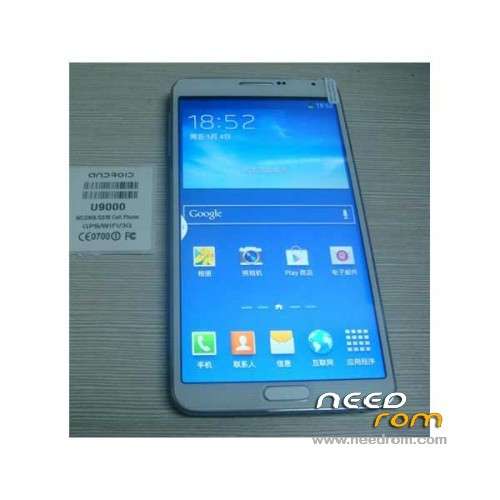
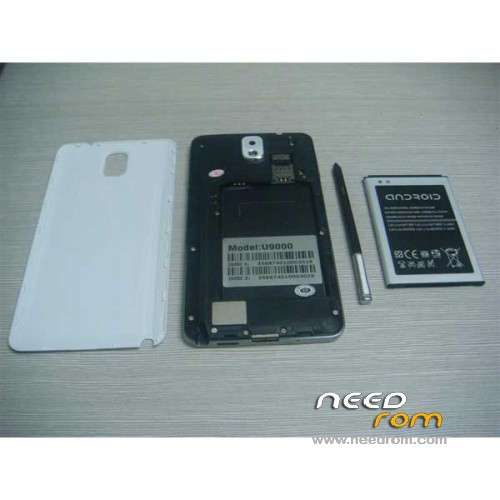
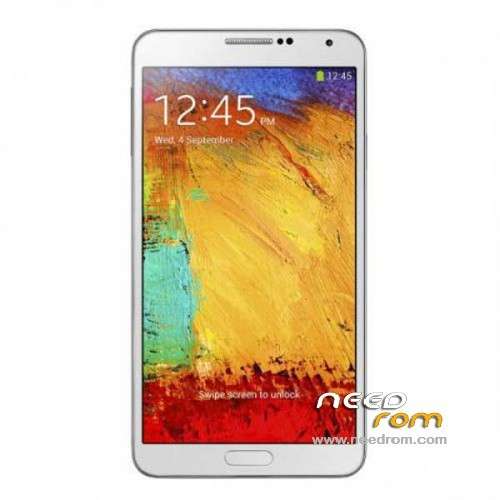
ROM Mobiles STAR 1:1 U9000 Note 3 – ROM Android 4.3
Features ROM:
Add version U9000 Version : 20131130_GQ3013_V9
———————————————————————————————————————————————
add same rom but Rooted
Update Official STAR U9000 and 1:1 U9000 version : JDQ39.N9006ZCUBMHJ_20131204_GQ3013_V9
————————————————————————————————————————————————
Official ROM For STAR U9000 and 1:1 U9000 version : JDQ39.N9006ZCUBMHJ_20131111_GQ3013_V5
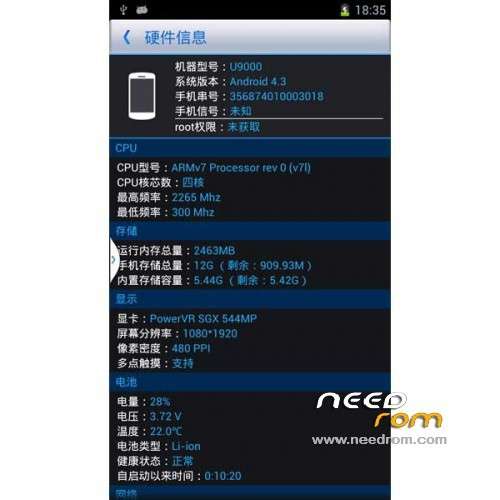
5.7-inch 1280×720, MTK6589.1.2G, 1G Ram + 8G Rom Single sim
Gapps include – no Rooted
Language support: Multilang
ROM Install :
- Unpack FlashTools, and Click on Flash_tool.exe
- Select a the MT6589_Android_scatter_emmc.txt in ROM
- Wait file to be added into Flash Tool
- choose Option->USB Model,click USB Model
–> Choose Option->DA DownLoad All->Speed->High Speed, click High Speed
- Turn off your phone, remove the battery.
- "Press F9 (hit Download button)" OR " if upgrade ROM Firmware->Upgrade "
- and connect your phone into the computer via USB data cable.
- The process will start and a red progress bar will appear after color purple, yellow.
- And green circles display
- Finish !
- You can now safely disconnect your phone and turn it on.
Or install with OTA
※Please make a backup of your device before installing or updating ROM
A Very Great phone! I have a played games like Real Racing 3, Gangstar Vegas, Grand Theft Auto San Andreas, And I Can't Watch a videos 1080p HD!
Opps. I mean i can Watch full HD Videos without lugs and bugs, sorry for my bad English! My phone worked now at 240 hours without Restart. :3
my u9000 also have auto lock-unlock problems..which problems are solved with the new ROM?
Hi Falanc
I have not rooted as I'm not sure which ROM wil work. I have experience with a bricked Tablet so I'm a bit cautious now.
Did you root with the above ROM?
I actually had a phone failure initially and seller did a 1:1 replacement. The new one had a sightly different ROM from the initial set. The OS menus functioned differently.
Also I had initial problem where each time i took the battery out, the short cuts to games (and games only) would all disappear and the clock would reset. But the new set is fine.
I did the steps as mentioned above but nothing of progress bar appeared, please advise
Falanc,
So far, i only ran mtkdroidtool 2.5.1 on it. Here's what I got from the on the phone information.
Hardware : MT6589 (Qualcomm is Fake!)
Model : U9000
Build number : JDQ39.N9006ZCUBMHJ
Build date UTC : 20131105-093235
Android v : 4.3
Baseband v: MOLY.WR8.W1248.MD.WG.MP.V6, 2013/05/08 11:19
Kernel v : 3.4.5-447903 (se.infra@SEP-92) (gcc version 4.6.x-google 20120106 (prerelease) (GCC) ) #1 SMP Tue Nov 5 20:09:49 CST 2013
Uboot build v : —–
LCD Driver IC : 1-otm1283a_hd_dsi_cmd_wanchanglong
When I went to the root, backup, recovery tab, and click backup, it reads ok then after the progress line went to the end a few times, It said completed but there was some error.
Anyway the NVRAM and SYSTEM folders, firmware,info, phone.info and MT6589_Android_scatter_emmc file were all created.
next i clicked the build prop button and was asked to install super SU or superuser. so I clicked superuser. When the program finised running, I disconnected the phone and found thefew new programs installed: superuser, root explorer, Mobileuncle tools and PdaNet+ installed and the chinese apps gone (even though i did not click the Delete China App button.
Btw, I don't have any problem with the auto rotation.
Everything else works but still not rooted. root explorer says
I realised I missed a step activating ADB terminal. This time all went ok. This is what I get:
—>>> Connect to device <<<—
ATTENTION! Fake Hardware in kernel or firmware doesn't correspond to phone!
— The preservation folder on the computer: D:\Android\MtkDroidTools\backups\U9000_131105_backup_140106-225747\
— The SD card in phone isn't found!
— scatter is write to the file:
D:\Android\MtkDroidTools\backups\U9000_131105_backup_140106-225747\MT6589_Android_scatter_emmc.txt
— We keep blocks:
- preloader_and_dsp
- MBR
- EBR1
- nodl_pmt
- PMT tables found
- PMT tables OK, 22 blocks found
- nodl_pro_info
- nvram.bin
- userdata_nvram_only.tar
- nodl_seccfg
- uboot.bin
- boot.img
- recovery.img
- secro.img
- nodl_misc
- logo.bin
- EBR2
- nodl_expdb
— We keep folders contents copying on PC
- /data/nvram
- /system
Apop up box appears and ask if you want to pack backup. click yes and I get :
— We pack everything kept in archive: D:\Android\MtkDroidTools\backups\U9000_131105_backup_140106-225747.zip
— task is complete —
touch screen don't work with these roms!!!!!
Can I create an update.zip with this?
work in star s7589? thanks
My touchscreen does not work anymore since I've flashed this Rom, someone has a solution?
hallo,
did you find a sloution to ur problem, because i have the same one?
regards
Hello everybody I am stuck at the second step, I can't find the folder ROM and so just like the file "MT6589_Android_scatter_emmc.txt in ROM" I need to know how to find where these files are and can you help me please? I downloaded all the links above. I've got this smartphone last monh and I need this ROM to improve some things on it.
Touchscreen does not work…. pls help me