
- Title: TWRP 3.0.0 MM Official
- Listed: May, 2016
- Last modified: 05/18/2016 11:05 pm
- Version: Android 6 Official
You must be logged for ROM download.
29393 total views, 3 today
35 Total favorites
 Member Info
DESCRIPTION
TWRP 3 for ULEFONE POWER
MULTILANGUAGE
ANDROID 6.0 64 Bit 14052016 / 19052016 OFFICIAL 64 Bit
GUIDE:
Download and Install correctly Mediatek Preloader drivers
( Take care on Windows 8.1/10 drivers, you need to disable driver signature before install:)
https://www.youtube.com/watch?v=50pD0mONm44
http://laurentiumihet.ro/technology/windows-10-mtk-vcom-usb-drivers-for-32-64-bit-drivers-installation-tutorial/
https://thebroodle.com/microsoft/windows/install-mediatek-mt65xx-usb-vcom-drivers-windows-8-8-1/
UNPACK RAR in A FOLDER
1- With flashtool load MT6753_Android_Scatter
2- Select download and connect smartphone to pc (smartphone must be powered off)… in few seconds will start the process and the new TWRP will be flashed.
P.P.S to enter in the recovery, power off the smartphone, push VOL + and Power at the same time, you will see three words with VOL + you move selection, with VOL – you must select Recovery
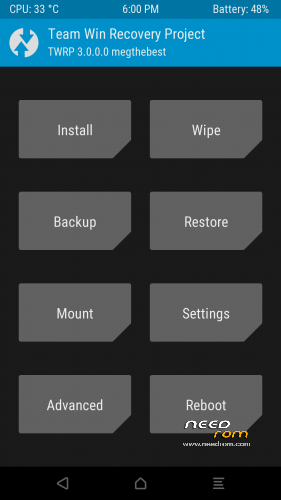
During first boot of twrp, allow modification of system files, according to this screen (if you leave read only, you loose TWRP at second boot):
To have root flash with TWRP the archive supersu.zip found here: https://download.chainfire.eu/932/SuperSU
Credits: TEAMWIN TWRP TEAM, https://twrp.me/site/update/2016/02/05/twrp-3.0.0-0-released.html
PLEASE Donate if i help you and Support Me with 5 Stars!
※Please make a backup of your device before installing or updating ROM
Is there a way to flash zip files / backup / restore with TWRP if the device is encrypted?
I have tried to set system to require PIN to boot device first, no luck. Then I removed the PIN. Didn't help, TWRP still does not ask me for password or anything else and can't flash zip files (supersu) and can't backup /data . That's quite fatal flaw for me.
i have version from 8.6.2016. And it says "PMT changed for the ROM; it must be downloaded.
Please help
Thanks…
Thanks a lot. Just sent you a small donation.
Is TWRP 3.0.0 MM usable to ROM Version Android 6 Power_MM_20160608 too?
(…cause the description mentioned ROM Version 14052016 / 19052016 only )
Somebody tried ?
Thx in advice
2 posts over yours a wrote that ist not working on 20160608.
i tryed all the stuff from this site to root my power who is on the actual version.
always without a happy end…..
hope that we get a root for this version.
So for my opinion, it need to be Updated for the newest ROM 06082016.
Megthebest you know how to download the newest for UleFone Power so do you work and tell us about the news of TWRP for UF Power….
Hi, I've received the Power yesterday; I updated to 20160519 ROM and installed the TWRP (with some difficulties) then I rooted it. So far so good, thanks Meg, a small donation is on the way!
Please check and let me know if works with latest OTA update.
Please, if you can, use scatter of latest rom you can find here in tge needrom Powe section (latest is 20160616).
If it doesn’t work, let me know and I’ll try to fix
@fester40 it can't work.
if u install TWRP with REAL latest ROM (that can handle OTA update) it will show "PMT has change, need to be downloaded" i used the scatter file from last flashes, after flash and boot to recovery it will show Ulefone for few secound and the it will reboot.
so it can't work, and if you get the phone yesterday it has not the lastest ROM, test OTA it will show "Up to date" but its false.
okay, okay Meg you got it…
forget my last post, IT WORKS
Holy Moly Keloni
I've downloaded the 6.0/20160608 ROM from Ulefone website and I've installed it, then I've installed this TWRP (both with SP Flashtool) then I've installed SuperSU with the TWRP. I'm playing with the phone since a couple of hours and I've found no issues, all seems work just fine.