
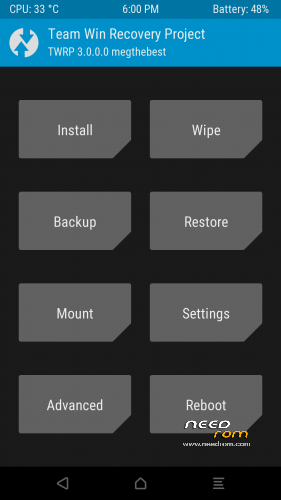
- Title: TWRP 3.0.0 MM Official
- Listed: May, 2016
- Last modified: 05/18/2016 11:05 pm
- Version: Android 6 Official
You must be logged for ROM download.
29393 total views, 3 today
35 Total favorites
 Member Info
DESCRIPTION
TWRP 3 for ULEFONE POWER
MULTILANGUAGE
ANDROID 6.0 64 Bit 14052016 / 19052016 OFFICIAL 64 Bit
GUIDE:
Download and Install correctly Mediatek Preloader drivers
( Take care on Windows 8.1/10 drivers, you need to disable driver signature before install:)
https://www.youtube.com/watch?v=50pD0mONm44
http://laurentiumihet.ro/technology/windows-10-mtk-vcom-usb-drivers-for-32-64-bit-drivers-installation-tutorial/
https://thebroodle.com/microsoft/windows/install-mediatek-mt65xx-usb-vcom-drivers-windows-8-8-1/
UNPACK RAR in A FOLDER
1- With flashtool load MT6753_Android_Scatter
2- Select download and connect smartphone to pc (smartphone must be powered off)… in few seconds will start the process and the new TWRP will be flashed.
P.P.S to enter in the recovery, power off the smartphone, push VOL + and Power at the same time, you will see three words with VOL + you move selection, with VOL – you must select Recovery
During first boot of twrp, allow modification of system files, according to this screen (if you leave read only, you loose TWRP at second boot):
To have root flash with TWRP the archive supersu.zip found here: https://download.chainfire.eu/932/SuperSU
Credits: TEAMWIN TWRP TEAM, https://twrp.me/site/update/2016/02/05/twrp-3.0.0-0-released.html
PLEASE Donate if i help you and Support Me with 5 Stars!
※Please make a backup of your device before installing or updating ROM
Thanks a lot fester for your donation, really appreciate your support.
Regards
Max
set up a windows VM.
Followed all the steps. When pressing Download and connecting the powered off phone Device is detected shortly (mediatek …. COM3) but then disconnects. after some time Flash tool will stop present time out message.
Tried to 'fastboot boot recovery.img' too but get
downloading ….
booting….
What else can i do to get recovery / root on my phone?
okay… i just dived into the cold. and flashed recovery instead of trying to boot it. Luckly it worked and i managed to sideload supersu.zip.
Thanks a lot! Would be nice if i could have gotten it to boot without flashing but anyways Have a cup of coffee/beer/whatever on me
Cheers
touchscreen was still locked couldnt swipe left…..switched it off with power plus down vol and now its very bricked and black…………..
Working perfect.
Thanks for your great work
Hello megthebest. I Hope you can help me. I flashed the TWRP successfully on various MM roms. But when i try the newest 18-07 MM ROM it says Download OK but when i try to boot into recovery i always get a blue recovery screen with chinese symbols but not the TWRP Recovery. Do you have any ideas? I downloaded and flashed it several times now..
Ok i did it now, even when i exchanged the recovery.img, generated a new Checksum and flashed the whole ROM it wasnt there. But then i realised i have to press power up and boot and not power down. I am silly sorry xD
@Tyrant82
Does it work for you with the 18-07 MM ROM?
gracias
thanks for this!
thank you very much works nicely! finally!
fantastic, many thanks!
clear instructions on how to do it correctly