
- Title: Star/Ulefone U69/U7
- Listed: April, 2014
- Last modified: 06/11/2014 3:49 am
- Version: ROM Android 4.2.2
You must be logged for ROM download.
30103 total views, 3 today
1 Total favorites
 Member Info
DESCRIPTION
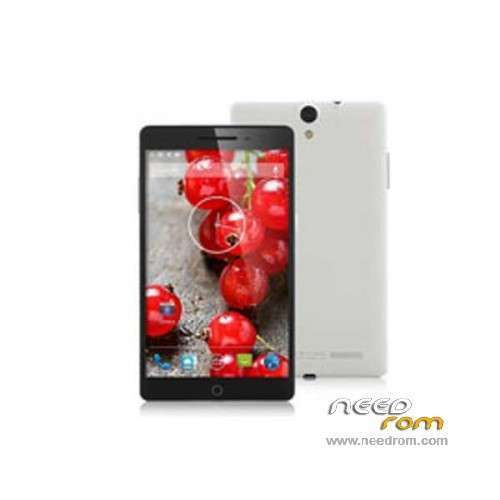
ROM Phone Star/Ulefone U69/U7 - ROM Android 4.2.2
ONLY MT6592
Update Official ROM Star/Ulefone U69/U7 version: 2719_v92_gq3015_20140428
———————————————————————————————————————————————–
Update Official ROM Ulefone U69/U7 version: 2719_v92_gq3015_20140423
———————————————————————————————————————————————–
Official ROM Ulefone U69/U7 version: 2719_v92_gq3015_20140331
Gapps include – No Rooted
Language support : Multilang
Install ROM:
- Unpack FlashTools, and Click on Flash_tool.exe
- Select a the MT6592_Android_scatter_emmc.txt in ROM
- Wait file to be added into Flash Tool
- choose Option->USB Model,click USB Model
–> Choose Option->DA DownLoad All->Speed->High Speed, click High Speed
- Turn off your phone, remove the battery.
- "Press F9 (hit Download button)" OR " if upgrade ROM Firmware->Upgrade "
- and connect your phone into the computer via USB data cable.
- The process will start and a red progress bar will appear after color purple, yellow.
- And green circles display
- Finish !
- You can now safely disconnect your phone and turn it on.
※Please make a backup of your device before installing or updating ROM
Hi there,
I have an IPPO X7 phablet witch is similat to the Star/ULEPHONE U7/U69. I flashed this ROM because I don't like Android 4.4.2. It's too buggy and the system apps like email are less handsome.
For successfully flash this ROM on the IPPO please follow these steps:
1. Download the Android 4.4.2 ROM of this phone, you'll need some files from it.
2. Download the MTK "MAUI Meta 3G" tool for backing up your IMEI numbers. Be sure you'll get v6.1316.1, earlier versions don't work.
3. Download the latest update of this ROM and the flash tool
4. Search the web for MTK USB drivers and install them
5. Unpack all archives and Install all tools and drivers. The flash tool don't need to be installed.
6. Run the MAUI Meta 3G tool. In options menu select "[...] without battery [...]", click on "reconnect" in the main window and connect your prevously shutted down phablet with removed battery -> and MicroSD card(!) <-.
6.1. If all USB drivers are installed correctly a window should pop up after a few seconds, otherwise you'll be asked for additional drivers. Search, download and install them. Unplug your phone and restart at point 6.
6.2. In actions menu select "download IMEI to phone" (or similar), another window will pop up. On the top of that window you'll be asked to type in the NVRAM DB. You'll find the needed file in the folder of your Android 4.4.2 ROM. If everything went fine, you'll be able to read the IMEI numbers from your phone and store them to a file on your harddisk. After that you can close all Windows and unplug the phone. Please consult the internet for further instructions, if needed.
7. Run the flash tool and select the scatter file from your 4.2.2 ROM. In options menu select USB connection (auto or w/o battery)
7.1 In the file list in the download tab double klick the file name of your preload image (it should be the first line) and select the preload image of the 4.4.2 ROM. NOTE: This is very important, the "original" 4.2.2 preload image don't work!
7.2 Select "download only" in pulldown menu, click "download" and connect your phone to the computer. Flashing starts. Please do not interrupt the flashing progress! Interruption will result a bricked phone.
8. After successfully flashing you'll see a pop up window with a green check mark. Unplug your phone, replace MicroSD card and battery and turn on the phone. Now it should boot up with the "new" Android 4.2.2. If you get an "invalid IMEI" message on lock screen, restore the IMEI analogue to point 6.x.
If you need further information and hints, please consult the internet. On the pages you can get the tools you useally also can get the needed infomation/hints. Setting bookmarks to this sites can be a good idea.
Thanks for reading. I hope, this can help someone further.
Holli
Hmm, i can't get the main camera to work. Any ideas? Only the front cam is working. Otherwise it's a great rom.