
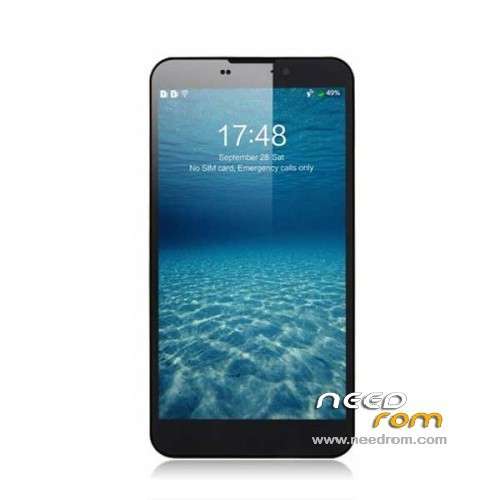
- Title: UMI CROSS C1
- Listed: October, 2013
- Last modified: 01/25/2014 4:13 am
- Version: ROM Android 4.2.1
You must be logged for ROM download.
44330 total views, 2 today
6 Total favorites
 Member Info
DESCRIPTION
ROM Mobile UMI CROSS C1 – ROM Android 4.2.1
Update Official version : C1 20140120-233359
OTA version or Flash
Changelog:
Frame portion correction code to improve the stability of the
Enhanced RF, under special circumstances WIFI signal has been enhanced.
Perfect solution allowed power display problems, increase endurance
Optimize the camera driver, has joined OV latest drivers, flash sync even better
results:
- Dual IMEI repair display problems
- the list of programs translucent
- Factory mode added LED test
———————————————————————————————————————————————–
Update Official version : C1 20131114-115632
Important tip about loading this latest update: After you download and unzip you will see the main folder name has Chinese characters. You have to delete the Chinese characters to use the included flash program and scatter file, otherwise it doesnt work.
———————————————————————————————————————————————–
Update Official version : C1 20131015-165114
Install with Flashtools
Thx to Rafal and androidgroupon For this Rom
———————————————————————————————————————————————–
Official CROSS Version: UMI C1 20131012-170641
Gapps include – No Rooted
Language support : Multilang
Install ROM :
CWM
Step 1: Download the custom ROM copied to an external SD card root directory
Step 2: the shutdown state. While holding down:
– Power button + volume button up, to enter the recovery mode.
– Wipe Data / Factory Reset -> delete all user data
– Wipe Cache Partition -> Wipe cache
Step 3: Return to recovery main interface Install zip from sdcard -> choose zip from sdcard -> Select your ROM
Step 4: Brush complete, restart the phone Patience required – first boot takes a while
※Please make a backup of your device before installing or updating ROM
Hello. New update seems to be rotted but its not. Awesome camera which was crushing on other firmwares is working on new update so i think green camera bug maybie is fixed as well. Mtk droid tools recognizing a phone with new update but cant make root shell. I will try take out from this update apps (camera) and give it a go to have a look on green screen bug.
I confirm that the 11/14/2013 update fixed the Skype problem. Haven’t had any green screen problems on camera either. Great job to the people that made this possible. Now let’s see how the battery performs with this ROM….
Note: My “tip” to delete the Chinese characters in the directory name only applies to update 10/15/2013
Just got the option "apply update from SD-Card", no "Install zip from sdcard" in recovery mode booted with ROM manager.
also no ZIP can be found or selected on the SD…but they are on.
Any help?
I ask for the Polish language
There is polish .
Ok, the ZIP has to be on the internal memory; external SD Cards are not recognized in Recovery Mode.
Anyway, when selecting a ZIP via "Update from SD Card" the installation aborts "Error" and I am back in the menu.
Any idea what could be the problem?
Correct driver for capella cm36283. Light sensor is not working approximation
Hello folks!
In 170641 whe i open google play market my device tell me ¨unfortunately google play store has stopped¨
i cant use google play, some boady can help me?
Thank you Filippo forme store try tout ununstall ans frère cache forme thé store and all application related
Sorry i mean try to ununstall update and erase cache for store application and another one store services ..