
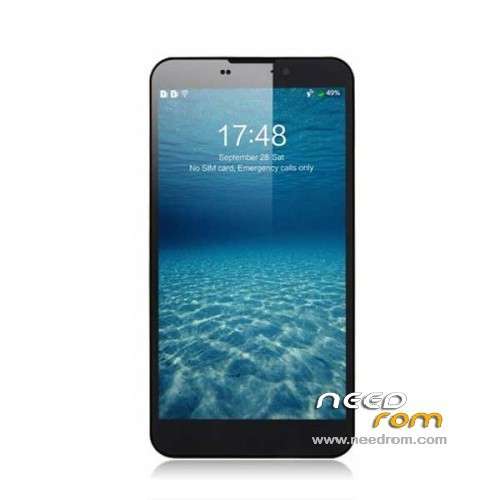
- Title: UMI CROSS C1
- Listed: October, 2013
- Last modified: 01/25/2014 4:13 am
- Version: ROM Android 4.2.1
You must be logged for ROM download.
44331 total views, 3 today
6 Total favorites
 Member Info
DESCRIPTION
ROM Mobile UMI CROSS C1 – ROM Android 4.2.1
Update Official version : C1 20140120-233359
OTA version or Flash
Changelog:
Frame portion correction code to improve the stability of the
Enhanced RF, under special circumstances WIFI signal has been enhanced.
Perfect solution allowed power display problems, increase endurance
Optimize the camera driver, has joined OV latest drivers, flash sync even better
results:
- Dual IMEI repair display problems
- the list of programs translucent
- Factory mode added LED test
———————————————————————————————————————————————–
Update Official version : C1 20131114-115632
Important tip about loading this latest update: After you download and unzip you will see the main folder name has Chinese characters. You have to delete the Chinese characters to use the included flash program and scatter file, otherwise it doesnt work.
———————————————————————————————————————————————–
Update Official version : C1 20131015-165114
Install with Flashtools
Thx to Rafal and androidgroupon For this Rom
———————————————————————————————————————————————–
Official CROSS Version: UMI C1 20131012-170641
Gapps include – No Rooted
Language support : Multilang
Install ROM :
CWM
Step 1: Download the custom ROM copied to an external SD card root directory
Step 2: the shutdown state. While holding down:
– Power button + volume button up, to enter the recovery mode.
– Wipe Data / Factory Reset -> delete all user data
– Wipe Cache Partition -> Wipe cache
Step 3: Return to recovery main interface Install zip from sdcard -> choose zip from sdcard -> Select your ROM
Step 4: Brush complete, restart the phone Patience required – first boot takes a while
※Please make a backup of your device before installing or updating ROM
do i need to do anything with the other 'DATA' folder in the flash rom in sp flash tool?
do i select 'FIRMWARE UPGRADE' or 'DOWNLOAD' in sp flash tool? i see different methods of selecting those.
problem when using the camera on the firmware of 20 January .. camera shoots video with only about 20 frames per second .. on the firmware from the factory on October 15, shoots 30 frames per second .. what is the problem? help me? please
Video call caller no video but there is self video.
Any update?
Hi,
Have you got Always problèms with the green screen on camera ?
Hi,
Have you got Always problèms with the green screen on camera ?
Hello guys Thnx a lot guys
I just tried to instal original update from SDcard.
It is always says aborted. I have a problem with camera (green screen). Thats the only thing I am not happy with. Phone is simply perfect!! Any idea how to instal this update? I am new with flashing my phone so try to explain simply pls
Torment is a message "unable to connect to the camera." Reboot solves the problem. When will solve this problem in the firmware?
Прошил все работает отлично.
Applied UMI CROSS – Update 11/14/2013 from sdcard using cwm and now everything is in Chinese WTF!! Completely stuck.
I just got this phone recently and found some trojans on it, so i want to flash a new rom before doing anything but I can't even get into recovery? can anyone please help
thanks