
- Title: UMI TOUCH
- Listed: March, 2016
- Last modified: 05/19/2016 1:30 am
- Version: ROM Android 6.0
You must be logged for ROM download.
19388 total views, 1 today
8 Total favorites
 Member Info
DESCRIPTION
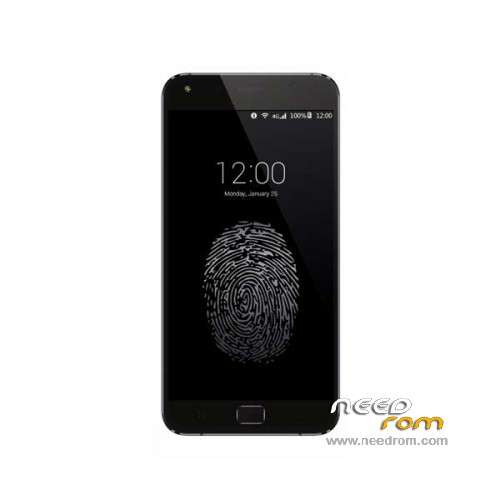
ROM Phone UMI TOUCH – ROM Android 6.0
ONLY MT6753
Update Official ROM UMI TOUCH Version: UMI TOUCH.V3.03-20160510 – full_n625ab-user 6.0 MRA58K
———————————————————————————————————————————————————
Update Official ROM UMI TOUCH Version: UMI TOUCH.V3.03-20160415 – full_n625ab-user 6.0 MRA58K
———————————————————————————————————————————————————
Update Official ROM UMI TOUCH Version: UMI TOUCH.V3.02-20160327 – full_n625ab-user 6.0 MRA58K
———————————————————————————————————————————————————
Official ROM UMI TOUCH Version: UMI TOUCH.V3.01 – full_n625ab-user 6.0 MRA58K
mt6753a_n625ab_dj11_hxxd_cc_128gbitp24d3_m_lte_3m-fdd-cs_mul
Gapps include – No Rooted
Language support: Multilang
Install ROM:
Install with SP MDT:
1). Turn off the smartphone. Cable is not connected to the computer.
2). Remove the battery and insert it again
3). Connect your phone to a computer cable. The operating system detects a new device
4). Disconnect the cable from the computer.
5). Run SPMultiPortFlashDownloadProject.exe
6). Choose File> Open File Agent download and specify the file MTK_AllInOneDA.bin (it is in the folder SP_MDT).
7). Click Scatter File and select the MT6753_Android_scatter.txt file (it's in the folder with the rom).
8). Click "Start all".
9). Connect your phone to a computer cable. The program should see and blink. If the phone is not detected, then unplug it from the computer,
remove and insert the battery (if the battery is removable) and reconnect it to the computer.
10). After (OK) click Stop and disable any phone.
11). Completed.
※Please make a backup of your device before installing or updating ROM
hello guys , any twrp soon for umi touch ?
this: https://www.needrom.com/downlo.....ad/umi-touch-2/
it works with flash tool too
I run SPMultiPortFlashDownloadProjecf.exe show message "Read login mode fail" I use Windows 7 in my computer. Any solution?
How about use flash tool, it's work?
yes, use flashtool 5.1604
What would be the damage if I try to flash this room on the UMI Iron Pro? With TWRP I should be able to restore the old one right?
Thanks!
Iron pro have different ca, lcd, touch drivers.. so probably it does't work…
hi guys,
the colleagues from turkdevs provide a TWRP-flashable update for OTA v3.03-20160423_145142.
http://forum.turkdevs.com/foru.....ch-stock-romlar
greets,
daywalker
v3.04 version name wrong v3.03 20160510
Does anyone have GravityBox working on our device? for me it isn't working.
No Xposed modules work for some reason, even though the framework installs fine.
UMI representative on the forum states that this is due to the fact that the OS is not actually AOSP and only modules that don't use system resources (?!?): http://community.umidigi.com/f.....&pid=21682
I think that that is BS since most phones with AOSP have some custom component in the system but Xposed still work for the most part.
Perhaps some talented developers will look into it at some stage. The phone would be perfect with GravityBox for me.
telefonu rootlayamıyorum
@rene.kuhs
XPosed is workin with Grorkmod:
http://forum.xda-developers.co.....5-beta-t3395667
Tested on official UMI TOUCH.V3.03-20160510 – Flash Grorkmod with TWRP, clean Cache/Dalvik, flash xposed-v85-sdk23-arm64, reboot.
Greets,
daywalker