
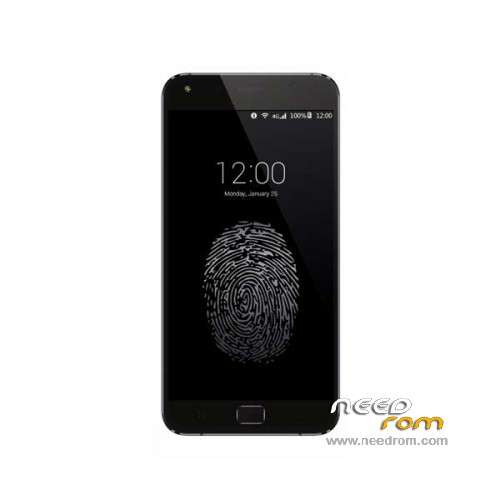
- Title: UMI TOUCH
- Listed: March, 2016
- Last modified: 05/19/2016 1:30 am
- Version: ROM Android 6.0
You must be logged for ROM download.
19389 total views, 2 today
8 Total favorites
 Member Info
DESCRIPTION
ROM Phone UMI TOUCH – ROM Android 6.0
ONLY MT6753
Update Official ROM UMI TOUCH Version: UMI TOUCH.V3.03-20160510 – full_n625ab-user 6.0 MRA58K
———————————————————————————————————————————————————
Update Official ROM UMI TOUCH Version: UMI TOUCH.V3.03-20160415 – full_n625ab-user 6.0 MRA58K
———————————————————————————————————————————————————
Update Official ROM UMI TOUCH Version: UMI TOUCH.V3.02-20160327 – full_n625ab-user 6.0 MRA58K
———————————————————————————————————————————————————
Official ROM UMI TOUCH Version: UMI TOUCH.V3.01 – full_n625ab-user 6.0 MRA58K
mt6753a_n625ab_dj11_hxxd_cc_128gbitp24d3_m_lte_3m-fdd-cs_mul
Gapps include – No Rooted
Language support: Multilang
Install ROM:
Install with SP MDT:
1). Turn off the smartphone. Cable is not connected to the computer.
2). Remove the battery and insert it again
3). Connect your phone to a computer cable. The operating system detects a new device
4). Disconnect the cable from the computer.
5). Run SPMultiPortFlashDownloadProject.exe
6). Choose File> Open File Agent download and specify the file MTK_AllInOneDA.bin (it is in the folder SP_MDT).
7). Click Scatter File and select the MT6753_Android_scatter.txt file (it's in the folder with the rom).
8). Click "Start all".
9). Connect your phone to a computer cable. The program should see and blink. If the phone is not detected, then unplug it from the computer,
remove and insert the battery (if the battery is removable) and reconnect it to the computer.
10). After (OK) click Stop and disable any phone.
11). Completed.
※Please make a backup of your device before installing or updating ROM
Oh my God… Thank you so much for this official ROM … all you guys who worked for it … i am so thankfull to all of you.
I didnt took the backup and went for CM 13 … i had too many problems with it …. and was not able to get back … finally i understood this Thread and the information provided above …
Thank you so much finally my UMI TOUCH is back to the original.
Regards
Mehdi
Hi guys unfortunately following a gmeil password wrong, i have activated the FRP block of google account, would you tell me how can i fix this problem? If you do not know how to write on google FRP google account, this device has been reset, if anyone knows how to fix the problem write it here too thanks
Just flash stock witch SPFlashtool witth selected "Firmware upgrade".
How to root this ROM? I try to use SR5-SuperSU-v2.82-SR5-20171001224502.zip and this not working ;(