
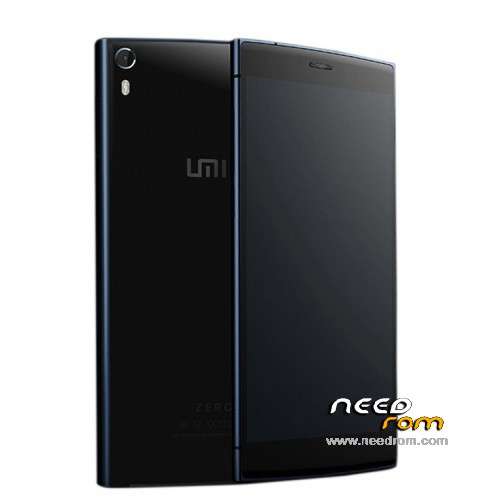
- Title: UMI ZERO Lollipop
- Listed: March, 2015
- Last modified: 04/01/2015 4:10 am
- Version: Android 5.0
You must be logged for ROM download.
48954 total views, 2 today
16 Total favorites
 Member Info
DESCRIPTION
UMI ZERO Lollipop / Android 5.0 (Still under development by UMI)
(It has come to my attention, that some claim it not to be real Lollipop, just L inspired, but I am posting this as the Lollipop ROM, as UMI states it like that).
Android 5.0 (includes ROOT & Play Store)
This ROM comes from the official UMI developers, but is still under development!
- Gapps included, Play Store
- Multilanguage (but some few infos or things may be displayed in chinese)
- Comes pre-rooted
- Special settings like, Advanced, Autostarts, Engineer Mode, Framework, Statusbar, Performance Control etc.
- The ROM runs very smooth and things like camera etc. works!
After the ROM is installed, you must go to settings>language and setup the keyboard to english. From stock there is only Google Pinyin Input (default set to Chinese) but it also can write in english. Or you could install the official Google Keyboard instead from the Play Store.
Hardware : MT6592turbo
Model : UMI ZERO
Build number : UMI ZERO
Build date UTC : 20140627-203907
Android v : 5.0
Baseband v: MOLY.WR8.W1315.MD.WG.MP.V35.P3, 2014/10/21 12:48
Kernel v : 3.4.67 (rom@91umi.com) (gcc version 4.7 (GCC) ) #1 SMP Fri Mar 13 09:59:43 CST 2015
Flash the ZIP file (don't undpack it) with ROOTJOY (prefered) or through Custom Recovery.
Instructions: (you flash it 100% at your own risk!)
Start ROOTJOY on your computer. Connect phone, hit flash, select other ROM, select the file "592ZN-UMI-ZERO-AndroidL.R.50_V4_0329_s7yler.zip" and flash it via ROOTJOY, then just wait till it is done, the format and flashing can take some time! dont interrupt it!
Find the ROOTJOY tool here: http://umidigi.com/rom/tool.html
ROM uploaded by s7yler
More techvideos on https://www.youtube.com/s7yler
More techinfo on http://s7yler.blogspot.com
※Please make a backup of your device before installing or updating ROM
Hello arma1958 can you explain me if the rom downloaded must be put in C root of smartphone or on the desktop PC using RooTjoy? thanks
I have instaled via twrp and everything works well ..
but I intend to now the main diferences in V4 to V5….
Download ROM on tour pc
Uncrompressed the ROM because it is rar
Compressd as zip
Flash via rootjoy
I’m thinking to come back to v4
After installing v5 version annago sound, vibration None
V5 version of that problem
V4 Rollback….
This is not Lollipop !! is a FAKE is android 4.4.2 because SDK level iss 19 (kitkat) and the system apk's are 4.4.2 , check yourself.
Is there someone with working ringtones with v5?
what sdk 19
real android 4.4
??????
FAKE LOLİPOP
i think what people mean to say is that this is a modded version of kitkat 4.4.2 made to look like android 5.0 lollipop,s7yler is looking into it if you read his thread over at XDA
This is kitkat, lollipop don’t support Dalvik which is the default for this ROM.
I tried without pc, just with the recovery mode and it doesnt work