
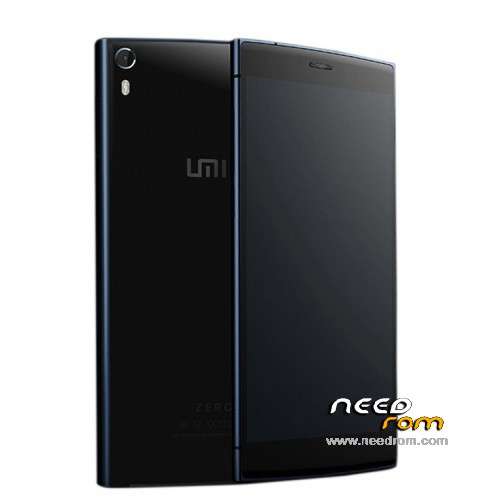
- Title: UMI ZERO Lollipop
- Listed: March, 2015
- Last modified: 04/01/2015 4:10 am
- Version: Android 5.0
You must be logged for ROM download.
48956 total views, 4 today
16 Total favorites
 Member Info
DESCRIPTION
UMI ZERO Lollipop / Android 5.0 (Still under development by UMI)
(It has come to my attention, that some claim it not to be real Lollipop, just L inspired, but I am posting this as the Lollipop ROM, as UMI states it like that).
Android 5.0 (includes ROOT & Play Store)
This ROM comes from the official UMI developers, but is still under development!
- Gapps included, Play Store
- Multilanguage (but some few infos or things may be displayed in chinese)
- Comes pre-rooted
- Special settings like, Advanced, Autostarts, Engineer Mode, Framework, Statusbar, Performance Control etc.
- The ROM runs very smooth and things like camera etc. works!
After the ROM is installed, you must go to settings>language and setup the keyboard to english. From stock there is only Google Pinyin Input (default set to Chinese) but it also can write in english. Or you could install the official Google Keyboard instead from the Play Store.
Hardware : MT6592turbo
Model : UMI ZERO
Build number : UMI ZERO
Build date UTC : 20140627-203907
Android v : 5.0
Baseband v: MOLY.WR8.W1315.MD.WG.MP.V35.P3, 2014/10/21 12:48
Kernel v : 3.4.67 (rom@91umi.com) (gcc version 4.7 (GCC) ) #1 SMP Fri Mar 13 09:59:43 CST 2015
Flash the ZIP file (don't undpack it) with ROOTJOY (prefered) or through Custom Recovery.
Instructions: (you flash it 100% at your own risk!)
Start ROOTJOY on your computer. Connect phone, hit flash, select other ROM, select the file "592ZN-UMI-ZERO-AndroidL.R.50_V4_0329_s7yler.zip" and flash it via ROOTJOY, then just wait till it is done, the format and flashing can take some time! dont interrupt it!
Find the ROOTJOY tool here: http://umidigi.com/rom/tool.html
ROM uploaded by s7yler
More techvideos on https://www.youtube.com/s7yler
More techinfo on http://s7yler.blogspot.com
※Please make a backup of your device before installing or updating ROM
What is stock recovery, can you explain more
or it mean stock rom ,not beta
Thanks
Dear geocos, can you help about stock recovery, where can I download it
Thanks
we get the stock recovery v3.01 only have to do flash recovery img
write with google translation
Everyone is talking about the stock recovery. But where we can download and flash it ? .-.
dear geocos, it work I flash this v3.01 since last time by sp_flash, but It still loop because it need to wait till battery exhausted (power zero), after recharge and start again
dear michelejohn, the stock recovery v3.01 can download in need rom Retail stock v3.01
Thanks for all
non compare la tastiera …..la rom non va tanto bene..
For stock recovery you have to download original umi zero rom 3.09 or older version. open the Zip file and look for the file "recovery.img". Put it on the sd-card. Download app "rashr" from playstore. in "Rashr". In Rashr choose first option "reovery", choose "recovery.img" from your sd-card, follow instructions, reboot, finish.
BUT at this point Arcatarc's Miumi V6 and Emui are the best Roms. Shame on Umi. They are not able to provide stable and functional stock android rom. They use their time for buggy fake lollipop and miui versions, and this months after the release of the phone. Hey Umi, you want to make your buyers happy? Provide a good stock vanilla lollipop rom, cyanogen and miui. Nothing else is needed.
no network connection!
just end up with a useless mobile phone… nice rom
Keeps crashing and restarting , gets a bit annoying ,could do with ultra power saving mode function
I installed the V4 version and it´s runnig well yet. I´ve only one problem with my WLAN connection. This version always change the MAC Adress of my phone and so my router creating always new entries. Do anybody have an solution for this? thx.
For the WLAN problem you can use the app ChameleMAC from the appstore. Needs root.
This is not real lollipop SDK 19 is kk