
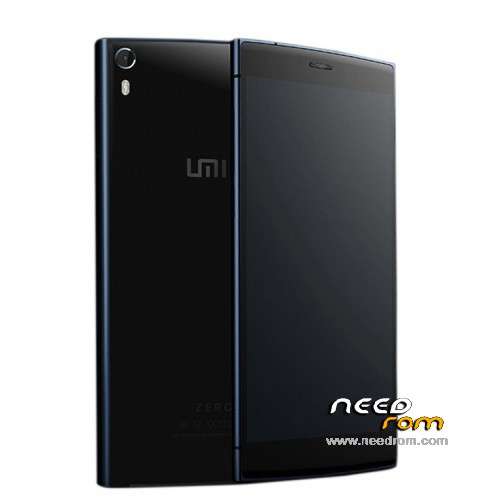
- Title: UMI ZERO Lollipop
- Listed: March, 2015
- Last modified: 04/01/2015 4:10 am
- Version: Android 5.0
You must be logged for ROM download.
48954 total views, 2 today
16 Total favorites
 Member Info
DESCRIPTION
UMI ZERO Lollipop / Android 5.0 (Still under development by UMI)
(It has come to my attention, that some claim it not to be real Lollipop, just L inspired, but I am posting this as the Lollipop ROM, as UMI states it like that).
Android 5.0 (includes ROOT & Play Store)
This ROM comes from the official UMI developers, but is still under development!
- Gapps included, Play Store
- Multilanguage (but some few infos or things may be displayed in chinese)
- Comes pre-rooted
- Special settings like, Advanced, Autostarts, Engineer Mode, Framework, Statusbar, Performance Control etc.
- The ROM runs very smooth and things like camera etc. works!
After the ROM is installed, you must go to settings>language and setup the keyboard to english. From stock there is only Google Pinyin Input (default set to Chinese) but it also can write in english. Or you could install the official Google Keyboard instead from the Play Store.
Hardware : MT6592turbo
Model : UMI ZERO
Build number : UMI ZERO
Build date UTC : 20140627-203907
Android v : 5.0
Baseband v: MOLY.WR8.W1315.MD.WG.MP.V35.P3, 2014/10/21 12:48
Kernel v : 3.4.67 (rom@91umi.com) (gcc version 4.7 (GCC) ) #1 SMP Fri Mar 13 09:59:43 CST 2015
Flash the ZIP file (don't undpack it) with ROOTJOY (prefered) or through Custom Recovery.
Instructions: (you flash it 100% at your own risk!)
Start ROOTJOY on your computer. Connect phone, hit flash, select other ROM, select the file "592ZN-UMI-ZERO-AndroidL.R.50_V4_0329_s7yler.zip" and flash it via ROOTJOY, then just wait till it is done, the format and flashing can take some time! dont interrupt it!
Find the ROOTJOY tool here: http://umidigi.com/rom/tool.html
ROM uploaded by s7yler
More techvideos on https://www.youtube.com/s7yler
More techinfo on http://s7yler.blogspot.com
※Please make a backup of your device before installing or updating ROM
I installed this ROM. after installation my imei settings are resetted. And now I can not change my imei number. how can I fixt it should I return v3.09?
Are you make backup with mobileuncle ? if you don't have make backup you must insert manually.
Download the firmware and install it using ROOTJOY
Installed 295ZN….R50.V5 rom and have no sounds at all…. please help!!!!
Guys im on the EmUmi. If i flash this rom trhough rootjoy, there will be a wipe data/factory reset ? And it will work even if i'im on the EmUmi ? Thx in advance guys
The settings will be reset to factory defaults. Deleted all contacts and apps, and so on.
Very raw firmware! Not have a Cyrillic keyboard, Russian fonts are stretched, the translation is inaccurate. Set back 3.0.6 everything is stable.
And Yes, the lack of sound!!!
v4 it’s a nice version i quite like it, works well with the minimalistic settings I now use.
I would wish people would stop saying it’s fake Lolipop, it’s 4.4 themed to best fit lolipop, since UMI did also mentioned that MediaTek has not yet released the sources for lolipop.
We are still waiting for Mediatek to release the sources for Lollipop and the MT6592T SoC, but in the mean time a custom rom based on Android 4.4.4 with the look and feel of Lollipop has been released
Pls, help after flash Lollipop ,my UMI ZERO stuck zero logo loop
I tried to SP flash tool to flash 3.01 ,but not work, still loop and Hold+Volup
choose recovery mode, the screen still loop zero logo
to enter recovery Voldown+Power
in sp flash tool choose format all + download
I did so and went
Thank geocos, I did it , but not work, still loop on zero logo
can you advise some, such TWRP recovery
You need to install stock recovery
What is stock recovery, can you explain more
or it mean stock rom ,not beta , pls suggest
Thanks