
- Title: VIBE 1606 Rooted Xposed
- Listed: February, 2016
- Last modified: 02/03/2016 2:00 pm
- Version: 6.0
You must be logged for ROM download.
21482 total views, 1 today
1 Total favorites
OFFICIAL






 Member Info
DESCRIPTION
F**k Please dont post the direct links of mega or google drive only way is through short links for income…
Update log:
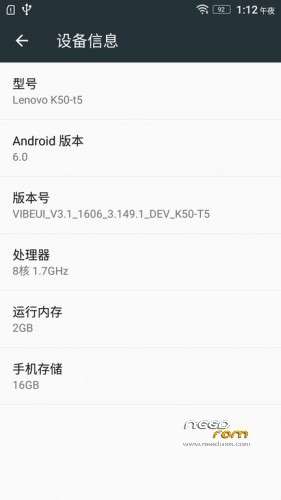
Based on 1606 production of Developer Edition
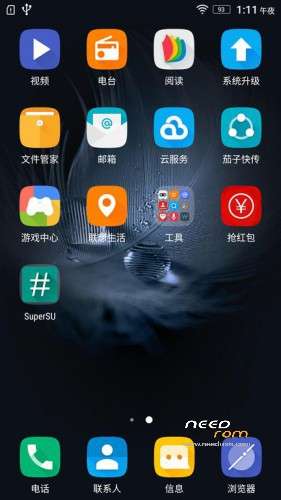
1. Add Supersu super authorization (THX Chainfire )
2. Not a multilanguage.
3. Pre-rooted
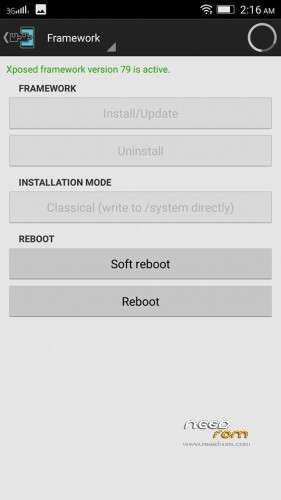
4. Supports Xposed framework too V79 sdk23 arm64 zip flash it.
5. No nvram Error.
Install instructions
1. Install Latest custom recovery (TWRP recommended).
2. Copy custom ROM zip file to sd-card (external).
3. Boot into recovery mode.
4. Now select wipe.
5. Advance wipe & select system, data, dalvik cache, cache.
6. Select install & select downloaded zip file.
7. Install success.
Please not responsible if you brick your device.
※Please make a backup of your device before installing or updating ROM
What about SD card? do i need to format it? As this is official, there should not be option like "Portable or Sd card as Internal storage"…
Same question as above and also can I dirty flash it? I'm on the 1605 rom. Also has this solved the BT pairing issue? I could'nt connect my fitness tracker with the phone….. Thanks for this though…
Can't dowload mate, can you provide another link? thanks!!!!!!!!!!!!!!!!!!!!!
it was uploaded to mega and links also updated….if ur using mobile to download please install mega app from playstore login and try to download then….
thank you. mega link worked well (with the url maker that makes it possible to download it).
keep up the work wdqreq
any known bugs ?
if you set an alarm, once you press the "do not disturb" , launcher and status bar will fc.
multilanguage???
no
Followed the above procedure, When I flashed the ROM and went to reboot the system it said "No OS installed! Are you sure you wish to reboot?"
I tried the install 3 times but kept getting the same message.
That's what happens when you wipe the system I suppose……
@sinagra that message is OK. Just press on reboot when you get the message. your phone will take some mins, like 5 – 15 mins to reboot
No problem reboot it even it shows no os installed
But you'd expect the ROM you're installing to install a NEW system!
Thanks @sb. It works like a charm.
@sinagra welcome
links not working,
working now