
- Title: VIBE 1606 Rooted Xposed
- Listed: February, 2016
- Last modified: 02/03/2016 2:00 pm
- Version: 6.0
You must be logged for ROM download.
21486 total views, 5 today
1 Total favorites
OFFICIAL







 Member Info
DESCRIPTION
F**k Please dont post the direct links of mega or google drive only way is through short links for income…
Update log:
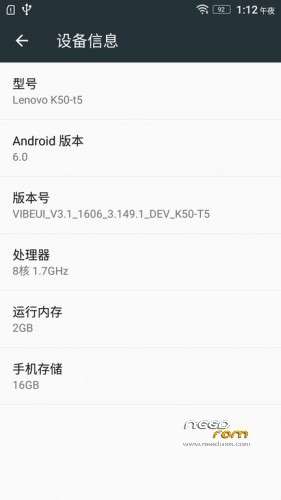
Based on 1606 production of Developer Edition
1. Add Supersu super authorization (THX Chainfire )
2. Not a multilanguage.
3. Pre-rooted
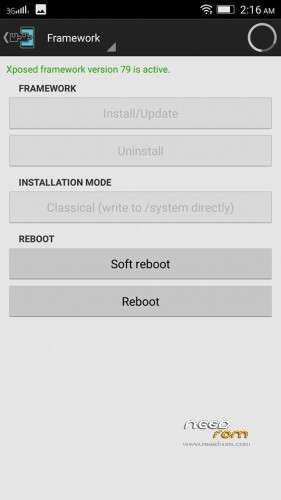
4. Supports Xposed framework too V79 sdk23 arm64 zip flash it.
5. No nvram Error.
Install instructions
1. Install Latest custom recovery (TWRP recommended).
2. Copy custom ROM zip file to sd-card (external).
3. Boot into recovery mode.
4. Now select wipe.
5. Advance wipe & select system, data, dalvik cache, cache.
6. Select install & select downloaded zip file.
7. Install success.
Please not responsible if you brick your device.
※Please make a backup of your device before installing or updating ROM
Oops swedish autocorrect
Anyone have a DIRRECT LINK? I can't download
After a number of tries I eventually go it going on my K3.
No matter what I did I kept geeting the message "Unfortunately Google Play Store has stopped" or similar.
I went back and closely examined and interpreted Emptywordsss instructions, particularly his statemen "k3note must restore your stock or current rom nvram!"
I redownloaded everything and firstly went into Settings/Back up & Reset/Factory data reset and selected Format Internal storage and tapped on Reset phone and did a factory reset. Has previously fully backed up internal memory onto my PC
This took me back to my base ROM. Mine was a Cuoco92 ROM
I then went into TWRP/Wipe/Advanced Wipe and selected Internal Storage as well as Dalvik Cache, System, Cache and Data
Installed only the ROM and rebooted
Then went back to TWRO and installed Gapps only.
When it rebooted loaded Root Explorer but did not remove bloat.
Found and allowed permissions in Play Store, found Play Services but could not see anything to change and deleted Setup Wizard
Rebooted but had to go back into Google Play to allow more permissions and the error pop ups stopped.
BTW there does not appear to be any Easter Egg with this version as reported for other version which asks the question if it real Marshmallow 6.0 or not. Is there any other way to tell?
Yup.. The same experience as I had… it doesn't work.
stable enough to be daily driver?
NO.
I installed this rom and set up used to crash
not able to solve
Went back to my previous rom
Any bug plz any one tell me .!!!
still showing nvram error!!
i have installed sucessfully but after gapps got errors
There is a tutorial on page two in this thread, delete the setupwizard, and flash it .
after boot in to OS, just ignore all the fc.
go into app manager and allow all permission to google relates app. Do remember to reboot your device after you allow all nessasary permission.If you don't reboot, play store will fail to install/update apps.
sbin/postrecoveryboot.sh process ended with ERROR: 1