
- Title: VIBE 1606 Rooted Xposed
- Listed: February, 2016
- Last modified: 02/03/2016 2:00 pm
- Version: 6.0
You must be logged for ROM download.
21483 total views, 2 today
1 Total favorites
OFFICIAL







 Member Info
DESCRIPTION
F**k Please dont post the direct links of mega or google drive only way is through short links for income…
Update log:
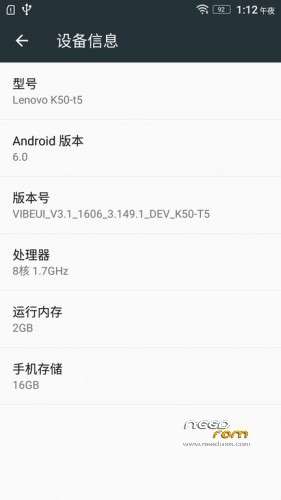
Based on 1606 production of Developer Edition
1. Add Supersu super authorization (THX Chainfire )
2. Not a multilanguage.
3. Pre-rooted
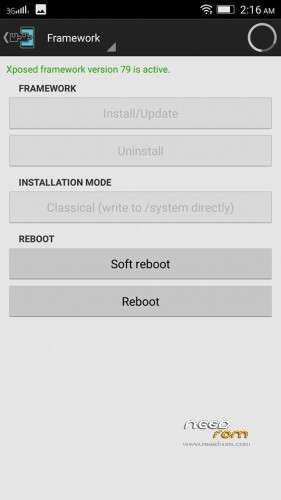
4. Supports Xposed framework too V79 sdk23 arm64 zip flash it.
5. No nvram Error.
Install instructions
1. Install Latest custom recovery (TWRP recommended).
2. Copy custom ROM zip file to sd-card (external).
3. Boot into recovery mode.
4. Now select wipe.
5. Advance wipe & select system, data, dalvik cache, cache.
6. Select install & select downloaded zip file.
7. Install success.
Please not responsible if you brick your device.
※Please make a backup of your device before installing or updating ROM
Your Mega Link is not working .
Its saying file deleted
links are up now
link dead
links fine
nvram issue still there??? Can we change MAC address?? Kindly confirm it.
Thanks in advance.
No issue upto now with it….
No needrom link…only other than needrom
what you add multiple language?
when i flash Gapps
its Showing LENOVO Setup wIzard had Stopped so This Rom is not workin
and in notrification pannel there is chinease language
Add Propper English Language
when i flash Gapps
its Showing LENOVO Setup wIzard had Stopped so This Rom is not workin
and in notrification pannel there is chinease language
Add Propper English Language
Proper, not propper.
Found this tutorial in a facebook k3 note group::::
Latest Vibe 3.1_1606 (Must Read Carefully the links below!)
I considered as bugless 100% for my exploration.
All working grin emoticon tongue emoticon
How to install and fix some
1. Wipe
2. Flash the rom
3. A7000Plus users must flash modem after flashing / k3note must restore your stock or current rom nvram! Take note that.
4. First boot takes 7-10mins be patient!
5. On home screen set English (chinese/english only)
6. Install Root explorer (This app is very imprtant!)
7. Go to system/app and system/priv-app and system/preload
8. Uninstall pre install undesire apps.
9. Go to twrp flash Gapps for MM of leishui/ flash Xposed sdk 23 64bit. And reboot!
10. On boot, normally play store and setup wizard are stop ( takenote that is normal dont worry, "Root Explorer roles up")
11. Slide down to go notif panel, hit settings on upper right, go to app manager.
12. At app manager go to google play services, and play store, go to app permissions ALLOW all permissions.
13. Back to app manager, find root explorer, Scroll down and LAUNCH,
14. FIND. System/App " SETUP WIZARD" Folder and DELETE!
15. Charge your phone 100% and CALIBRATE (Takenote every time you flash a rom just CALIBRATE battery to avoid questioning of your battery draining problems! tongue emoticon )
16. REBOOT AND ENJOY grin emoticon.
Rom Link: https://mega.nz/…
Gapps Link: https://mega.nz/…
It is my experiences of other MM roms like other phone 100% works correctly.
I dont have any sites and blogs im sharing manually to groups
Now we find the solution. Hope guys patiently read and take advantage for advance learning grin emoticon
Take Note: (100% PERFECTION is Compose of 2 different composition 1 is the CUSTOM ROM for 98% and 2% for the USERS.)
Bugs is very little problem but users can take advatage to them
I don't understand why developers spend time making roms and then don't include loading instructions. This does sort of get round a lot of the bugs… but google play app and google play services crash continuously.
Bit about nvram, to get round wifi crash….. before you do anything go into twrp and do a full back up as normal….then do another backup and only let the box next to vram be crossed. when you install this Vibe mod don't boot up after flash…. but restore the above mentioned back up with only the vram file.
+Limonchelo Novamod MDSTeam+ mod is BRILLIANT and has NO bugs or issues….. tried 20ish roms it is the only one which works.
Thanks for the instructions.
After many tries and reading and interpreting the instructions very carefully, I finally got it going.
Everything works GPS, phone, BT, WiFi, NVRAM, etc.
Initially I the message "Unfortunately Google Play has stopped" kept popping up after I deleted the Setup Wizard.
Finally solved by firstly going a Sysyem/Factory Reset and then"Format Internal Storage" followed by "Reset Phone"
It went back to "k3note must restore your stock or current rom nvram! Take note that." as stated in the Emptywordsss instructions.
This put me into the stock Cuoco92 ROM
Then into TWRP/Wipe/Advanced Wipe and selected Dalvik Cache, System, Cache, Data and Internal Storage
Then followed the instructions.
Note: Although I found Google Play Services, there was noting there to change and although I allowed every permission in Play Store and then rebooted, I went back after using it to find many more permissions to allow and allowed them. Then rebooted.
español? spanish?
Give the link?