
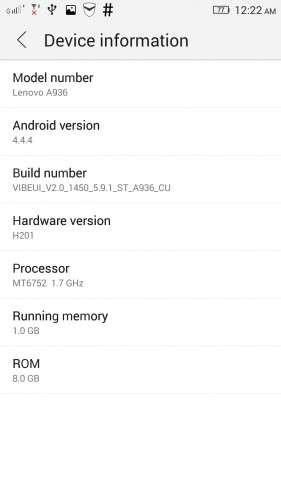
- Title: VIBEUI V2.0 1450 5.9.1 ST A936 INT
- Listed: April, 2015
- Last modified: 04/04/2015 2:31 pm
- Version: Android 4.4.4
You must be logged for ROM download.
23096 total views, 3 today
12 Total favorites



 Member Info
DESCRIPTION
DESCRIPTION:
Added : Gapps + rooted
Language : Multilanguage
Removed : Some CN apk
Please backup your current rom…
Install Rom :
Via CWM recovery
Download the rom and copy to your external sd card
Boot into recovery by pressing volume (+) and (-) together and press power button.
When the phone vibrate release power button, still holding volume (+) and (-) , when recovery screen appear release v button.
In the main menu….select (Wipe Menu) —–>(Wipe Data-Factory Reset) ——> (Wipe Dalvik Cache) go back to main menu,
——> ( Install Zip ) ——> ( Choose Zip From / External_sd ) ———-> select the rom that you download.
Wait until it finish….First boot take a while…be patience.
※Please make a backup of your device before installing or updating ROM
To backup manually, simply copy/paste to local PC, SDCard, etc..
And for avoiding message "NVRAM WARNING: Err = 0×10" , also convenient backup files "WIFI" and "WIFI_CUSTOM", which are located at
\data\nvram\APCFG\APRDEB
….
Lenovo A936 2GB+8GB
1. Root the phone using kingroot.apk
2. Use Flshify.apk to install CWM Recovery
3. Reboot in recovery mode and follow the mention steps.
Works perfect English version as well as Google Apps
keyboard not working
google play services not working
Hi
I bricked my A936 i need NVRAM Backup anyone can help me here
Thanks