
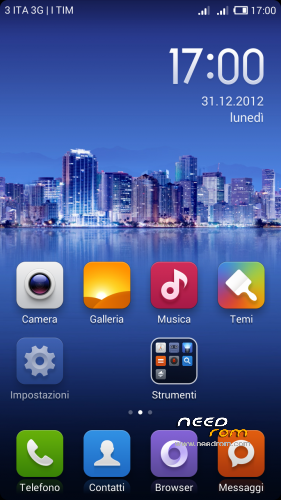
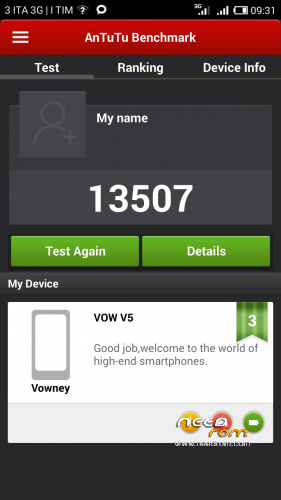
- Title: Vowney V5 MIUI
- Listed: September, 2013
- Last modified: 09/09/2014 8:18 pm
- Version: Miui Ver 4.8.29
You must be logged for ROM download.
66667 total views, N/A today
4 Total favorites
 Member Info
DESCRIPTION
A Huge Thank to Contributor:
A.Attila
G.Augusto
B. Andreu
S. Pavel
V. George
A. Beldinov
P. Richárd
G. Roberto Serna
MIUI Ver 4.8.29
Features ROM:
Based on Xiaomi Hongmi WCDMA – Stable 17.0 Multilang
Sw from
Lenovo
Jiayu
ZTE
Xiaomi
Nexus 4/5
Galaxy Nexus
Vowney V5 Base Rom
Minimal Gapps , include
Multilingual
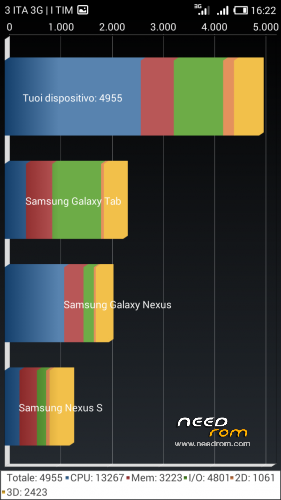
more performance
ViPER's Audio founded by ViPER520.
Co-founded by ZhuHang.
CN. vipersaudio.com / EN. facebook.com/vipersaudio
Copyright (C) 2006-2016 vipercn.com / vipersaudio.com
First Backup (using miui Backup or other software)
Second Factory reset.
Third install Zip
4th no install gapps(is included).
Restart
5th restore backup.
enjoy.
※Please make a backup of your device before installing or updating ROM
4.3.14 not installing.Only boot… and it is all. I have tried using rm-rf instaed of formatting, i have tried install first 3.12.14, then 4.3.14… But it is not installing! Only boot logo!
Hooray!!! I just installed and started Miui 4.3.14! I have tried flashing latest official ROM through flashtool. It takes many time, but it worth it!
Dear robotnik, please, check your ROMs for usability before uploading at NeedRom. I have installed Miui 4.3.14, all is ok, but… But SD card and internal storage is swapped! All applications and dowloading files are writing on partition 3.65 Mb, which shows as External USB storage in Settings. And the same section shows as SD card in ES File Explorer! how I can fix this?
P. S. I have tried to edit vold.fstab, but no changes… Please, fix it or made patch.
hi
Unfortunately, I have tried to solve the problem this way, but problem is not solved
i wanna know if it can lock… so that any sports tracker will be ok… with my cyanogenmod i have a problem… so i wanna know if miui is ok to boot it…!
Hello! I installed the latest update but the phone does not start, comes to the MIUI splash screen and then nothing!
As I noticed, you have reload the 4.3.14 ROM. Old version was 395, 2 Mb size, new version is 396.3 Mb size. What is changed?
I just installed new version of 4.3.14 you have uploaded today. It is installing, and loading, but there is "Starting apps" with jelly bean logo screen. Old version is not working properly!
New version generally not working! Where is patch or fixed ROM?!
Sergey (kinaman), be so kind, do not shout and do not be mad at mr. Robotnik. He does everything he can and we are thank to him for that work.
Sorry i cannot find thè link to dl the latest version of This ROM
Okay, new version is back! Is this full rom or just an update from previous version?
full ROM
Oh… Again… Freezes on boot logo… Last time i solved this problem. I have installed 4.3.14 over 3.12.14. I will try it now
Hooray! thanks a lot, mr. Robotnik! Setting SD as default write storage has solved the problem! And now all is OK!
Now, everyone waits Kitkat-based Miui, as soon as it appear
Okay. I will try test boot, but i found one problem… When I open the Settings->Apps and then select one of all application, Settings app is closing. Will you make a fix?