
- Title: ZTE v889s Official multi-langual
- Listed: November, 2013
- Last modified: 11/02/2013 12:02 am
- Version: ROM Android 4.1.1
You must be logged for ROM download.
40645 total views, 3 today
1 Total favorites


 Member Info
DESCRIPTION
ROM Install:
- Unpack ROM in first folder, Click on Flash_tool.exe
- Select a the MT6577_Android_scatter_emmc.txt in ROM
- Wait file to be added into Flash Tool
- choose Option->USB Model,click USB Model
- Turn off your phone, remove the battery.
- "Press Download button" – and connect your phone into the computer via USB data cable.
- The process will start and a red progress bar will appear after color red, yellow.
- And green circles display
- Finish !
- You can now safely disconnect your phone and turn it on.
- ROOM is rooted
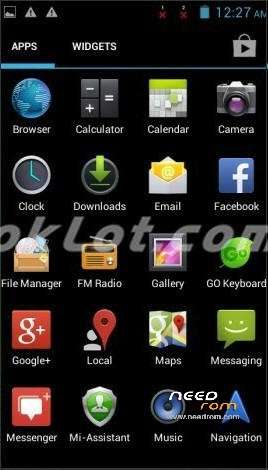
- Language suppoort : Multi-language (view image)
※Please make a backup of your device before installing or updating ROM
First time to do this. How to backup old rom first, easiest way?
Thanks for sharing
anyone tested the rom?
i love you
thx
I tested it on my phone and works great. Please make a backup of your orginal room then try these . You can make a copy of the program "MTK Droid Tools 2.4.8"
not working google play store? please help me?
Thanks, perfect!
Perfect!
Works perfectly! Thx!
^O^