
- Title: G4S & G4SL 4.4.2 KITKAT OFFICIAL
- Listed: July, 2014
- Last modified: 07/10/2014 4:51 pm
- Version: G4S-20140704-161636
You must be logged for ROM download.
51917 total views, 2 today
1 Total favorites
 Member Info
DESCRIPTION
This is an official update of Jiayu G4S/L to Androdi 4.4 KitKat.
Source: http://bbs.ejiayu.com/thread-1206301-1-1.html
You can install it with flash tools like all updates.
Bugs on G4SL (jiayu is working to solve it in the next update):
- SD Card not mounted
- No touch vibration
Install ROM (Thanks to SoCr@Te):
- Unpack FlashTools, and Click on Flash_tool.exe
- Select a the MT6592_Android_scatter_emmc.txt in ROM
- Wait file to be added into Flash Tool
- choose Option->USB Model,click USB Model
–> Choose Option->DA DownLoad All->Speed->High Speed, click High Speed
- Turn off your phone, remove the battery.
- ROM Firmware->Upgrade "
- and connect your phone into the computer via USB data cable.
- The process will start and a red progress bar will appear after color purple, yellow.
- And green circles display
- Finish !
- You can now safely disconnect your phone and turn it on.
ENJOY!!
※Please make a backup of your device before installing or updating ROM
After using a couple of days I notice one problem which is quite serious for me – 'Voice Unlock' is using 3-5mb data per day, even after I freeze all system apps related to voice unlock, & the feature was never used anyway, it is still using data, hmm…..
This firmware have caller ID problem. How can we resolve it ?
Any patch to mount SD card on G4SL ?
Dear Seavovk ,
Link is broken. Please provide another link
I am sorry , can i flash this rom from recovery or i must do it only with flash tool???
Hi guys. When i connect my Jiayu G4S without battery to usb, my phone is connecting and disconnecting so i can't install drivers. Any ideas how to resolve this problem?
use a good quality USB cable
Be ready with the drivers and with the device manager, connect the USB cable and then in max 3 secconds connect the battery. If you preinstalled the drivers it will make the instalation automatically, if not go to device manager and install them manually.
Good luck
wicik1991 i've the same problem i tried to use different usb cables without success:/ any idea to solve this?
same problem here (dc after a few seconds)
shouldnt be a driver problem because it worked before. Also i tried different cables.
maybe the preloader on phone broke the last time i flashed?
I have a problem with the flashing when you load scatter appears this error what to do?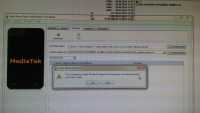
Hi.
Try to remove the Chinese fonts in the folder and file name an try again.
i got the same problems.. how to solve it ?
Super !!! Thanks
You are welcome.
I'm happy it worked for you.