
- Title: Alice Project
- Listed: December, 2014
- Last modified: 12/12/2014 2:39 pm
- Version: 7,0
You must be logged for ROM download.
34451 total views, 2 today
4 Total favorites
CUSTOM






 Member Info
DESCRIPTION
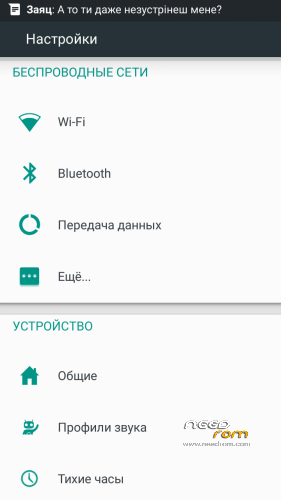
Alice Project Android 4.4.3 CN. Rom with material disign and OTA updates
Fast, beautiful, functional multilanguage
All information, see the http://ali-pro.ru/
Install via CWM or TWRP
1. wipe data/factory reset
2. wipe cache partition, mouns and storage
3. format/cache
4. format/data
5. format/system, go back, advanced
6. wipe dalvik cache, go back
7. install zip
8. reboot system now
※Please make a backup of your device before installing or updating ROM
Why don't you guys read the discription before posting questions???
So CN rom means china-based rom is it? Just for confirmation and double check before flashing my device.
Seaman, I found only settings related to lockscreen, but I cannot find “Unknown sources” checkbox and “Device Administrators”.
Sorry, I found Security in Developer options. Great.
I try to flash from TWRP but stayed on boot logo.
I did something wrong..?
Same thing is happening to me, stuck at boot logo.
Guys, here's a tip to successfully flash this ROM into your phone.
1. Back up your phone's data.
2. First, flash your phone with the OFFICIAL ROM S135. (Google it, you'll found the link)
3. After it is done, let your phone start for the first time. Then reboot into Recovery.
4. Wipe factory setting. Then Cache. Then Dalvic Cache. (In this order!)
5. Go 'back', press on 'install' and search for Alice ROM's .zip file and install it. Wait till finish.
6. Tadaaa! Now, you have this ROM in your phone.
7. Install MobileUncle Tool, and restore your IMEI.
8. You're good to go. Cheers!
Oh I forgot to mention. This step is for those who is having the stuck on boot logo problem.
i cannot use wifi hot spot
@kdomaniac30, I found a S135 based ROM from Google and install but when I try to flash Alice rom from TWRP sais Failed.
What do you suggest ROM..?
i done everything from first post and tried kdomaniac30 solution but no result fail, fail, fail…:(
looking forward for some updates
it didin`t work for me neither. Still, i was able to flash this rom, following this procedure:
1. install s135 china based rom with spflash
2.install nexus 5 rom from recovery
3.install alice project rom.
Rom is fine, but magnetic sensor and volume button backlight don`t work.
I didn't know that you guys install the Nexus 5 ROM first. No, you doesn't need to do that. After you have installed the S135 ROM, straightly forward, install the Alice project ROM.
I did exactly that and my phone runs perfectly. This ROM is amazing.
Depends on the phone, on my phone if i install alice rom directly after s135, phone remains stuck at boot.