
- Title: AOSP 4.2.2 iwewni mod by dcplx1
- Listed: June, 2014
- Last modified: 04/29/2015 1:39 pm
- Version: V.05 p770 4.2
You must be logged for ROM download.
31937 total views, 3 today
7 Total favorites
 Member Info
DESCRIPTION
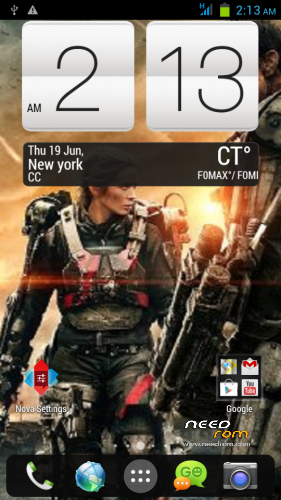
-Fully customized Nova Launcher backuped settings
-Modified Preinstalled apps
-change bootsplash,bootanimation,shutanimation
-change default Wallpaper on framework-res and SystemUI
-add init.d tweaks
-Default Language in First Setup to English
-Deodexed,Zipaligned
-Added Xposed Framework
On first boot Setup your phone
Setup Homescreen:
1.On Nova Launcher Homescreen tap Nova Setings>Backup and Import>Restore or Manage Backups
-tap Hmscrn2 then OK Tap all widget, check checkbox create.
2.Nova Setings>Dock>Dock Style>then press Back button twice
Setup Settings:
1.On homescreen tap Menu buttons choose Settings>More>Mobile Networks>Data Connection> choose OFF Network Mode>tap provider choose GSM only.
2.Settings>Display>check checkbox Auto Rotate scroll down Battery Style>check Charge Animation twice> Goto SYLES tab choose desired battery icon.
3.Settings>Audio profiles> tap adjustment icon in General>check Vibrate scroll down uncheck Vibrate on touch and Screen lock sound.
Setup Language and Keyboard
1.Settings>Language & input> uncheck Spell checker
2.Tap Xperia keyboard adjustment icon>Personalization Guide choose the ff.
-Full keyboard extra
-never want to have any words or letters replaced
-tap forward arrow 3 times
-check checkbox Period and comma keys and smileys
-uncheck Vibration on keypress
-Done
3.Keyboard appearance>Keyboard Skins>Select Black keyboard
Setup GPS
Settings>Location Access>GPS satelite to ON both checkbox checked
Settings>Security>Screen lock>choose Pattern – to avoid screen getting pressed when in pocket.
Settings>Security>scroll down uncheck checkbox Verify apps.
Setup Xposed framework
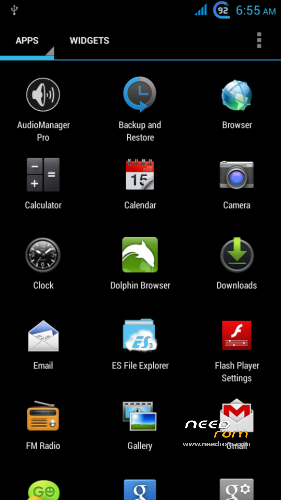
1.Find Xposed Installer icon in app drawer
2.choose Framework>Install/Update grant superuser then choose reboot
3.Xposed Installer>Modules tap 2 Modules checkbox
4.Xposed Installer>Framework>Soft reboot
5.Customize your tweaks in Gravitybox and Xblast app
※Please make a backup of your device before installing or updating ROM
To install ROM in CWM Recovery
Wipe Data Factory Reset, Wipe Cache, Advanced>Wipe Dalvik Cache
Install ZIP from sdcard > choose downloaded ROM
got problem on proximity sensor black screen call
For mtk….??
yes this is for Lenovo P770 mtk6577 CortexA9.
What is the coolest thing on this version?
Can you clearify more functions on theROM that we should move to this ROM ?
Thanks.
No file(s) found for 'dcplx1_4.2.2lenovoP770_iwewni'
Please put the download link here on the site needrom
Links are working, nothing special except that if you
compare all files from arbarat 4.2.2 rom this is purely
by iwewni final version rom port with just my modification I build this rom for myself I just like to share. it, I don’t know where rbarat got his source but 80% of it come from another ported rom, i compared files don’t match with iwewni final version of aokp 4.2.2 port.
My ROM is also based on Final version of iwewni 4.2.2 – V.03_p770_4.2 ROM for Lenovo P770, but I added many new languages, some optimalizations and repaired some mistakes. I recompiled more than 80% applications, because of translation.
Files are the same as in final version of iwewni 4.2.2 – V.03_p770_4.2 rom for Lenovo P770, but the are recompiled – you can't compare it by size. If you want add some new translations to file, you have to recompile it. After recompiling, files will not have the the same size. My ROM is based on pure iwewni ROM.
The link works .. my mistake .. sorry
You can enter Romanian language?
Text Messaging doesn't work without the original mms.apk my bad, I erased it from rom
download here
ROM Fixed
OMD. You removed mms.apk! unbelievable.
You should take a look at a list of removable and unremoveable .apk in the sys/apps