
- Title: AOSP 4.2.2 iwewni mod by dcplx1
- Listed: June, 2014
- Last modified: 04/29/2015 1:39 pm
- Version: V.05 p770 4.2
You must be logged for ROM download.
31938 total views, 4 today
7 Total favorites
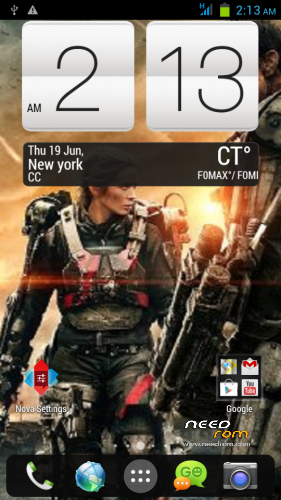
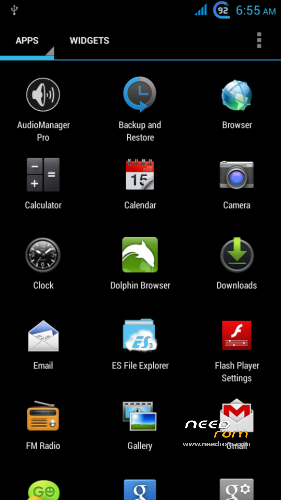
 Member Info
DESCRIPTION
-Fully customized Nova Launcher backuped settings
-Modified Preinstalled apps
-change bootsplash,bootanimation,shutanimation
-change default Wallpaper on framework-res and SystemUI
-add init.d tweaks
-Default Language in First Setup to English
-Deodexed,Zipaligned
-Added Xposed Framework
On first boot Setup your phone
Setup Homescreen:
1.On Nova Launcher Homescreen tap Nova Setings>Backup and Import>Restore or Manage Backups
-tap Hmscrn2 then OK Tap all widget, check checkbox create.
2.Nova Setings>Dock>Dock Style>then press Back button twice
Setup Settings:
1.On homescreen tap Menu buttons choose Settings>More>Mobile Networks>Data Connection> choose OFF Network Mode>tap provider choose GSM only.
2.Settings>Display>check checkbox Auto Rotate scroll down Battery Style>check Charge Animation twice> Goto SYLES tab choose desired battery icon.
3.Settings>Audio profiles> tap adjustment icon in General>check Vibrate scroll down uncheck Vibrate on touch and Screen lock sound.
Setup Language and Keyboard
1.Settings>Language & input> uncheck Spell checker
2.Tap Xperia keyboard adjustment icon>Personalization Guide choose the ff.
-Full keyboard extra
-never want to have any words or letters replaced
-tap forward arrow 3 times
-check checkbox Period and comma keys and smileys
-uncheck Vibration on keypress
-Done
3.Keyboard appearance>Keyboard Skins>Select Black keyboard
Setup GPS
Settings>Location Access>GPS satelite to ON both checkbox checked
Settings>Security>Screen lock>choose Pattern – to avoid screen getting pressed when in pocket.
Settings>Security>scroll down uncheck checkbox Verify apps.
Setup Xposed framework
1.Find Xposed Installer icon in app drawer
2.choose Framework>Install/Update grant superuser then choose reboot
3.Xposed Installer>Modules tap 2 Modules checkbox
4.Xposed Installer>Framework>Soft reboot
5.Customize your tweaks in Gravitybox and Xblast app
※Please make a backup of your device before installing or updating ROM
im downloading your rom now,dude…recentyly, im using LEWA version..
i have several Qs on your rom:
1.hows battery life?
2. is this dual 3G switch rom?
3. hows camera quality?im using lewa coz i think it has the best cam quality compared to other custom rom
ill post here after i install your rom:)
i wanna off touch button light
means this rom had the same location issue as other aosp 4.2 rom?
Thank, It's very beautiful. But Can you enter Vietnamese?
How to download this ROm here?
Everything works well, only USB OTG Helper does not see the USB flash drive to upgrade the program – the same thing! By installing the same program (StickMount, Total Commander Android plugins USB-Stick Plugin) – result is the same!
nice rom. no bugs. it gives good system options .
black screen when calling. check with sensorbox that my proximity unable to detect?? Please help me fix this.. THANX