
- Title: AOSP 4.2.2 iwewni mod by dcplx1
- Listed: June, 2014
- Last modified: 04/29/2015 1:39 pm
- Version: V.05 p770 4.2
You must be logged for ROM download.
31938 total views, 4 today
7 Total favorites
 Member Info
DESCRIPTION
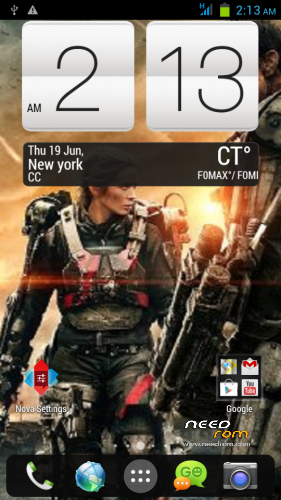
-Fully customized Nova Launcher backuped settings
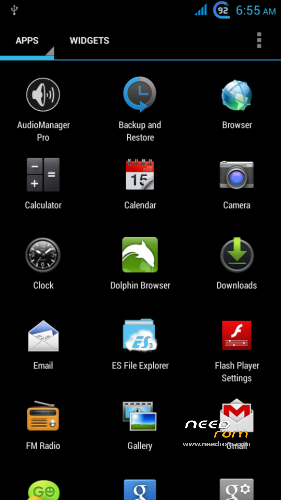
-Modified Preinstalled apps
-change bootsplash,bootanimation,shutanimation
-change default Wallpaper on framework-res and SystemUI
-add init.d tweaks
-Default Language in First Setup to English
-Deodexed,Zipaligned
-Added Xposed Framework
On first boot Setup your phone
Setup Homescreen:
1.On Nova Launcher Homescreen tap Nova Setings>Backup and Import>Restore or Manage Backups
-tap Hmscrn2 then OK Tap all widget, check checkbox create.
2.Nova Setings>Dock>Dock Style>then press Back button twice
Setup Settings:
1.On homescreen tap Menu buttons choose Settings>More>Mobile Networks>Data Connection> choose OFF Network Mode>tap provider choose GSM only.
2.Settings>Display>check checkbox Auto Rotate scroll down Battery Style>check Charge Animation twice> Goto SYLES tab choose desired battery icon.
3.Settings>Audio profiles> tap adjustment icon in General>check Vibrate scroll down uncheck Vibrate on touch and Screen lock sound.
Setup Language and Keyboard
1.Settings>Language & input> uncheck Spell checker
2.Tap Xperia keyboard adjustment icon>Personalization Guide choose the ff.
-Full keyboard extra
-never want to have any words or letters replaced
-tap forward arrow 3 times
-check checkbox Period and comma keys and smileys
-uncheck Vibration on keypress
-Done
3.Keyboard appearance>Keyboard Skins>Select Black keyboard
Setup GPS
Settings>Location Access>GPS satelite to ON both checkbox checked
Settings>Security>Screen lock>choose Pattern – to avoid screen getting pressed when in pocket.
Settings>Security>scroll down uncheck checkbox Verify apps.
Setup Xposed framework
1.Find Xposed Installer icon in app drawer
2.choose Framework>Install/Update grant superuser then choose reboot
3.Xposed Installer>Modules tap 2 Modules checkbox
4.Xposed Installer>Framework>Soft reboot
5.Customize your tweaks in Gravitybox and Xblast app
※Please make a backup of your device before installing or updating ROM
hello,
You can enter the original system sms (GO SMS PRO is not good) the original is perfect
Original sms already in rom, redownload from new needrom upload.
I think you mean AOSP(Android open source project) and not AOKP. AOKP is based on cm which does not support mtk based devices…
Also does both SIM cards work? I see only one signal bar on your screenshots…
Thanx.
I only have 1 sim card, the other signal bar I hid it in Gravitybox, ok I’ll edit title when I have time. =)
Hi, Thanks for the great work. One thing I observed. If you change audio profile from general to silent and then back, the phone gets into ring+vibrate mode and then vibration can be turned off only on reboot.
Use Audio Manager App included in Rom to enable or disable vibrate at the lower right screen of the app.
Bị lỗi đèn flasl khi ấn volum- thực hiện cuộc gọi áp vào tai bị tắt màn hình bỏ ra cũng không sáng lên cần fix 2 lỗi đó còn lại tất cả đều good
Nên có ngôn ngữ tiếng Việt
Duytruong STOP vietnamese
Can’t understand, english please.
best of the best rom! thanks!