
- Title: KitKat Factory v1 for ZP998 (Komu K8)
- Listed: June, 2014
- Last modified: 06/29/2014 1:50 am
- Version: v1 final
You must be logged for ROM download.
39078 total views, 7 today
1 Total favorites
 Member Info
DESCRIPTION
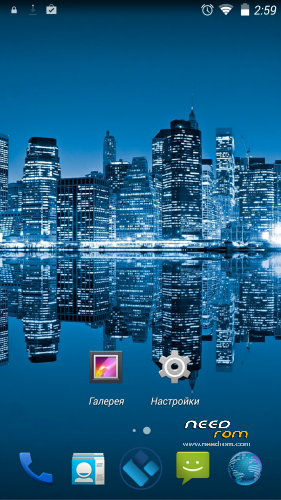
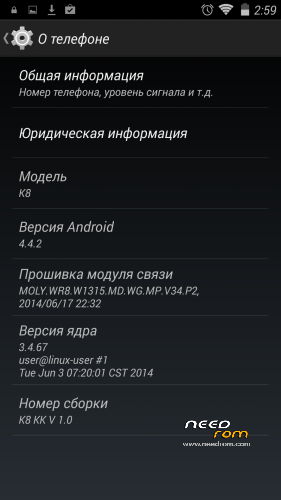
This is a factory ROM for ZP998 from a 100% Italian clone, Komu K8, a real KitKat v1 release.
No colorants, no preservatives, no ads – you just add what you want yourself.
Features:
- Real 4.4.2 KitKat, release ver. 1.0 (2014-06-28);
Root is easily done by flashing this zip through modded recovery:
https://yadi.sk/d/Fjyv4lM2VNrSK
Download rar archive, extract it (password is 123), put 4.4Root.zip on your sdcard and flash with recovery.
Xposed Framework is working, but it is not included, to keep ROM factory clean. Get it from official xda source (Xposed need root to be installed):
http://forum.xda-developers.com/xposed/xposed-installer-versions-changelog-t2714053
install, activate, reboot, and download modules, i.e. GravityBox KK
Primary partition size can be modded, just get EBR1 and EBR2 files from here:
http://forum.xda-developers.com/showthread.php?t=2455850
put these two files to the FIRMWARE folder, overwriting old files, and flash.
You may need to reboot once or twice and reset to factory settings, if partitions size is different from that in your old system!
Modded Recovery for KitKat can be found here:
https://www.needrom.com/mobile/recovery-twrp-2-7-1-0-for-zopo-zp998/
Download it, extract recovery.img, put it into FIRMWARE folder and flash.
This ROM is intended to be flashed with SP Flash Tool (included), all internal memory is lost! (IMEI intact).
Please read included manual carefully before upgrading! Use "Upgrade firmware" and NOT "Download only" in SP Flash Tool!
※Please make a backup of your device before installing or updating ROM
Does somebody have an idea to stop notifications of Kinguser ??
I have always the notification "Granted Screenshot to get root permission" on all my screenshots


With SUperuser i know to stop notifications, but i no find the way with Kinguser ..and superuser no works good with this ROM
just delete the kinguser.apk and replace it with supersu,, delete kinguser in system/app then go to recovery and install this , it works for me
Is it possibly to use this ROM on a Zopo 980+ (1G Ram/32G Rom) Device???
Thx in advance
NO!
sview working gps works good its very good when i found a bug i will report:D
Please can anyone explain how to update touch firmware to have smart wake functional??
For FIX the smart wake:
Download this app: https://mega.co.nz/#!7BwUwbxB!.....GM17T86S6p5uNVQ
and that driver https://mega.co.nz/#!vVJFERLS!.....Mmny5GpfbVGeXM4
Install the app to your phone and start the app. Then click "open file" and choose the downloaded driver. Disable auto-rotation and press start and don`t touch the screen.
Source: http://forum.zopomobileshop.co.....d-2017-1-1.html
Before updating your touchscreen firmware, place your phone in AIRPLANE MODE. Disable everything. And don't touch screen. If you by any chance brick your touch, use USB mouse with OTG cable, and repeat procedure (tip from russian 4pda forum)
How's the battery time in this one? Any improvement? DAC quality, audio during video recording?
<p>
My phone 4.4
</p>
<p>
<iframe allowfullscreen="" frameborder="0" height="250" src="https://www.youtube.com/embed/PBOktyyY9wM" width="500"></iframe>
</p>
Thanks for the rom works great. And thanks to tigeros for the wake fix that made the wake control to work.
To bad it seems to be some kind of preroot on the rom, cmore play and some more streaming apps is refused to work. Its says that the phone is rooted and won’t play any material.
I don't know why, but after the upgrade, the O and C are very good, but e, m and w are very difficult, even impossible to draw to smart wake. Any idea?
Before the upgrade the symthomes were the same.
Ok, I solved the problem of smart wake, but s-view apk doesn't work, from the smart case window, like in JB 4.2.2.
Any ideas?