
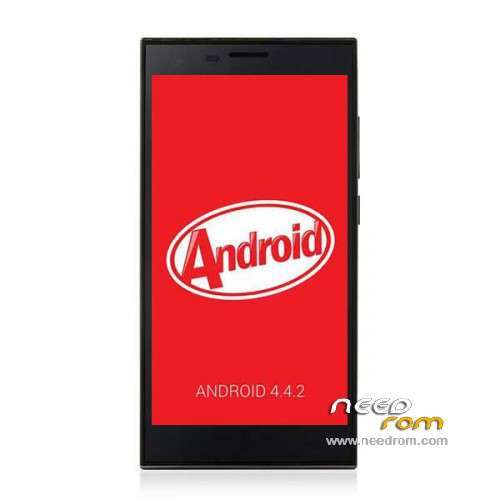
- Title: Cubot S308 KK
- Listed: July, 2014
- Last modified: 07/24/2015 6:57 pm
- Version: ROM Android 4.4.2
You must be logged for ROM download.
86466 total views, 2 today
20 Total favorites
 Member Info
DESCRIPTION
ROM Phone Cubot S308 – ROM Android 4.4.2
ONLY MT6582
ONLY For Model 4.4.2 ( not updated for 4.2.2 )
Update Official ROM Cubot S308 Version: V6_CQ_4137C_V0.1.3_20150721 – KOT49H
—————————————————————————————————————————-
Update Official ROM Cubot S308 Version: V6_CQ_4137C_V0.1.3_20150715 – KOT49H
—————————————————————————————————————————-
Update Official ROM Cubot S308 Version: V6_CQ_4137C_V0.1.2_20150417 – KOT49H
—————————————————————————————————————————-
Update Official ROM Cubot S308 Version: V6_CQ_4137C_V0.1.1_20150123 – KOT49H
—————————————————————————————————————————-
Update Official ROM Cubot S308 Version: V6_CQ_4137C_V0.0.9_20140922 – KOT49H
—————————————————————————————————————————-
Update Official ROM Cubot S308 Version: V6_CQ_4137C_V0.0.7_20140828 – KOT49H
—————————————————————————————————————————-
Update Official ROM Cubot S308 Version: V6_CQ_4137C_V0.0.6_20140822 – KOT49H
—————————————————————————————————————————-
Update Official ROM Cubot S308 Version: V6_CQ_4137C_V0.0.5_20140821 – KOT49H
—————————————————————————————————————————-
Update Official ROM Cubot S308 Version: V6_CQ_4137C_V0.0.4_20140805 – KOT49H
—————————————————————————————————————————-
Official ROM Cubot S308 Version: V6_CQ_4137C_V0.0.3_20140722 – KOT49H
Gapps include – No Rooted
Language support: Multilang
Install ROM:
- Unpack FlashTools, and Click on Flash_tool.exe
- Select a the MT6582_Android_scatter.txt in ROM
- Wait file to be added into Flash Tool
- choose Option->USB Model,click USB Model
–> Choose Option->DA DownLoad All->Speed->High Speed, click High Speed
- Turn off your phone, remove the battery.
- "Press F9 (hit Download button)" OR " if upgrade ROM Firmware->Upgrade "
- and connect your phone into the computer via USB data cable.
- The process will start and a red progress bar will appear after color purple, yellow.
- And green circles display
- Finish !
- You can now safely disconnect your phone and turn it on.
※Please make a backup of your device before installing or updating ROM
works fine on my s308 but still only 1gb system memory and can not access 16gb phone storage ….im using external 16gb sd card for apps
What Hardware Version you are have ? My Hardware Version is "K460_MB_P2_V01", and on this dont work.
hi all
this is the ONLY rom that works with my s308.
i`ve tried ALL the other rom`s in here and All of them make my phone to NOT turn on again except this 4.4.2. KK V.0.0.9 that works EVERY time
Does anyone have the original stock rom 4.2.2 or a full backup of this?
i tried some other kitkat rom and worked too
i beleive that there are two diferent models on the market now :
the old that had originally 4.2.2 and having troubles with 4.4.2 udates and
the new ones that had stock 4.4.2 kitkat rom`s and they wont working with the prenius 4.2.2 lelly bean.
thats MY conclusion after a week of research on everything i can get from google.
if anyone knows beter i really like a solution to ram problem
Yeah you are right mate, it seems i´m stuck with 4.2.2, anyway it´s not bad
Hi Guys,
I've just bricked my new CUBOT S308 with a wrong version of KK rom.
My current phone is completly dead; if I connect to PC with USB I could see only MTK USB VCOM PORT.
Just tried to apply the procedure suggest by quatrix using SP Flash v 3.1316 but unfortunately my phone doesn't start the download and PC return a popup message of error (DRAM).
I also tried with SP flash v.5.13xx and v5.14xx either trying only PRELOAD section of ROM and whole ROM, moving battery, removing battery, both volume buttons pressed, only up, only down, power button + volume buttons, etc but noting.
In some cases insted of MTK USB VCOM PORT I see MTK DA USB VCOM port but in this case the download process stand like freeze without ending in anyway until I kill it.
It is very frustating!
Anyone may help me?
If you got an error when flashing do first a auto format in SP Flashtool and then you could flash…
did you tried with the same kk rom or with another?
I tried with:
KK v0.009
KK v0.004
JB v004
JBv003
change sp flash tool version and – or drivers of your devise
try it on another pc if you need too because they dont brick that easy
and try only Kit Kat rom
redbeard211 can you upload ur andriod 4.4.2 rom backup?
yesterday i bricked my phone i used new KK rom V0.9 afetr finsih successfully my phone wont start any develpper can help and update rom so we can install it on our cubot
Hi everyone! I just bought cubot s308 ram 2gb and rom 16gb andorid 4.4 ,but the storage is only 1gb and it doesn't let me put more data. what i should do?
If you have root access and a custom recovery installed use HKphone rom editor, choose mtk6582 devices(only hkphone racer) option, choose the amount of system ram you want with the slider, apply, reboot recovery for change…with this procedure i have now 10gb of system ram.