
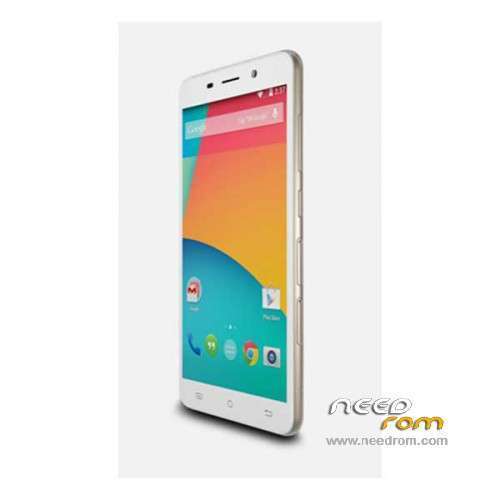
- Title: Cubot X9
- Listed: November, 2014
- Last modified: 03/28/2016 5:50 pm
- Version: ROM Android 4.4.4
You must be logged for ROM download.
73287 total views, 3 today
48 Total favorites
 Member Info
DESCRIPTION
ROM Mobile Cubot X9 – ROM Android 4.4.4
ONLY MT6592
ROM 1 – Update Official ROM Cubot X9 Version: CUBOT_4271C_Z61W5_V22 – KOT49H – sinsoft92_cwet_kk
——————————————————————————————————————————————————-
ROM 1 – Official ROM Cubot X9 Version: CUBOT_4271C_Z61W5_V20 – KOT49H – sinsoft92_cwet_kk
——————————————————————————————————————————————————-
ROM 2 – Add another Official ROM Cubot X9 Version: CUBOT_4271C_Z61W5_V11 – KOT49H – sinsoft92_cwet_kk
ONLY CAM: OV8865 and TP: IMX214
Gapps include – No Rooted
Language support: Multilang
Install ROM:
- Unpack FlashTools, and Click on Flash_tool.exe
- Select a the MT6592_Android_scatter.txt in ROM
- Wait file to be added into Flash Tool
- choose Option->USB Model,click USB Model
–> Choose Option->DA DownLoad All->Speed->High Speed, click High Speed
- Turn off your phone.
- "Press F9 (hit Download button)" OR " if upgrade ROM Firmware->Upgrade "
- and connect your phone into the computer via USB data cable.
- The process will start and a red progress bar will appear after color purple, yellow.
- And green circles display
- Finish !
- You can now safely disconnect your phone and turn it on.
※Please make a backup of your device before installing or updating ROM
Wow cubot has alot updates
I'm curious, where do you get these roms from? Is there an official source for Cubot X9 roms?
I only ask because I don't see any files available for the X9 over at Cubot.net.
Cubot has a new website
Aaaand having received my X9 now, I see that OTA updates are the source of these ROMs
New website is cubot.net?. Here is no updates. Why is there a lot of updates? I have the 8 versión and the new one is 11 version. Bue my cubot says "update"….i don´t understand.
It may be beacuse the update hasnt arivved to your country yet.
Dear Friend
How can I change imei number?
Could you help me?
thanks
It's not trivial. The only way I've found to set the IMEI (I accidentally erased mine) is to root, and use MTK Droid tools.
I completely bricked my phone while trying to install the newest update. I have no clue what I'm doing since this is my first time trying to flash a chinese phone.
It's all black screen, can't access recovery(not that it makes any difference since it was all chinese), but my computer is still able to detect it. I don't know how to proceed with this dilemma. What can I do now to save my Cubot x9?
I had the same problem – let your battery die, it should boot back up. One of the problems of having a phone without a removable battery.
And my default recovery (power + volume up) was english? There's a chinese menu when you hit power+volume down, but I have no idea what that's for.
How do you install these ROMs, since they are .rar files
TWRP can't read them!
Extract from the .rar file using winrar. Rar is just an archive format (similar to zip).
Hello,
how do I handle/install the "ONLY CAM: OV8865 and TP: IMX214" file? For what is it good for?
What do you mean with "ONLY MT6592"? The X9 has a MT6592M SoC?
Is the V11 compatible with the TWRP-rooting method on this site?
Thanks!
Is the V11 compatible with the TWRP-rooting method on this site?
Yes, is it, work fine