
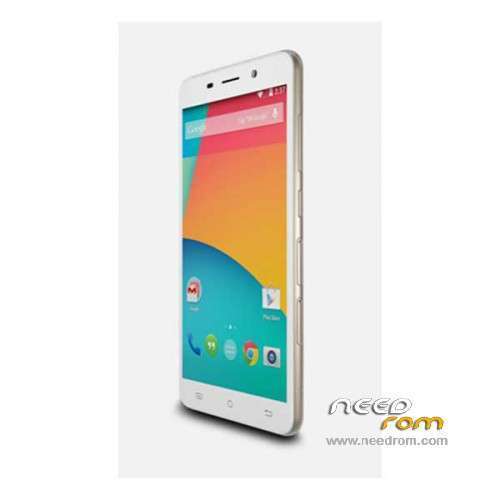
- Title: Cubot X9
- Listed: November, 2014
- Last modified: 03/28/2016 5:50 pm
- Version: ROM Android 4.4.4
You must be logged for ROM download.
73287 total views, 3 today
48 Total favorites
 Member Info
DESCRIPTION
ROM Mobile Cubot X9 – ROM Android 4.4.4
ONLY MT6592
ROM 1 – Update Official ROM Cubot X9 Version: CUBOT_4271C_Z61W5_V22 – KOT49H – sinsoft92_cwet_kk
——————————————————————————————————————————————————-
ROM 1 – Official ROM Cubot X9 Version: CUBOT_4271C_Z61W5_V20 – KOT49H – sinsoft92_cwet_kk
——————————————————————————————————————————————————-
ROM 2 – Add another Official ROM Cubot X9 Version: CUBOT_4271C_Z61W5_V11 – KOT49H – sinsoft92_cwet_kk
ONLY CAM: OV8865 and TP: IMX214
Gapps include – No Rooted
Language support: Multilang
Install ROM:
- Unpack FlashTools, and Click on Flash_tool.exe
- Select a the MT6592_Android_scatter.txt in ROM
- Wait file to be added into Flash Tool
- choose Option->USB Model,click USB Model
–> Choose Option->DA DownLoad All->Speed->High Speed, click High Speed
- Turn off your phone.
- "Press F9 (hit Download button)" OR " if upgrade ROM Firmware->Upgrade "
- and connect your phone into the computer via USB data cable.
- The process will start and a red progress bar will appear after color purple, yellow.
- And green circles display
- Finish !
- You can now safely disconnect your phone and turn it on.
※Please make a backup of your device before installing or updating ROM
is it possible to upgrade to v19 without a windows computer? I'm stuck at v18 OTA and the touchscreen is terrible.
I believe you can do it but you must read Instruction For Update …. download the pdf and read the Instructions … http://www.cubot.net/Public/Up.....33829264dec.rar … and good luck !!
When will release Lollipop???
No lollipop, this is dead
i ve install CM 12.1 lollipop for me cubot x9
https://www.facebook.com/cubot.....dev/
With which one i can resolve cam problems? Thank you
What firmware you have in your previous phone? I guess the last firmware V20 will solve your problems. Try to OTA update or flash it with the instructions listed above.
REMEMBER IF YOU FLASH THE ROM FIRMWARE FIRST MAKE A FULL BACKUP CAUSE YOU LOST ALL OF YOUR FILES
hello guys
i find this page is good for cubot x9
https://www.facebook.com/cubot.....dev/
The link is dead my friend
Today i receive OTA a small (about 8-10 mb) new version 22V who is only for bug fixes i beleieve.
hello dude im working now on CM 12.1 for cubot x9 and every things work perfect just i had problem with camera and touch screen
if want help im working to remake page for cubot x9 device
feel happy if you to help me
https://www.facebook.com/Unoff.....77856358891330/
Zeroday You are the best! These official roms just dont work!
Touchscreen problems havend been solved with this update
thank you very much 1000/100 work to me !!!!!
no needed drivers?
I 'm a noob so I need some help
I downloaded v19 of rom and also flash tool.
Put I can't use it.
some instructions?
After download roms list you see the insctuctions guide …. read this …
Install ROM:
- Unpack FlashTools, and Click on Flash_tool.exe
- Select a the MT6592_Android_scatter.txt in ROM
- Wait file to be added into Flash Tool
- choose Option->USB Model,click USB Model
–> Choose Option->DA DownLoad All->Speed->High Speed, click High Speed
- Turn off your phone.
- "Press F9 (hit Download button)" OR " if upgrade ROM Firmware->Upgrade "
- and connect your phone into the computer via USB data cable.
- The process will start and a red progress bar will appear after color purple, yellow.
- And green circles display
- Finish !
- You can now safely disconnect your phone and turn it on.
Good luck … Καλή τύχη !!
Problems came back after 5 mintutes., now i have the same touchscreen problems again.