
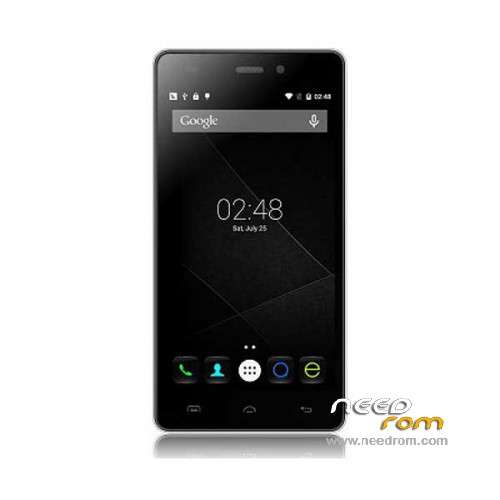
- Title: Doogee X5 Pro
- Listed: December, 2015
- Last modified: 07/04/2016 11:33 pm
- Version: ROM Android 5.1
You must be logged for ROM download.
42831 total views, 4 today
30 Total favorites
 Member Info
DESCRIPTION
ROM Mobile Doogee X5 Pro – ROM Android 5.1
ONLY MT6735M
ROM 1 – Update Official ROM Doogee X5 Pro version: DOOGEE-X5pro-Android5.1-R17-2016.07.01 – t93bm-dg-a37-33pgu-hd-128g16g-fdd137820-bom68 – full_hct6735m_35gu_l-user 5.1 LMY47D
ATTENTION this ROM is not compatible with ROM 2
————————————————————————————————————————————————————————————————
ROM 1 – Update Official ROM Doogee X5 Pro version: DOOGEE-X5pro-Android5.1-R12-2016.01.15 – t93bm-dg-a37-33pgu-hd-128g16g-fdd137820-bom68 – full_hct6735m_35gu_l-user 5.1 LMY47D
ATTENTION this ROM is not compatible with ROM 2
————————————————————————————————————————————————————————————————
ROM 2 – Official ROM Doogee X5 Pro version: DOOGEE-X5pro-64+8-Android5.1-2015.12.21 – t93bm-dg-a37f–33pgu-hd-64g8g-fdd137820-dg- full_hct6735m_35gu_l-user 5.1 LMY47D
ATTENTION this ROM is not compatible with ROM 1
————————————————————————————————————————————————————————————————
ROM 1 – Official ROM Doogee X5 Pro version: DOOGEE-X5pro-Android5.1-R09-2015.12.01 – t93bm-dg-a37-33pgu-hd-128g16g-fdd137820-bom68 – full_hct6735m_35gu_l-user 5.1 LMY47D
Gapps include – No Rooted
Language support: Multilang
Install ROM:
Install with SP MDT:
1). Turn off the smartphone. Cable is not connected to the computer.
2). Remove the battery and insert it again
3). Connect your phone to a computer cable. The operating system detects a new device
4). Disconnect the cable from the computer.
5). Run SPMultiPortFlashDownloadProject.exe
6). Choose File> Open File Agent download and specify the file MTK_AllInOneDA.bin (it is in the folder SP_MDT).
7). Click Scatter File and select the MT6735M_Android_scatter.txt file (it's in the folder with the rom).
8). Click "Start all".
9). Connect your phone to a computer cable. The program should see and blink. If the phone is not detected, then unplug it from the computer,
remove and insert the battery (if the battery is removable) and reconnect it to the computer.
10). After (OK) click Stop and disable any phone.
11). Completed.
※Please make a backup of your device before installing or updating ROM
Hi Guys !! the Doogee X5 Pro will receive updating for android 6 ? What do u think ? Tks !!!
i accidently erase the rom with r2 and now my phone is dead and the pc doesn t recognize the phone on usb what can i do help please.
Please help!
I have a problem – I Installed – ROM 2 – Doogee X5 Pro
phones not turn on – at nevybruje power.
nothing at all does not react,
PC-connection does not work – nothing does not work
What to do? Thank you for the advice
i do all , but enything accured? i have x5pro rooted , and want to install twrp ? please help me
hi dear friend
i did install rom 1 .it not recognized otg .for it i installed rom 2 and now my phone is break
the phone is off and no turne on eny .please help to turne on it .
thank you
as user dart 500 my phone is turn off ? for what? is this rom is virus? or like this?
how can we do to turne on???????????????
i flash my phone back whith r12
solution connect phone to pc then press and hold power and up bottom then computer will recognize it
my probleme still with imei because my phone is rooted
any solution to get original imei back
ok thank .your solution work mean pc recognize phone.
by that way i port flash .and phone try to turn on and vibrate, but just vibrate. and nothing more !!????
no turn on no light no logo .and screen is black ?
no what can i do ? very thank for your help
problem solved .now usb otg missed and computer not recognized phone in normal mod only charge enable and phone not show in pc?????????
eny budy now this problem?
here not any budy exist for respound !!!!!!!!!1
thank for god all af my problem solved from allah .
the rom 2 is disterb and delet bootloader . i erase all sd card and install bootloader again to turn on my phone .
be carefull whene use roms .