
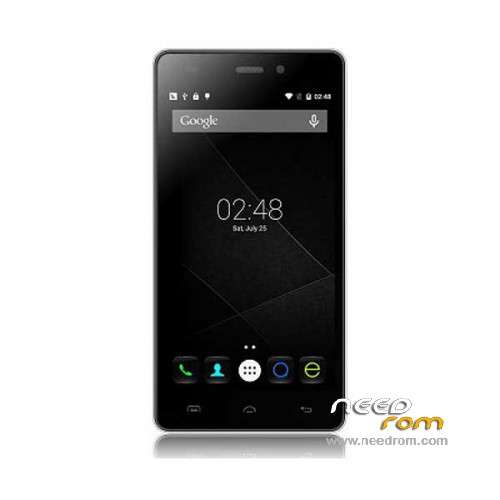
- Title: Doogee X5 Pro
- Listed: December, 2015
- Last modified: 07/04/2016 11:33 pm
- Version: ROM Android 5.1
You must be logged for ROM download.
42831 total views, 4 today
30 Total favorites
 Member Info
DESCRIPTION
ROM Mobile Doogee X5 Pro – ROM Android 5.1
ONLY MT6735M
ROM 1 – Update Official ROM Doogee X5 Pro version: DOOGEE-X5pro-Android5.1-R17-2016.07.01 – t93bm-dg-a37-33pgu-hd-128g16g-fdd137820-bom68 – full_hct6735m_35gu_l-user 5.1 LMY47D
ATTENTION this ROM is not compatible with ROM 2
————————————————————————————————————————————————————————————————
ROM 1 – Update Official ROM Doogee X5 Pro version: DOOGEE-X5pro-Android5.1-R12-2016.01.15 – t93bm-dg-a37-33pgu-hd-128g16g-fdd137820-bom68 – full_hct6735m_35gu_l-user 5.1 LMY47D
ATTENTION this ROM is not compatible with ROM 2
————————————————————————————————————————————————————————————————
ROM 2 – Official ROM Doogee X5 Pro version: DOOGEE-X5pro-64+8-Android5.1-2015.12.21 – t93bm-dg-a37f–33pgu-hd-64g8g-fdd137820-dg- full_hct6735m_35gu_l-user 5.1 LMY47D
ATTENTION this ROM is not compatible with ROM 1
————————————————————————————————————————————————————————————————
ROM 1 – Official ROM Doogee X5 Pro version: DOOGEE-X5pro-Android5.1-R09-2015.12.01 – t93bm-dg-a37-33pgu-hd-128g16g-fdd137820-bom68 – full_hct6735m_35gu_l-user 5.1 LMY47D
Gapps include – No Rooted
Language support: Multilang
Install ROM:
Install with SP MDT:
1). Turn off the smartphone. Cable is not connected to the computer.
2). Remove the battery and insert it again
3). Connect your phone to a computer cable. The operating system detects a new device
4). Disconnect the cable from the computer.
5). Run SPMultiPortFlashDownloadProject.exe
6). Choose File> Open File Agent download and specify the file MTK_AllInOneDA.bin (it is in the folder SP_MDT).
7). Click Scatter File and select the MT6735M_Android_scatter.txt file (it's in the folder with the rom).
8). Click "Start all".
9). Connect your phone to a computer cable. The program should see and blink. If the phone is not detected, then unplug it from the computer,
remove and insert the battery (if the battery is removable) and reconnect it to the computer.
10). After (OK) click Stop and disable any phone.
11). Completed.
※Please make a backup of your device before installing or updating ROM
Hi there all… does anyone know where i can locate the standard / stock DOOGEE-
its for a MT6735
ms board hct6735m_35gu_1
greetings: for all those who have installed the R2-Doogee-X5-Pro and phone will not turn on and to become dead and the pc does not recognize mtk preloader. the solution is to return to the normal installation process with a different rom run SP_Flash_Tool and simultaneously press Volume Up key on most key and return the computer to recognize the smartphone.recordar volume up more power and flash key. I hope I have helped greetings and good luck.
saludos:para todos aquellos que habeis instalado la R2-Doogee-X5-Pro y telefono no se enciende y se a quedado muerto y el pc no reconoce mtk preloader. la solucion es volver hacer el proceso de instalacion normal con otra rom diferente ejecutar SP_Flash_Tool y a la vez apretar tecla volumen arriba mas tecla encendido y el ordenador volvera a reconocer el smartphone.recordar volumen arriba mas tecla encendido y a flashear. espero haber ayudado saludos y suerte.
Hi, I'm currently on R14. Is it possible to download only boot and system-image, so that i can keep my apps & userdata?
Any other hints? Wiping cache etc.
@ bdrei: Yes, you can. Your apps and userdata will be still there. I´ve made it, too.
As long as you have preinstalled another lollipop based rom it will work.
But never forget to make a backup before flashing any firmware.
@MrBurns thanks!
It worked like a charm!
Hi bdrei!
Could you give me a step-by-step instruction for this update?
Now my phone is running R14 ( OTA ) too. t93bm-dg-a37-33pgu-hd-128g16g-fdd-137820-bom68
ROM1 I see but the downloadable SP_MDT stopped with checksum error.
Thanks in advance!
Hi, do you know what is the difference btw the r14 and r17 rom? How can i check what rom version should I use?
way too complicated !
check sum error..
com port problem..
milelong file description..
>>> can i use update R17 firmware (with SP Flash Tool and NOT spMdt) tu upgrade my R09 TWRP/ROOT ??
Hi danss!
cheksum error … port … etc.
Infinix FlashTool worked properly. ( instead of SP_MDT )
In R17 update battery usage stats aren't available.It's weird because this is official update.I hope DOOGEE will provide some minor update to fix this.
Hello.
I Doogee X5 Pro as described screenshot.
The problem is the lack of the ability to set custom ringtones.
Dedicated applications that do not change, such as Zedge, download, and so you set are still playing the default ringtones.
I did root and have uploaded twrp.
Is updated R17 correct the problem and you can upload it through twrp?
Is there another way to deal with this problem?
thx