
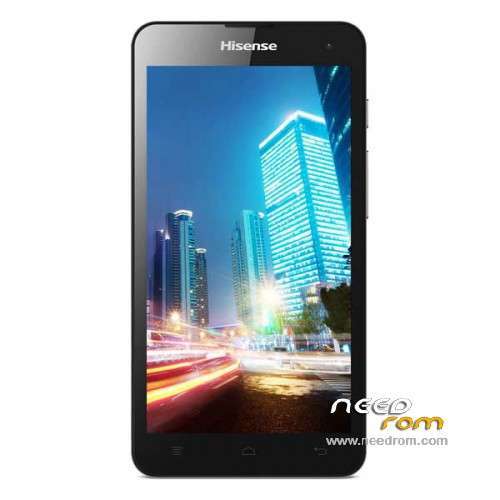
- Title: Hisense u971
- Listed: December, 2014
- Last modified: 02/13/2016 2:15 am
- Version: ROM Android 4.3
You must be logged for ROM download.
65290 total views, 8 today
31 Total favorites
 Member Info
DESCRIPTION
ROM Mobile hisense u971 – ROM Android 4.3
ROM 2 – Official ROM u971 Version: HS-U971_W1002.6.04.00.ZA00
QPST
1.Connect your phone to PC and let the driver install
2.Install QPST
3.Open QPST Configuration -> Add new port -> Select the com port of your device -> exit
4.Go to Start -> All Programs -> QPST eMMC Software Download open the tool -> Check program boot loaders -> Browse for the device com port
5.Click Load XML def and browse for u971ae_2.xml in folder ROM
6.Click Load Patch def and browse for patch0.xml in folder ROM
7.Check the search path 2 and browse for the folder ROM
11.Now click download, wait for the download to finish (it never finish but it also detects for a new driver, and that’s important)
and it will search for the new hardware found, install the driver
——————————————————————————————————————————————————
ROM 1 – Official ROM u971 Version: U971-SW-W969.6.02.02.00
Gapps include – no Rooted
Language support : Multilang
Install ROM :
Install with U971.cmd
※Please make a backup of your device before installing or updating ROM
HI folks. I have managed to get my phone to read as Qualcomm HS-USB Diagnostics 9006 (COM3).
When i use the eMMC program it doesnt seem to do much but installs another driver and just restarts the phone. what to do to flash this ROM? Please help…
sir plzz propar Gide i dont undarstand Thanxxx
Hi there
I have done the steps 1 – 11 but when i click the download it does the NV backup. Then it puts my phone into download mode. and runs the code below after that it just restarts the phone and gives error "COOKIE NOT RECEIVED" . I really need to remove the chinese ROM
Beginning NV backup…
Device ID is 4089
Folder path: C:\ProgramData\Qualcomm\QPST\NV Backup
Backup file: C:\ProgramData\Qualcomm\QPST\NV Backup\IMEI_864360020574086_15.QCN
QCN file opened
Starting NV backup thread
Waiting for NV backup to complete
NV operation completed successfully
NV backup completed (1)
Begin download to port COM22 using files:
C:\Users\Nimrod\Downloads\Hisense-u971-13\MPRG8x10.mbn
C:\Users\Nimrod\Downloads\Hisense-u971-13\8x10_msimage.mbn
DeviceArrival(DBT_DEVTYP_DEVICEINTERFACE) \\?\USBSTOR#Disk&Ven_Qualcomm&Prod_MMC_Storage&Rev_1.00#7&38374711&0#{53f56307-b6bf-11d0-94f2-00a0c91efb8b}
DeviceArrival(DBT_DEVTYP_VOLUME) 00000010 0000
Update device 1 (E:\, "")
DeviceArrival(DBT_DEVTYP_VOLUME) 00000020 0000
Update device 1 (F:\, "")
DeviceArrival(DBT_DEVTYP_VOLUME) 00000040 0000
Update device 1 (G:\, "")
DeviceArrival(DBT_DEVTYP_VOLUME) 00000080 0000
Update device 1 (H:\, "")
DeviceArrival(DBT_DEVTYP_VOLUME) 00000100 0000
Update device 1 (I:\, "")
DeviceArrival(DBT_DEVTYP_VOLUME) 00000200 0000
Update device 1 (J:\, "")
DeviceArrival(DBT_DEVTYP_VOLUME) 00000400 0000
Update device 1 (K:\, "")
pleas arbic soft
can’t connect to camera help me on hisence u971 a need arbic langish
arbic rom i need
Qpst do not detect my u971 com port ,please help
switch off phone. Then hold volume + and press power, when logo appears put usb cable. it will detect new device. then update drivers to QHSUSB drivers. if you dont have drivers download
Hi all I have solution to flash the rom2 and fix camera. use MiFlash. Make sure phone is diagnostic mode
1 . Download MiFlash and install
2. click browse and select rom folder.
3. click arrow on browse and go to advanced
clear fastboot Script and NvBoot Script.
Flash Programmer = MPRG8x10.mbn
boot image = boot.img
raw xml = u971ae_2.xml
patch = patch0.xm
click ok and then click flash .
How to put the phone in diagnostic mode
switch off phone. hold volume+ press power and when logo comes on put usb cable. it will look for drivers if not found download QHSUSB drivers
is your phone in diag mode 9006?
send me screen shots of divice manager, miFlash screen seetings you put. send to my email nimrod.ntm @gmail.com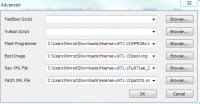
please,help me I did every thing you said and when I click flash,nothing happened and I used qpst on windows 10 and it uploaded the file and restarted but nothing also happened
try this. open QPST emmc software download.
then select com port of phone and click switch phone to download mode. when miFlash detects the phone click flash.