
- Title: JIAYU G4
- Listed: May, 2013
- Last modified: 08/25/2013 4:01 am
- Version: ROM Android 4.2.1
You must be logged for ROM download.
70109 total views, 1 today
1 Total favorites
 Member Info
DESCRIPTION
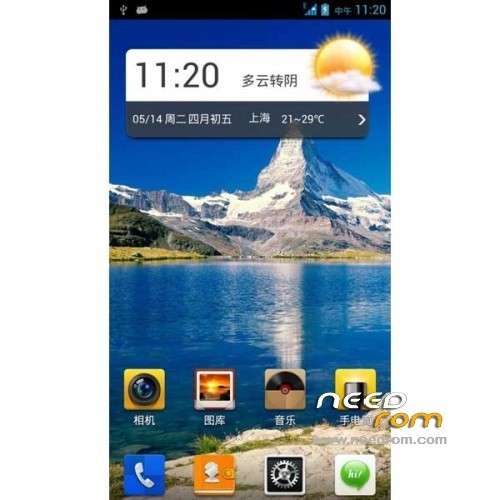
ROM JIAYU G4 – ROM Android 4.2.1
Update 08/24/13 V6S:
1, based on 0818
2, the default authorization management, kernel root / increase busybox instruction set / merge odex / open run-parts
3, merge odex, streamlined system
4, reserved for google services and comes back up
5, curing rebooter, freshness Mother Input Method
6, the annular charge 1% display
7, speed optimization
8, canceled 24 hours after the system displays segmented
9, v4 comes Acoustic Sound +
10, RE Manager freely uninstall
11, exquisite call interface
12, the status bar transparent + network speed
———————————————————————————————————————–
06/30/13 V5S:
1, glamor exquisite call interface
2, learn MIUI and Huawei ring material (no need to leave too much of these tones)
4, init scripts under
3, time-phased: dawn / morning / afternoon / evening / night
5, double v4 audio + comes with FullSound
6, full-screen camera with native camera coexistence (respective binding Gallery)
7, fonts for Microsoft elegant black, comes with document management, while RE manager freely uninstall
Integration update:
1 Integration FC Patch
2 The status bar directly pulled sunny 75% transparent UI (with speed display)
Even a lot of tutorials, relative to the jar, people do not want to bother to get apk, after all, I did not g4, do not get not how.
3 double version of opaque and transparent
Language support: Multilang
Install ROM :
Unpack Tools, and Click on Flash_tool.exe
Select a the MT6589_Android_scatter_emmc.txt in TOOLS ( or Recovery CWM 6.0.3.2)
Turn off your phone, remove the battery.
Press F9 (or hit Download button) and connect your phone into the computer via USB data cable.
The process will start and a red progress bar will appear after color purple, yellow.
And green circles display
Finish !
You can now safely disconnect your phone and turn it on.
or
CWM
Step 1: Download the custom card brush ROM copied to an external SD card root directory
Step 2: the shutdown state. While holding down:
Power button + volume button + volume key to enter the recovery mode of Brush, Clear user data and cache, and then enter the card brush
Options Brush can.
Step 3: Brush complete, restart the phone
※Please make a backup of your device before installing or updating ROM
if i try to flash by flastool and want to choose scatter.txt and choose options it wot work. error, no path…
try with this Flash
Thanks for fast reply i will try right now:-)
ive downloaded that flashtool and want to add scatter.txt. but where can i find it? the scatter file?
in file recovery
it worked but it didnt solve the GPS problem i think. how can i use :
Update 05/14/13 V2:
1, further streamlining of the system
2, increasing the GPS satellite search configuration (server port)
…
I'll watch
Hi, this ROM have a Slovak language?
Tady jsem jí upnul počeštěnou, tak snad ti to pomůže. http://www.uloz.to/xXi31X2b/g4.....-1367497097-zip
nazdar. chcem sa spytat. nemate pri g4 problem s GPS? Pouzivam sports tracker a lokalizuje ma to presne ale rychlost a prejdena vzdialenost je asi 10x vyssia ako normal. neviete kde moze byt problem?
сдрасти ,этот ром уберает проблему фантомного тоесть самопроизвольного нажатия экрана.
u menia eta problema. ja zdelal update cheres flash no nichevo neizmenilos. a kak zdelat cherez CWM tut vobshe neponiatno… mozhete pomoch?
sdrasti, this rum uberaet problem phantom ie spontaneous tapping the screen.
Немножко побороть фантомные нажатия можно с помощью инструкции от abaggie ближе к концу этой страницы.
https://www.needrom.com/mobile...../jiayu-g4-6/
Еще чуть ниже, он же дает ссылку на скачивание прошивки тач-скрина.
Instruction for the fix touch problem you can find in this post, closer to end of web-page.
https://www.needrom.com/mobile...../jiayu-g4-6/
Hi, has some rom for Jiayu G4 Czech or Slovak language? Thanks for the reply
Cheers!
First of all thanks for this ROM, but I'm missing some explanation on using Flash_tool.exe.
When I press Download/F9 it warns me that not all of images are loaded. This is normal right? I'll be flashing just the RECOVERY partition?
I say OK but then then nothing happens… I'm on Windows 7. Do I need to install the phone driver ? How do I do that?
Thanks for the help.
@duartix: It warns you because you have selected only one area of recovery. It's normal. You need to have installed drivers first, they're in "new usb driver" folder. It worked for me, I'm on Win8 x64.
@author_of_rom: would it be possible to include this fix in ROM: http://review.cyanogenmod.org/.....#/c/29732/ (supposedly it solves problem with wrong speed readings in Endomondo and other sport trackers)?