
- Title: UPDATE 2015/01/14 G6 KitKat V2
- Listed: December, 2014
- Last modified: 01/18/2015 9:56 pm
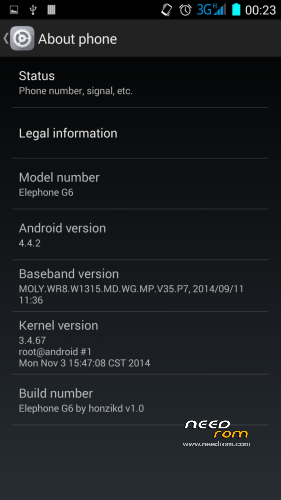
- Version: 4.4.2 ROOT
You must be logged for ROM download.
31450 total views, 4 today
7 Total favorites

 Member Info
DESCRIPTION
CHANGELOG 14/01/2015 – KITKAT ELEPHONE G6 V2:
Aroma installer added (many thanks to Amarullz for his awesome work):
– optional launchers:
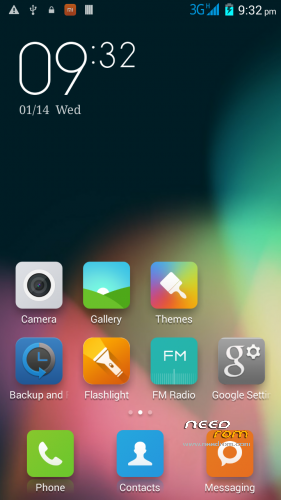
stock Elephone launcher
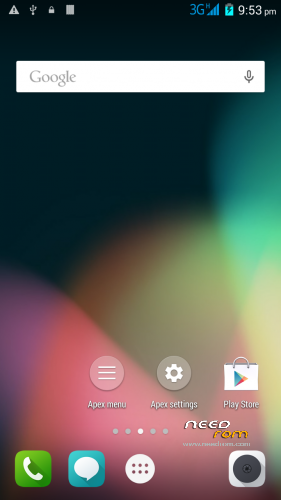
APEX launcher (recommended)
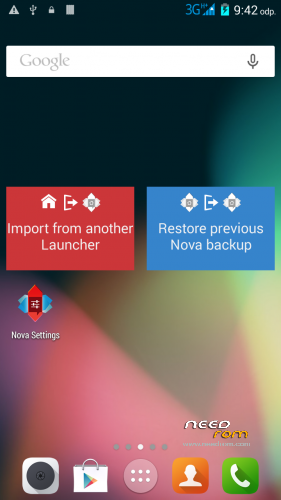
NOVA launcher
MIUI launcher
– partition patch included
– GPC configuration set up based on location
added battery optimization focused init.d scripts (merged from Lolli Experimental)
custom boot animation
some more tweaks…
NOTE: I've again divided the ROM into two versions, LITE and FULL.
The LITE version doesn't contain almost any apps like: Email, Calendar etc – as I believe many user (myself included) replace them with apps from Google Playstore.
The FULL version contains (almost) all the Elephone apps – but still with some bloatware removed.
Please, report anything you think that might be a bug to: honzikd+kitkat+v2@gmail.com Or, visit Elephone forum for more help: http://bbs.elephone.hk/?fromuid=2951
How to install:
(Make sure you have custom recovery installed, custom recoveries are: ClockWorkMod, TeamWinProject etc..)
PRIOR TO INSTALLATION MAKE A FULL BACKUP IN RECOVERY
ALSO, REBOOT THE RECOVERY BEFORE YOU START THE ROM INSTALLATION (Many thanks to Mike2957)
1. Place the ZIP to your sd-card
2. Select "Install zip from sd-card" or simmilar from your custom recovery
3. Follow the onscreen instructions
Note: if you select to apply the partition patch, the phone reboots the recovery automatically. After that, select to install the zip again > and select "Keep as it is" option in the patch section
CHANGELOG
Elephone G6 v1.1 by honzikd 2014/12/09
1. fully deodexed and zip-alligned for better performance
2. init.d scripting support
3. battery tweaks: set ART as default runtime, GPU as the primary rendering device
4. LITE VERSION: removed some rarely used apps (Calendar, Browser – as I usually replace them by apps from the from Play Store)
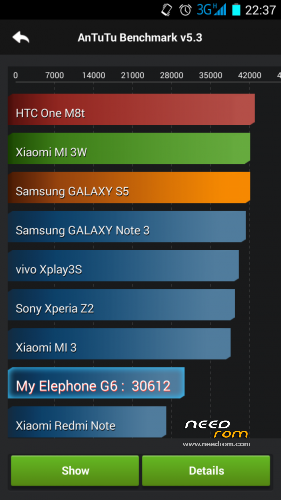
STABLE AND VERY WELL PERFORMING ROM
KNOWN BUGS:
None at the moment
If you think you found a bug, please, report to me: honzikd+needrom+kitkat+v1.1@gmail.com
Please, include logcat or at least well described steps how to reproduce the error.
Flashable zip (for custom recoveries like CWM) based on most current stock KitKat ROM, with sound patch – audio volume levels increased for internal speaker, headphones and handset.
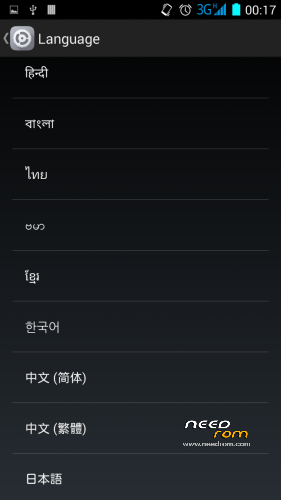
Multilang, rooted, zip-alligned, with preinstalled MTK MobileUncle Tools and SuperSU. Chinese apps wiped out.
HOW TO INSTALL:
Install in custom recovery. (That is not the one which came pre-installed on the phone)
- Place the zip with the ROM to your SDCARD
- Reboot into recovery
- Do a full wipe – factory reset
- Install the ROM zip from SDCARD
- Done!
If you want to increase the system/primary partition size (from 1GB to 4GB), download my patch (see here: https://www.needrom.com/download/mod-increase-primary-partition-to-4gb/) and install it PRIOR the ROM installation.
IF YOU FIND IT USEFUL, PLEASE SUPPORT MY WORK AND DONATE. EVEN 1 EUR/USD COUNTS! 
I'd like to say big 'Thank You' to the following kind donators:
nobierom
Kevin Oluschinski
kara.s
Mirko_Polo
peknydenpreji
jeanca84
Jacques Kurvers
Pavlisk
layinglow
picky
alexkuipje
godlob
Frederick Steilen
leonidasleon
Sven-Christian Korrel
jurasek141
Knut Ulstein
Disclaimer: Use it at your own risk and always do backups.
※Please make a backup of your device before installing or updating ROM
yes the zip must have been damaged. i’ve used the stock rom (with scatter file so i could use sp tools) and flashed it back to original, then downloaded 1.1 lite zip again and that time cwm flashing completed without errors. phone seems to be working ok now.
Glad to hear that. I'll provide MD5 checksum for all the files, so noone should face that again in the future.
Hi, this is probably, because you didn't factory reset/wipe prior update. I experienced the same, then read HOW TO INSTALL again
Hi Honzikd, installed ADB & CWM etc, allowed maxing the partition to 6GB (no errors). For the custom ROM I recieved the 'Error creating Symlinks'. Using the 'fix permissions' sorted this and then 1.1.LITE installed no problems. Awesome work
Thank you very much for Your feedback! I'll look into the symlinks to check what should have caused that..
Enjoy the Christmass and good luck in the year 2015!
honzikd
Tried it on my hdc 9006v, but stuck at boot.
Phone has the same hardware (mtk6592 and 1280×720) so I tried it.
installation goes well, no error but hangs at boot.
Any suggestion how to edit this ROM for my model?
Thanx anyway!
Well, my very first suggestion would be to read something about ROM porting first. But, in a nutshell: you will need boot.img for your device (or at least working kernel) + frameworks + some of the libs + modified updater script. You can get almost all of that from e.g. factory image of ROM for your device… Send me an e-mail if you want to discuss it further…
Hi, Which link is to the latest rom?
The version 1.1 is the latest. I've released that version in two variants: plain v1.1 and v1.1LITE – some of the apps I found not usefull (calendar, notes..) were removed, just because many users usually replace them with their Google versions..
Thanks mate.. Does it also include the Mod to increase the partition?
No, it does not. I would leave the option to the end user – so they can decide the prefered size of the primary partition.
I wanna install a new rom, What do you advise me this one or the Lolli one ? Thanks I'm from Colombia.
Do you feel yourself as advanced user? Can you do a full logcat using adb? If you answer is yes to both questions, I'd recommend the "lolli experimental"..
No me funciona ninguna version de las tres, la ultima que he probado ha sido la version LITE y me pide salir todo el rato del google play….
I do not work any version of the three, the last one I tried was the LITE version and asks me out all the time from google play ….
If you by "… it asks me out all the time from google play" mean that you are getting prompts to update apps from Google Play - that's anything that I'd call a failure.. If you could share a screenshot or a full message you're getting, I'd be glad to look into that. Just send me a PM..
Cheers,
honzikd
stuck on boot… anyway to fix it? tried flashing via CWM.
any help to get my mobile working again?
got it to boot…
Hi there Honzikd; thank you very much for your effort in giving us other roms for our G6.
Just a quick question: is it possible to update your rom´s with a 4.4.4. version of KitKat?
(Even my Huawey G300 had a Cyanogen Rom with 4.4.4. in it.)
Is there such a big change in the kernell, that makes it dificult or impossible to do it?Is there any problems with the hardware, to port it (upgrade it?)
I know your effort right now is on your "Lolli" Rom, but even that one is still no were near a 5 , its still a 4.4.2, isnt it?
best regards
Márcio Lima
From Portugal
You are correct, the "Lolli" is still running on 4.4.2 core, and it will take a lot of work to get closer to Android 5.
About the latest KitKat – it's almost the same, but I promise I'll try. I can imagine Huawei G300 uses Qualcomm processor – the sources are available so porting Cyanogenmod to it is way easier (instead of closed-source MTK based devices)