
- Title: Lenovo A850 ROW
- Listed: December, 2013
- Last modified: 12/05/2013 3:35 am
- Version: ROW V17 2013/09/22
You must be logged for ROM download.
101213 total views, 2 today
207 Total favorites
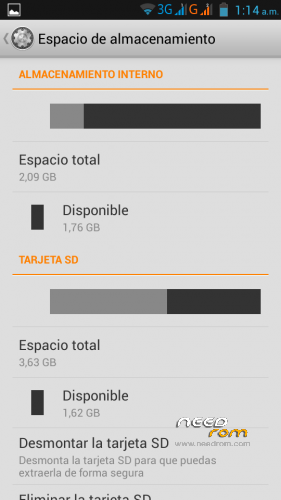
 Member Info
DESCRIPTION
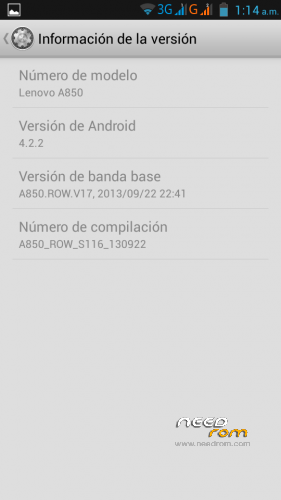
Android: 4.2.2
Baseband: A850.ROW.V17, 2013/09/22 22:41
Compilation: A850_ROW_S116_130922
Autoupdate: Yes
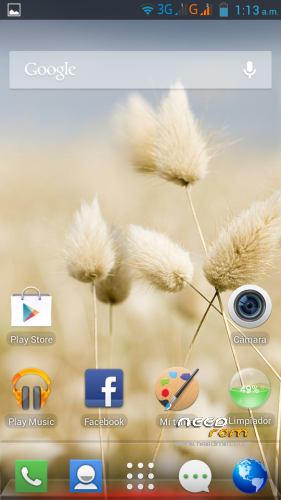
ROM Type: Stock, untouched, Official from Lenovo for Rest of World (ROW) – Outside China
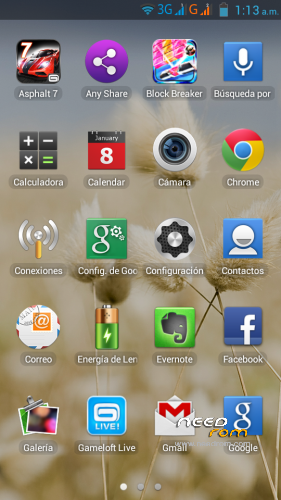
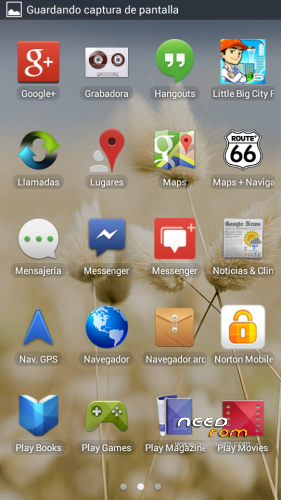
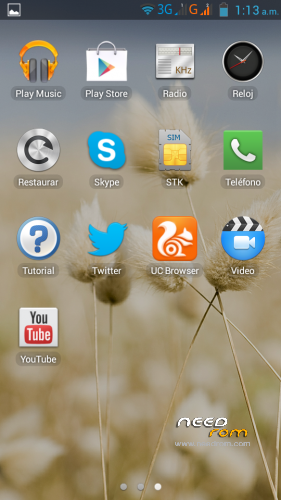
Store: Google Play
Languages: Bahasa Indonesia, Bahasa Melayu, English, Español, Français, Tiếng Việt, Русский, Српски, Українська, 中文, العربية.
Preloaded Applications:
AccuWeather®
Chrome
Evernote®
Facebook & Facebook Messenger
Lenovo® AnyShare
Norton Mobile Security
Route 66 Navi + Maps
Skype™
Twitter
UC browser
Games:
Asphalt 7
Block Break 3 Unlimited
Little Big City
Gameloft Store
- Uncompress downloaded ROM, FlashTools and Drivers.
- Uncompress target_bin.7z from ROM folder.
- Turn off your phone, remove the battery.
- CONNECT YOUR PHONE VIA USB
- Select Drivers folder if needed
- DISCONNECT YOUR PHONE NOW!
- Open FlashTools Folder.
- DO NOT CONNECT YOUR PHONE
- Run Flash_tool.exe
- Select MT6582_Android_scatter in uncompressed target_bin.7z folder
- Choose Option -> USB Mode, click USB Mode
- Choose Option -> DA DownLoad All -> Speed -> High Speed -> click High Speed
- Check option "DA DL All With Check Sum" if it's not checked.
- Click "Firmware Upgrade" BEFORE CONNECTING YOUR PHONE
- Check your phone is off and battery is removed.
- CONNECT YOUR PHONE VIA USB when FlashTools shows "Searching"
- Wait Flash, when a green circle appears, you must DISCONNECT your Phone from USB.
- Check option "DA DL All With Check Sum" if it's not checked.
- Click "Download" BEFORE RECONNECTING YOUR PHONE
- Check your phone is off and battery is removed.
- CONNECT YOUR PHONE VIA USB when FlashTools shows "Searching"
- Wait Flash
- When a green circle appears, you can disconnect USB, reseat the battery and power up your device. It will take several minutes for it to boot up.
NOTE: NEVER CLICK ON FORMAT, NEVER, YOU WILL LOOSE YOUR NVRAM.
Enjoy your OFFICIAL ROM with the official APPs and Games.
※Please make a backup of your device before installing or updating ROM
This rom is very good but no use SD to instal app. When have new rom?
Need a custom rom, Lenovo release the source code http://download.lenovo.com/con.....ce_20131108.zip
Hi, Thank you very much that is what I was looking for, but I have a question how to make sd card the default storage in this rom?
Hello everyone,
The rom works perfectly on my Lenovo A850. Everything work as I wanted, specially I'm happy about my battery life, it's 2 whole days.
Despite these awesome things I had a problem. I deleted something on it and the camera led doesn't work even the torch app.
I tried to do a wipe data/ factory reset from recovery mode but it doesn't load anything. It's like it doesn't have a rom on it.
Fortunately, I did a backup before…but my led doesn't work.
To solve the problem, Do I have to install the rom again from the begining? or does anybody any idea?
Cheers.
It does not allow flash with CWM.
Chinese ROM has different partition structure than ROW ROM.
islomo i think you need to reflash the ROM.
@TorpedoJavi so what should I do if I need to flash my phone which already has chinese ROM?
@archat68 you need the preload drivers, use these drivers:
https://mega.co.nz/#%21Yxcj0KR.....PUJHrz7d49aPJ_Y
Hi, i still have the original chinese rom, and the notification led works perfectly:
green – when call, sms, etc
red – when charging
red and orange – when loading and you get notifications
how long does this process take cos im im stuck in the searching for more than 30min.
@The Virus, it takes 1 or 2 seconds.
You need the correct drivers:
https://mega.co.nz/#%21Yxcj0KR.....PUJHrz7d49aPJ_Y
What i have to do if i dont want install the preloaded app and the games.
Thank you.