
- Title: Lenovo P780 MIUI
- Listed: July, 2013
- Last modified: 05/01/2014 3:34 am
- Version: ROM Android 4.2.1 MIUI
You must be logged for ROM download.
118017 total views, 5 today
128 Total favorites

 Member Info
DESCRIPTION
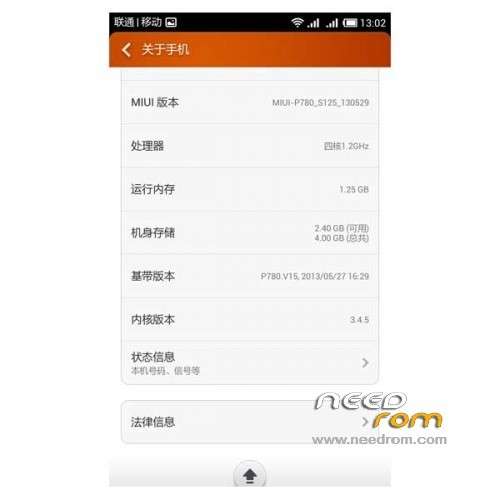
ROM Phone Lenovo P780 – ROM Android 4.2.1 MIUI
ROM features :
Update MIUI V5 – 4.4.25
Gapps include – Multilang
———————————————————————————————————————————————-
MIUI V5 – 4.4.11
Gapps include – Multilang
Install ROM :
CWM
Step 1: Download the custom ROM copied to an external SD card root directory
Step 2: the shutdown state. While holding down:
– Power button + volume button up, to enter the recovery mode.
– Wipe Data / Factory Reset -> delete all user data
– Wipe Cache Partition -> Wipe cache
Step 3: Return to recovery main interface Install zip from sdcard -> choose zip from sdcard -> Select your ROM
Step 4: Brush complete, restart the phone Patience required – first boot takes a while
※Please make a backup of your device before installing or updating ROM
flashed over the rom S132 with recovery CWM_v6.0.2.8.
nice rom it's stable and fast one bug found in play store when you typing , you can not see what you typing invisible character
how i can fix that ? except this everything is ok utill now .
i foud an other bug in the final version 4.1.3 in blutooth i can't find any blutooth device please fix it its a nice room.
Hello Blutooth work,
have you make a restart?
Jörn
Hello all,
Thank you vor this Rom. But thedering not work.
Playstore die words in white. You can not see.
Sorry vor my Bad englisch.
Best Regards
Jörn
Hello,
YouTube not 100% work
MIUI V5 4.1.3
Problems that I have noticed:
- YT and other parts of google won't work (you can't watch videos per app or browser). Error: "Page not found" or "403"
- if you search in Play Store, you can't see your typed characters
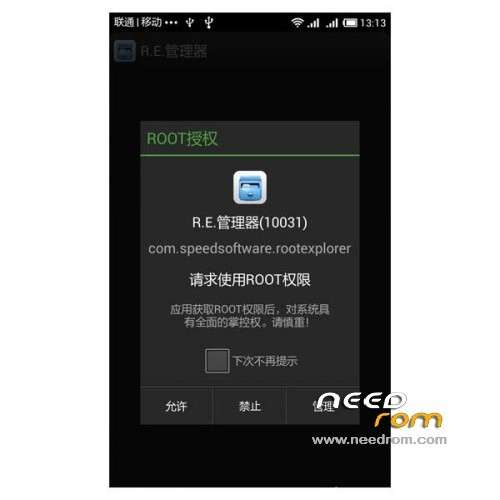
i had the same problem. you need to get root explorer application, go to /etc folder and modify hosts.
you need to erase all the text in the hosts file .You can open hosts file using a text editor. erase all but not the first line "local host …. some numbers" .
I noticed with tracerouting google.com that my phone is still routing to china servers (I'm living in germany). Because of that most of the google services like YT won't work.
Still searching how to fix that.
modify the hosts file in /etc folder. delete all the wierd sites and leave just the first row with local host.
Thanks. I've found that solution on the web too. It's working again. Yeah!
For easier access, i used the following app to clear all entries (except localhost):
https://play.google.com/store/.....itor&hl=de
Hi All,
Rusian made MIUI special for Lenovo P780. Before instal this version you need to instal LiFe ROM. This version don't have any problems I'ts working just perfect. I use it as daily ROM
languages:
English, Bahasa Melayu, Bahasa Indonesia, Cestina, Deutsch, Espanol, Francais, Italiano, Magyar, Nederlands, Polski, Portugues, Romana, Slovencina, Turce, Rusian. And few arabian or something like that
http://translate.google.pl/tra.....-sim-version%2F
It's realy very good MIUI
Good rom, host fix doesn't fix google play search..
no option for live wallpaper.
Thank you very much!
For me the best rom for my P780, I've tried a lot.
does it have romanian language ?